3-48 Sun Fire X4100/X4100 M2 and X4200/X4200 M2 Servers Service Manual • August 2009
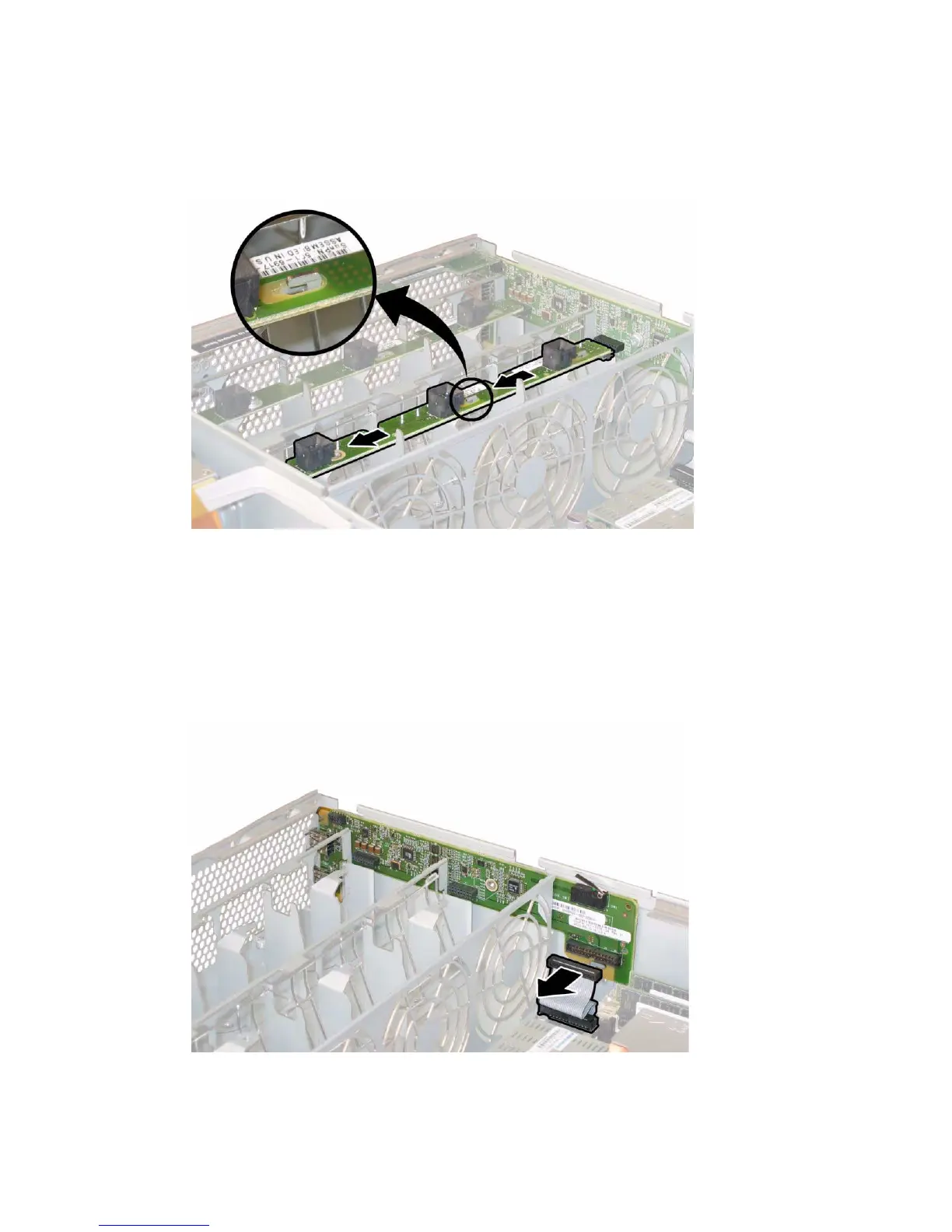
c. Lift the fan connector boards straight up to remove them from the system.
FIGURE 3-37 Releasing the Fan Connector Board
10. Remove the front panel indicator board. For details, see Section 3.12.8 on page 3-44
11. Disconnect any external cables from the front I/O board’s USB connectors.
12. Disconnect the front I/O interconnect cable that connects the front I/O board to
the motherboard. See
FIGURE 3-38.
FIGURE 3-38 Disconnecting the Interconnect Cable from the Front I/O Board














 To Next Page