3-76 Sun Fire X4100/X4100 M2 and X4200/X4200 M2 Servers Service Manual • August 2009
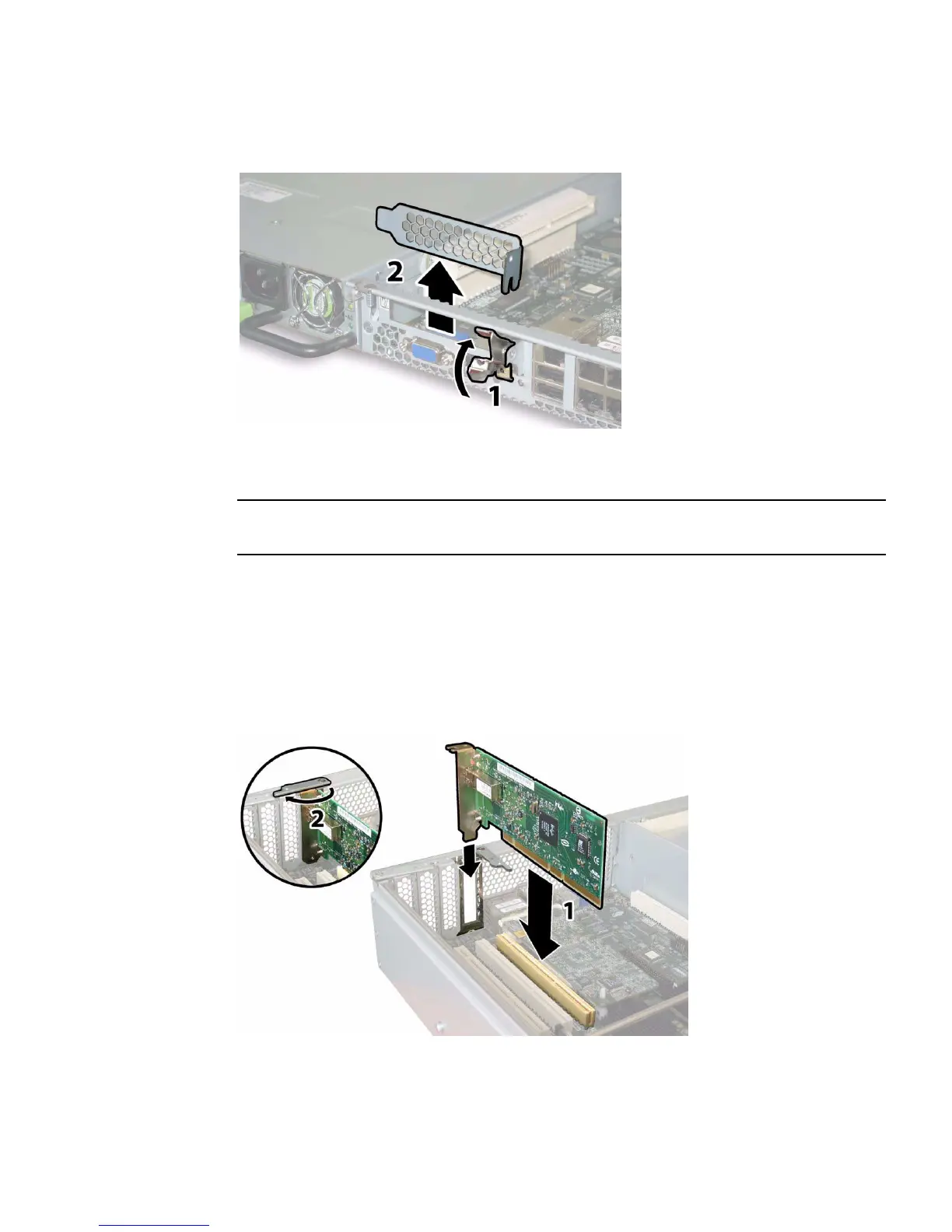
FIGURE 3-59 Opening a PCI Card Securing Latch (Sun Fire X4100/X4100 M2 Server Shown)
6. Install a PCI card.
Note – Sun Fire X4200 servers support only PCIX style cards; Sun Fire X4200 M2
servers support one PCIX slot and four PCI-Express (PCIE) slots.
a. Insert the PCI card into the PCI card slot. Ensure that the PCI card's rear
connector panel engages the tab in the chassis rear panel.
b. Pivot the PCI card latch closed over the rear connector panel of the PCI card
until it locks. See
FIGURE 3-60 or FIGURE 3-61.
FIGURE 3-60 Installing a PCI Card (Sun Fire X4200/X4200 M2 Server Shown)














 To Next Page