Chapter 3 Maintaining the Sun Fire Servers 3-75
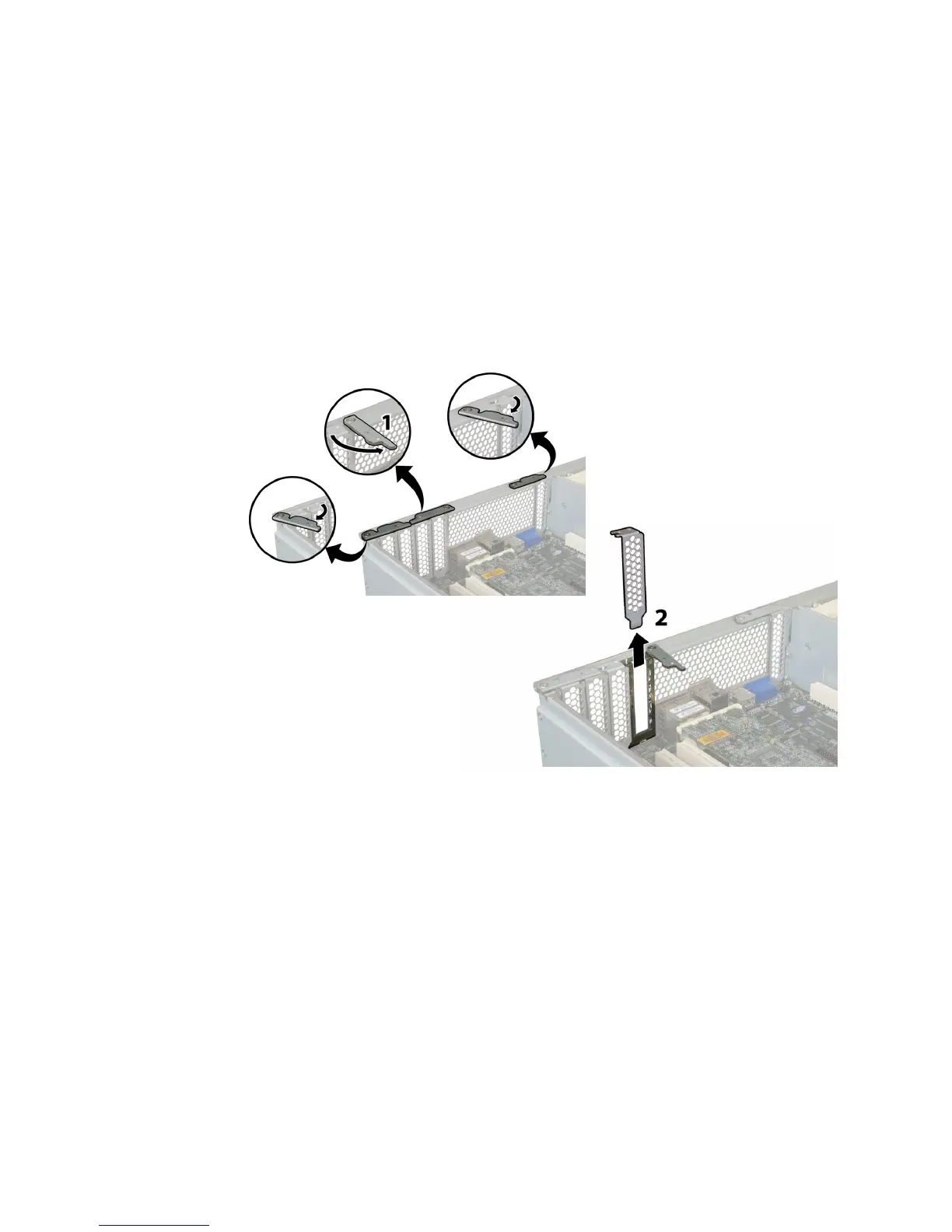
5. Remove the slot cover or PCI card from the slot. See FIGURE 3-58 or FIGURE 3-59.
a. Disconnect any external cables that are attached to the PCI card.
b. Working from the rear of the chassis, pivot open the PCI card latch that
covers the PCI card’s rear connector panel.
c. Pull the PCI cards or slot covers out of the PCI slots. Ensure that each PCI
card's rear connector panel is released from the tabs on the chassis rear panel.
FIGURE 3-58 Opening a PCI Card Securing Latch (Sun Fire X4200/X4200 M2 Server Shown)














 To Next Page