3-84 Sun Fire X4100/X4100 M2 and X4200/X4200 M2 Servers Service Manual • August 2009
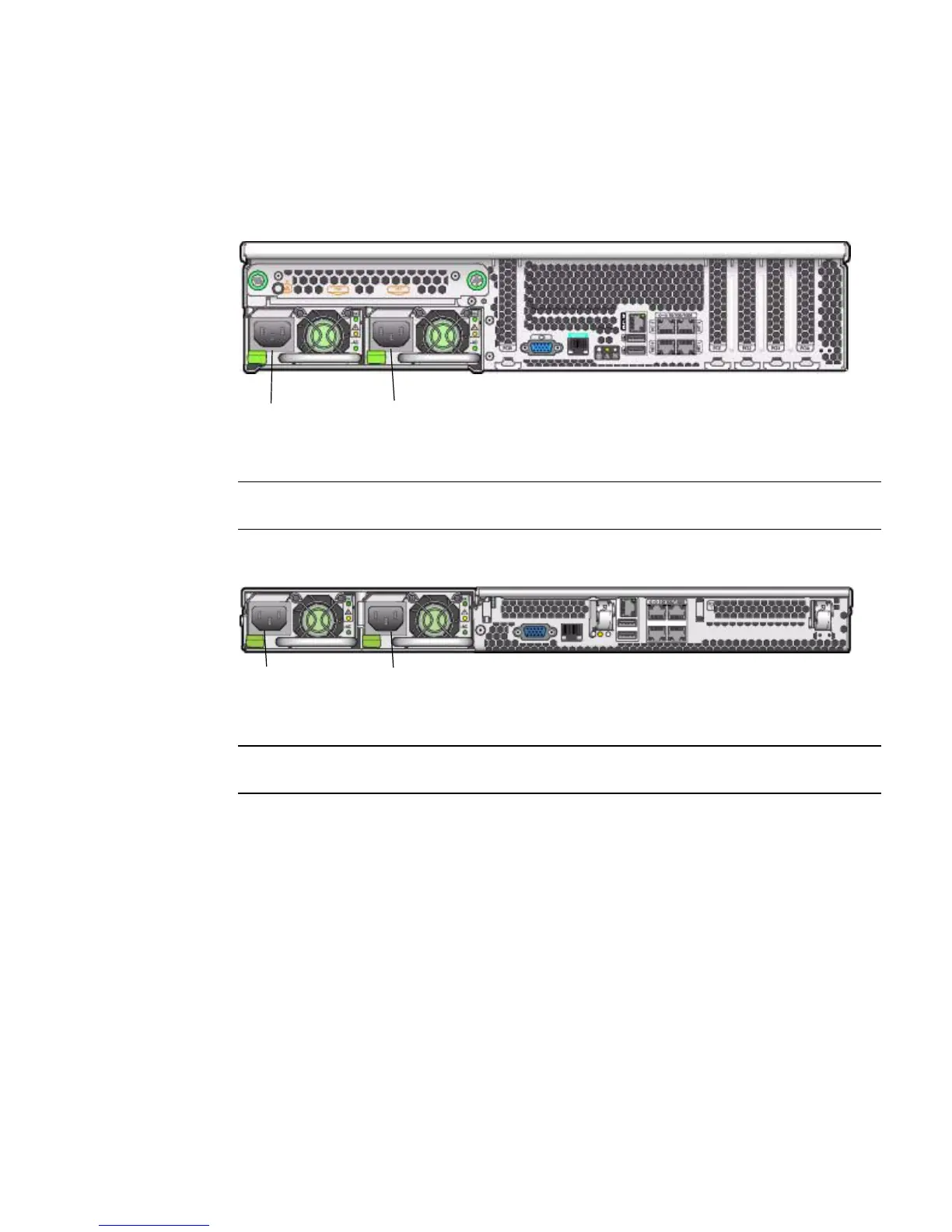
The system designation of the two power supplies is shown in FIGURE 3-67 and
FIGURE 3-68.
FIGURE 3-67 Designation of Power Supplies (Sun Fire X4200/X4200 M2 Server Shown)
FIGURE 3-68 Designation of Power Supplies (Sun Fire X4100/X4100 M2 Server Shown)
1. Identify which power supply you will replace. Each power supply has three
LEDs that you can view from the rear of the server:
■ Top LED is on (green): Power supply is operating properly.
■ Middle LED is on (amber): Power supply is faulty and should be replaced.
■ Bottom LED is on (green): Power source to power supply is operating properly.
2. Disconnect the power cord from the power supply that you are replacing.
The power supplies are hot-swappable, so you do not have to shut down the
server or disconnect the second power supply.
Figure Legend
1 PS0
2 PS1
Figure Legend
1 PS0
2 PS1
12
12














 To Next Page