Chapter 3 Maintaining the Sun Fire Servers 3-85
Note – The Service Action Required LEDs on the front panel and back panel blink
when a power supply is unplugged. See
Section C.1 on page C-1 for the LED locations
and descriptions.
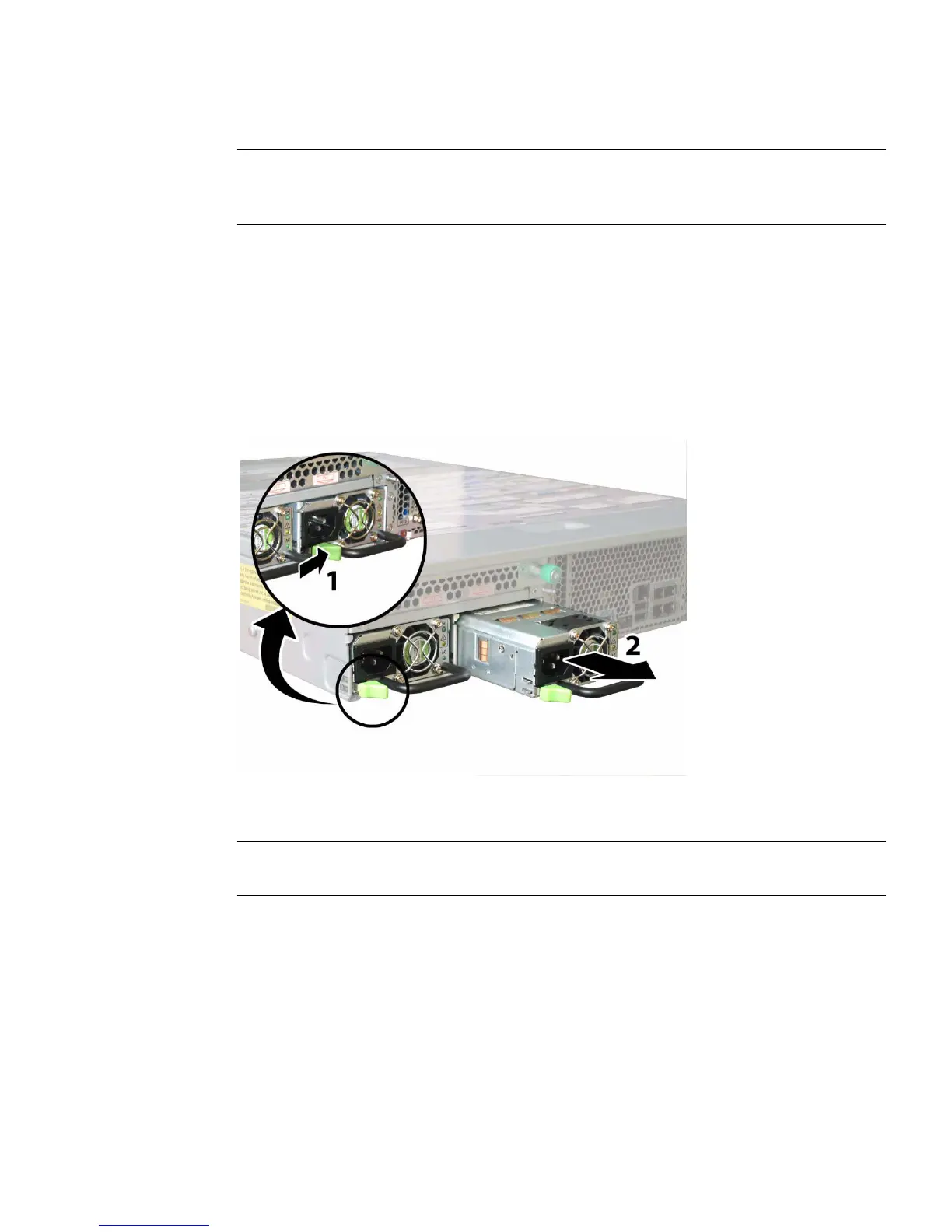
3. Remove the power supply.
a. Grasp the power supply handle and push the thumb latch toward the center
of the power supply. See
FIGURE 3-69.
b. While continuing to push on the latch, use the handle to remove the power
supply from the chassis.
FIGURE 3-69 Removing a Power Supply (Sun Fire X4200/X4200 M2 Server Shown)
Installation is the reverse of this procedure.
Note – When installing a new power supply, press it into the bay until the thumb
latch clicks, indicating that it is locked.














 To Next Page