3.8.4.2 Pairing of DECT handset
Objective: This menu allows you to pair up to 5 DECT handsets with the built in DECT base of your
Sunrise Internet Box.
•
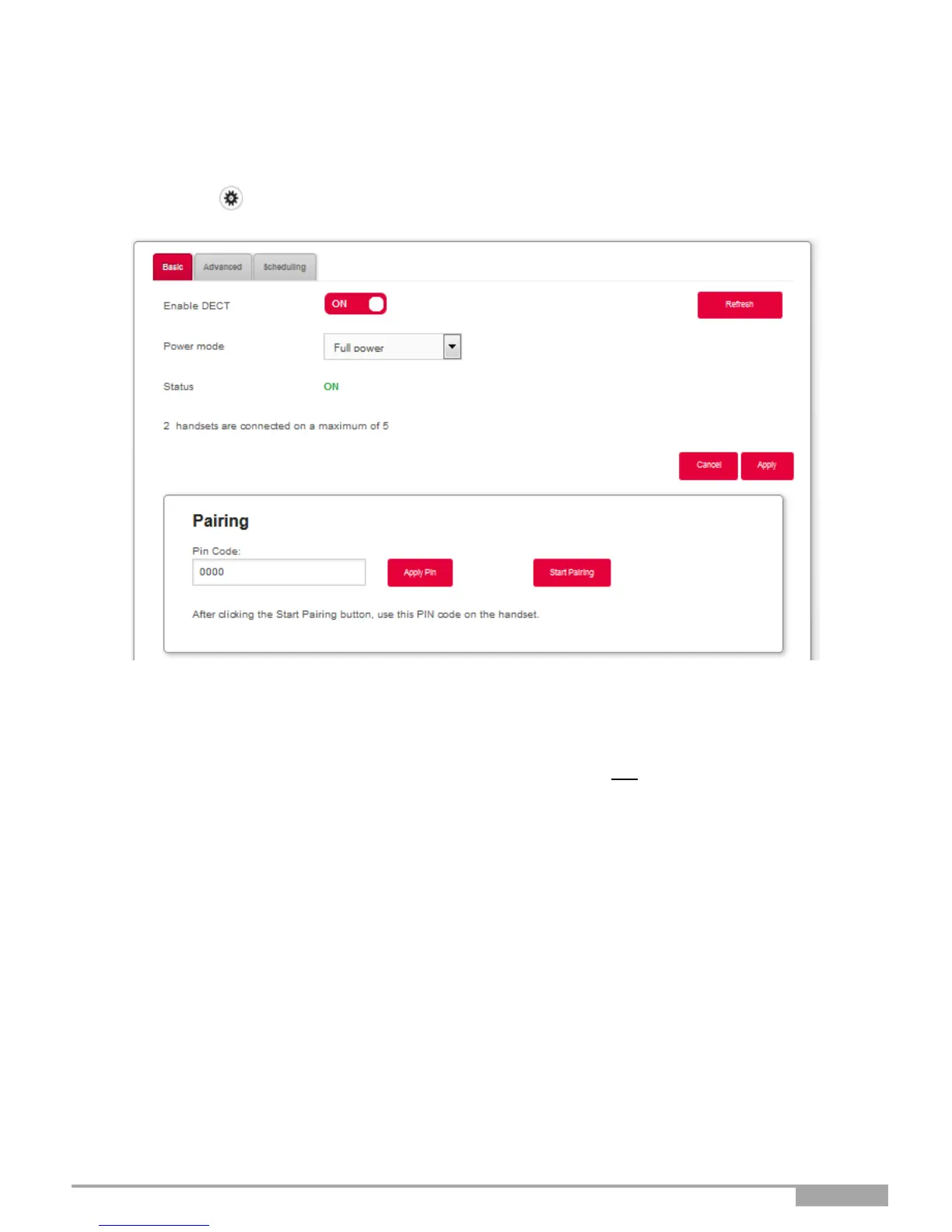
Click on the button to access the DECT settings, and then select Basic.
The following screen opens:
•
Ensure that “Enable DECT” is set to “ON” and that Status is “ON.”
•
Click on “Start Pairing” to set the DECT base in pairing mode.
•
Search for the Pairing mode in the settings of your DECT handset and enable pairing mode there as
well.
Note: You must enable pairing mode on your Sunrise Internet Box and the DECT handset within less
than 2 min. Otherwise, pairing will fail and you will have to re-start pairing again.
•
Pairing usually only takes a few minutes. Then the DECT handset will prompt you with a success
message.
•
You can now see the newly paired DECT handset in the User Interface
•
Once pairing is completed, you can see the list of successfully paired DECT handsets in the welcome
screen of your Sunrise Internet Box.



 To Next Page