2.4 Installing your Sunrise Internet Box
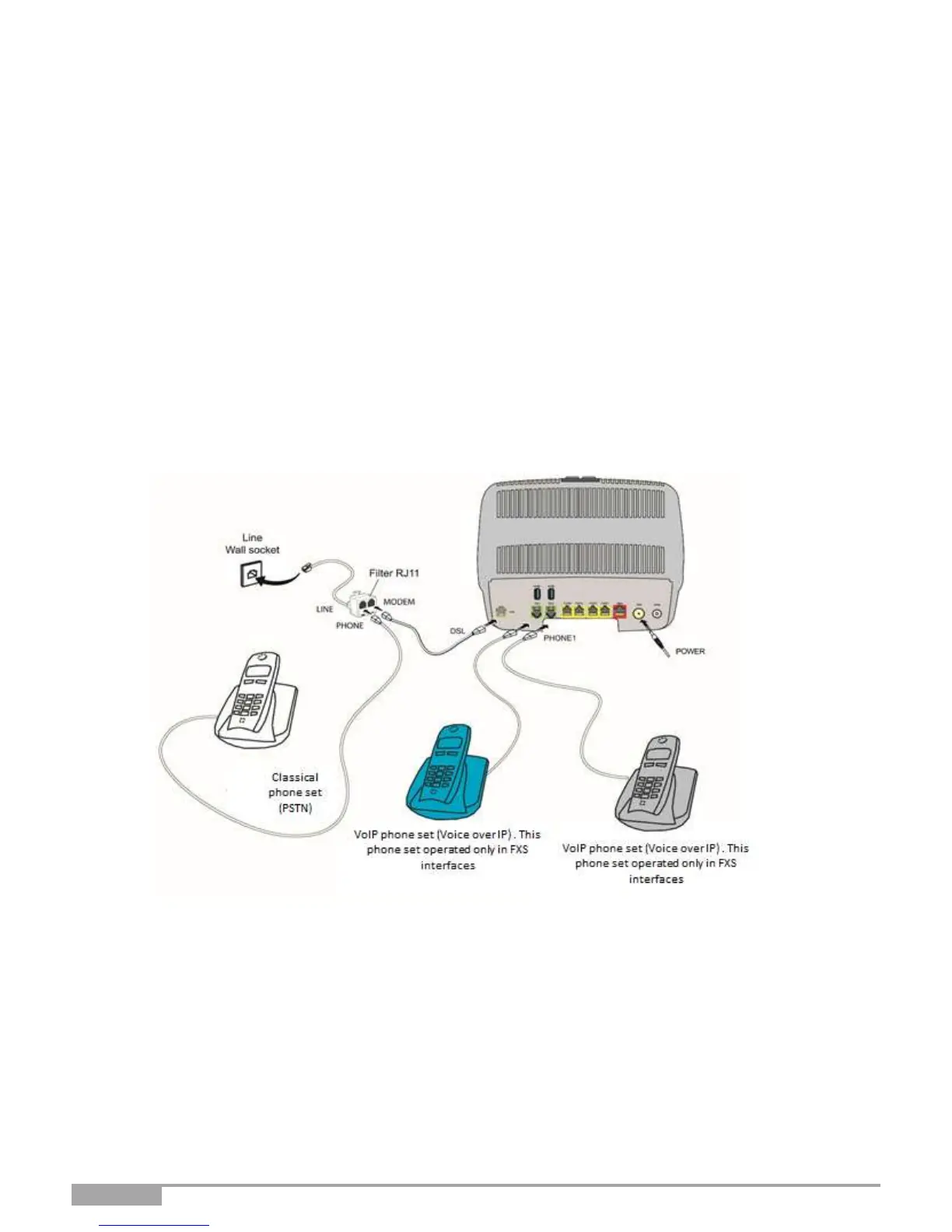
2.4.1 Connecting the ADSL/VDSL cable
1. Connect one end of the RJ11/RJ11 cable supplied with the equipment to the DSL socket of
your Sunrise Internet Box.
2. Connect the other end of the cable as shown in part 2.2
2.4.2 Connecting your phone
2. Connect a traditional analog telephone set to the TEL 1 socket of your Sunrise Internet Box as shown
below in Figure 2.3 and Figure 2.4.
3. Connect another telephone analog telephone set to the TEL 2 socket of your Sunrise Internet Box as
shown below in Figure 2.3 and Figure 2.4
Figure 2.3 - ADSL/VDSL line / telephone set / Power Supply Connection (Partial local loop unbundling)



 To Next Page