Sunrise Internet Box User Manual
3.9 USB service
This field only appears when one USB drive is connected to the Sunrise Internet Box.
3.9.1 USB device
3.9.1.1 Device Info
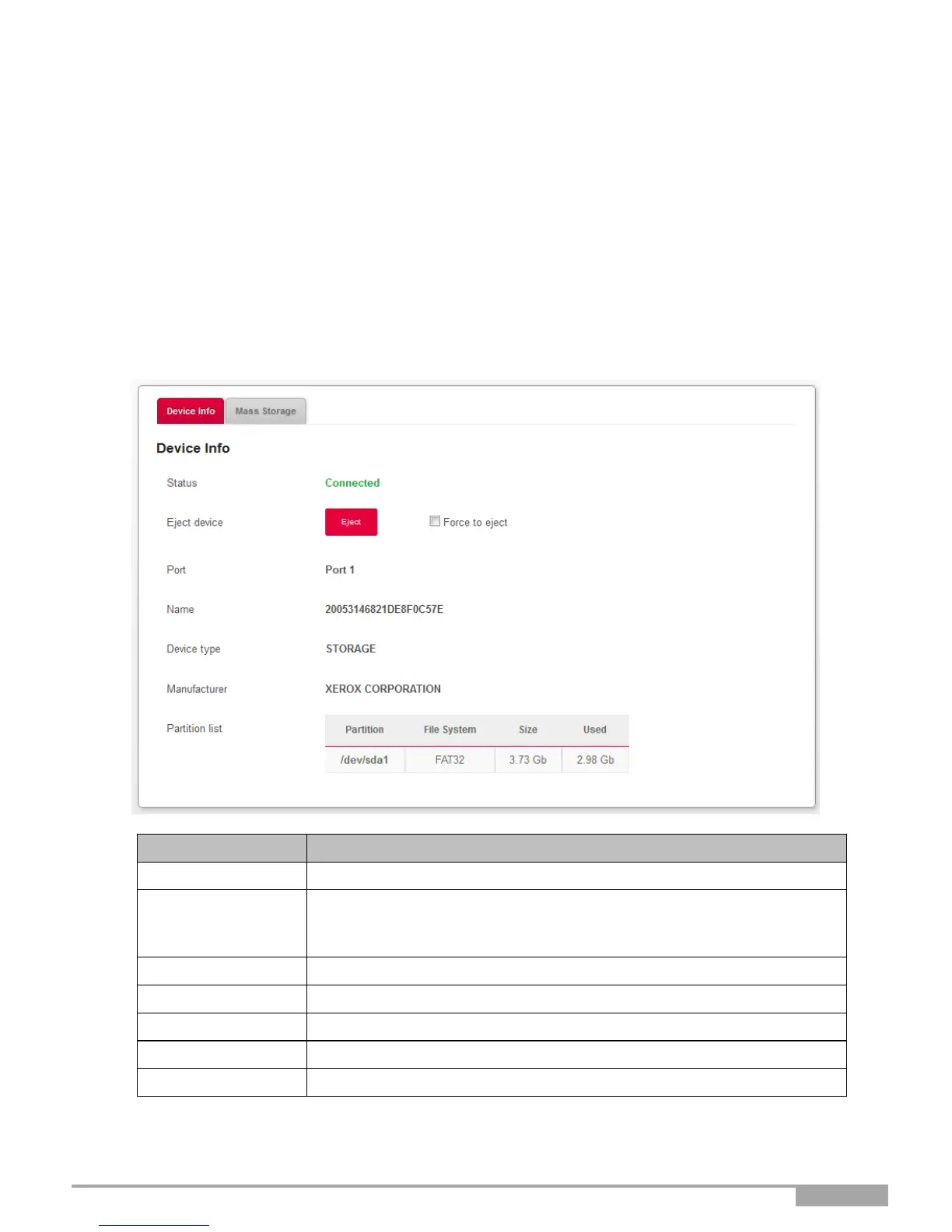
Objective: This menu provides some information about the USB devices connected to the Sunrise
Internet Box.
•
In the Network map, click on the USB device for which you want to display information.
Use this button to remove the USB drive from the Sunrise Internet Box.
Check the Force to eject box when the normal procedure is not
working.
Port where you have connected your USB drive.
Type of the device (storage, etc.).
Information about the manufacturer as programmed inside the device
Provides information about the USB drive connected.



 To Next Page