5 Fiber mode
All the specificities dealing with Fiber mode are detailed in this chapter.
The Sunrise Internet Box is a Gateway with an Ethernet WAN to connect to an external fiber
network for very high-speed Internet.
You connect your Sunrise Internet Box to an external fiber network using the SFP port. To do this,
you must plug an SFP module (not provided with the Sunrise Internet Box) into the SFP port of the
Sunrise Internet Box. This optical interface allows you to share your connection to the Internet
between all the computers on the LAN (Local Area Network) or WLAN (Wireless Local Area
Network). It also allows you to access the Telephone and TV services.
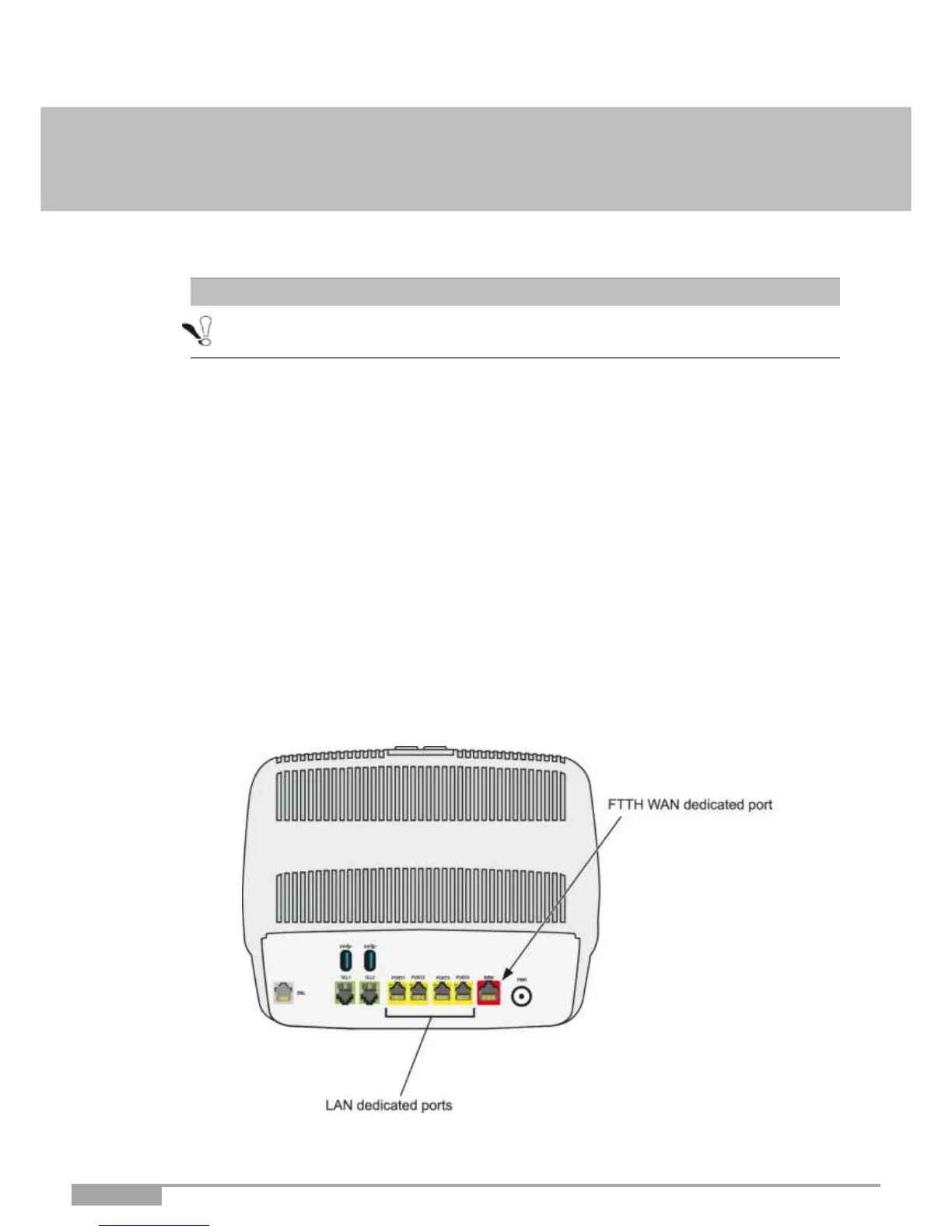
5.1 Description and connection of your Sunrise Internet Box
using WAN Ethernet port
Connect the equipment as shown in the figures below.



 To Next Page