Sunrise Internet Box User Manual
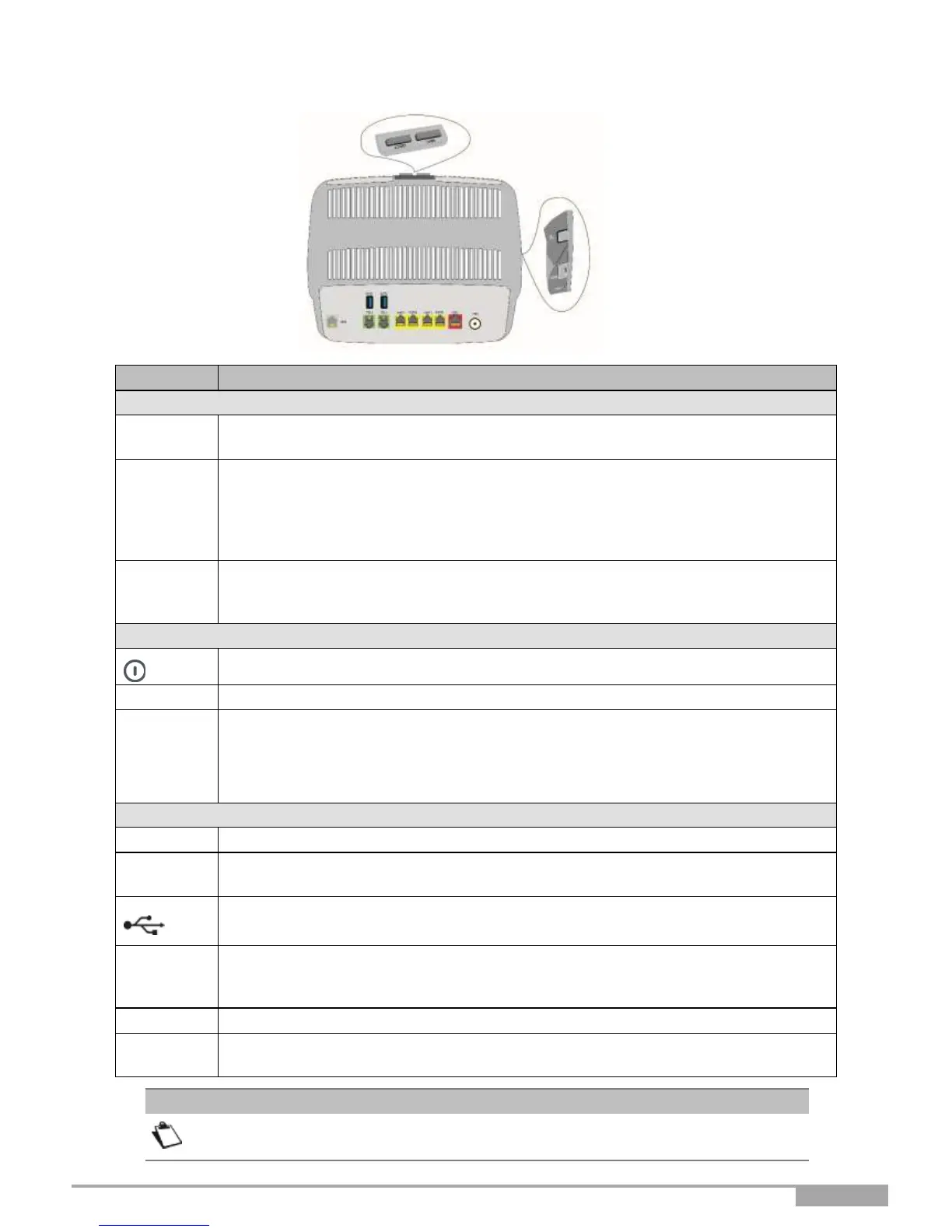
2.1.1 Connectors and buttons
Short press (less than 2s) to switch the Sunrise Internet Box to paging mode.
Long press (more than 2s) to switch the Sunrise Internet Box to DECT pairing
mode.
Short press (less than 5s) to enable/disable Wi-Fi function.
Long press (more than 5s) to switch the Sunrise Internet Box to easy-pairing mode
(WPS).
Very long press (more than 10s) to initiate the Sunrise Internet Box easy-pairing
mechanism over Wi-Fi with Sunrise TV Box.
Simultaneous pressing will disable auto-dimming function. Each simultaneous
press will change the state of LED brightness between the three possible states
(max, dimmed, off).
Press this button to switch the Sunrise Internet Box on/off.
SFP cage to receive SFP module for GPON connection.
Short press (less than 10s) restarts the Sunrise Internet Box.
Long press (more than 10s) resets the Sunrise Internet Box to the factory
configuration.
Note: The long press deletes the entire personalized configuration of your Sunrise
Internet Box: password, configuration, etc.
6-way RJ11 connector used to connect to an ADSL or VDS2L line (WAN interface).
6-way RJ11 connector used to connect to a classical analog telephone set for
Phone services (VoIP).
"Master" USB type A female connector (USB Interface) used for "Memory Sharing"
and "Printer sharing".
RJ45 connectors - 8 pts (10/100/1000BASE-T Ethernet Interface). These
connectors are identified by the color yellow. They are used to connect to a
computer or a television set (via a TV/Video Decoder).
FTTH (Fiber to the Home) WAN dedicated port.
Miniature jack fixed connector. This connector enables the Sunrise Internet Box to
be supplied with direct current from a power adapter unit.
In "Routed" mode configuration, any of these connectors can be used for data or
Video transmission and do not have to be dedicated to a particular transmission.



 To Next Page