Sunrise Internet Box User Manual
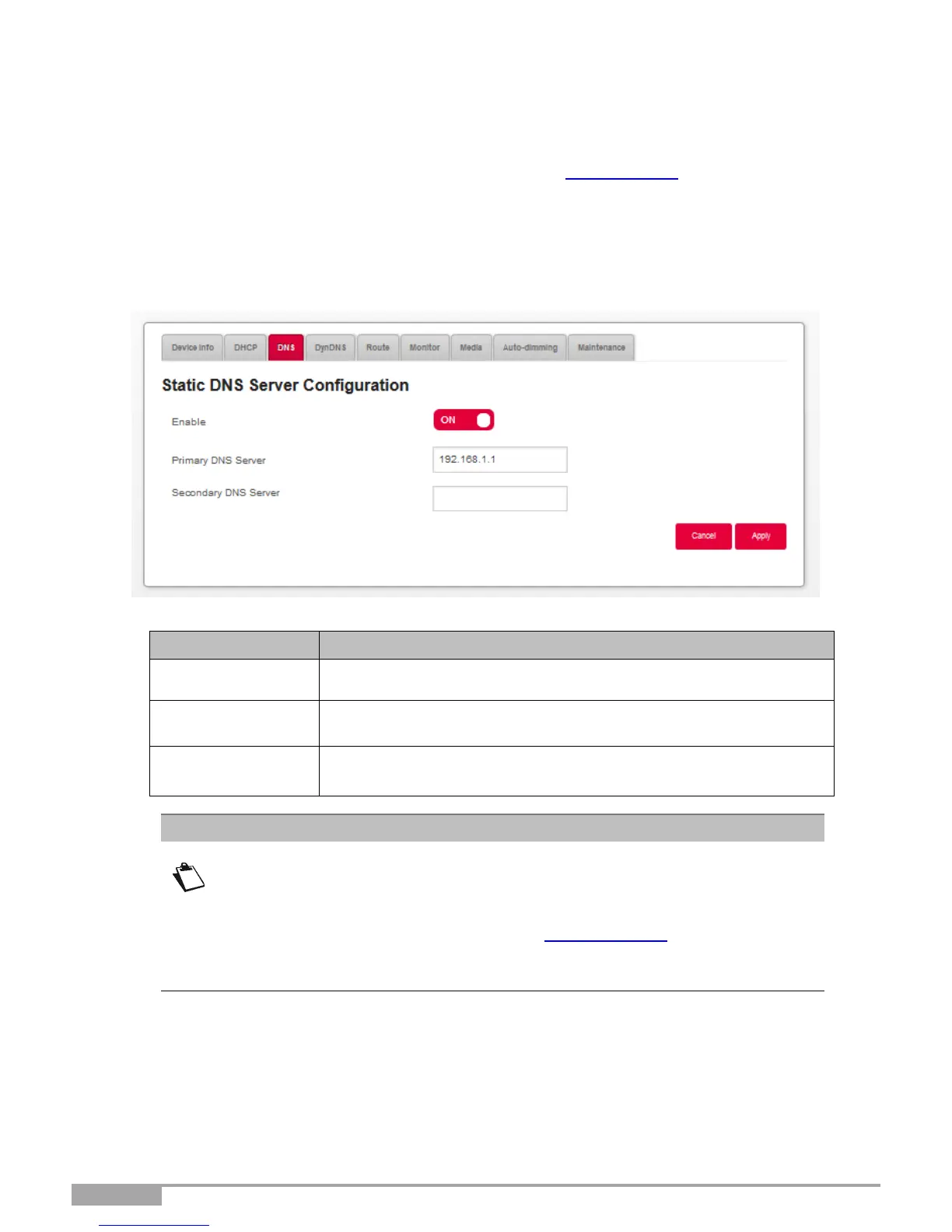
3.3.3 DNS
Objective: Enables you to configure static DNS (Dynamic Name Server), which are used to translate
human readable IP-addresses of Internet pages (like www.sunrise.ch) into machine readable
IP-addresses. For everyday use, these servers are automatically configured and managed by
Sunrise. If you change the DNS settings, please be aware of the potential restrictions in the
Note below.
•
Click on the Expert Mode in the Top Menu to activate the Expert Mode.
•
In the My Sunrise Internet Box menu, select DNS. The following screen opens:
Press the button ON/OFF to activate or deactivate static DNS
service.
Enter the IP-address of your primary DNS server.
Enter the IP-address of your secondary DNS server.
If you enable static DNS, the following features will not work or be available
anymore:
DNS relay function inside the gateway is bypassed.
DNS resolution of sunrise.box is no longer possible, with the following impacts:
o No access to the User Interface via http://sunrise.box
o DropBox services no longer work
Parental control with URL filtering will also no longer work



 To Next Page