Sunrise Internet Box User Manual
3.3.7 Media
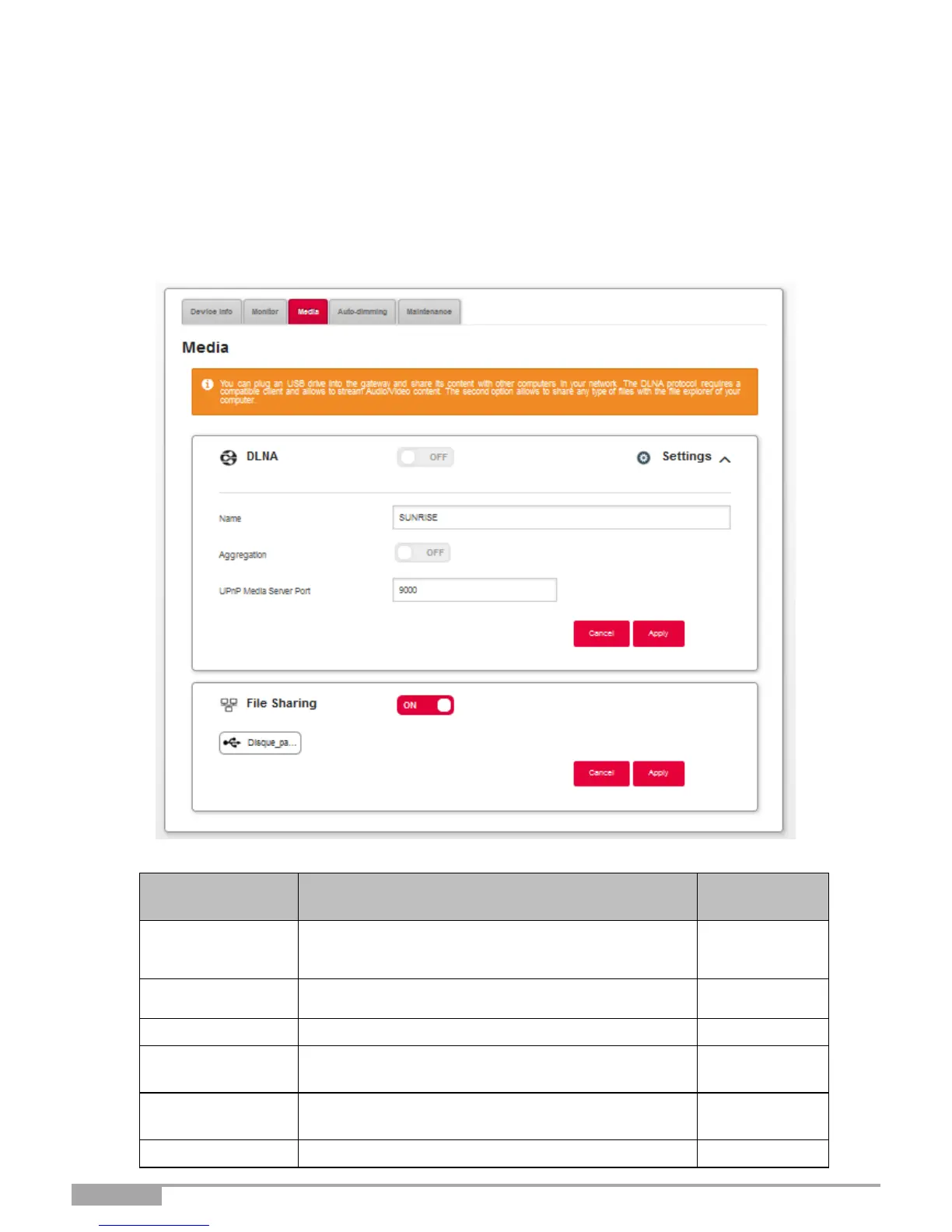
Objective: This menu lets you configure the shared services (DLNA and SAMBA) of your Sunrise
Internet Box.
•
In the My Sunrise Internet Box menu, select Media. DLNA settings
Use DLNA for sharing multimedia content from a USB mass storage device with all connected devices on
your local network.
The ON/OFF button allows you to activate or
deactivate the DLNA service on your Sunrise
Internet Box.
Display/hide the advanced settings of the DLNA
server.
Name of the media server.
The ON/OFF button allows you to activate or
deactivate the UPnP protocol.
Port number of the UPnP server.
Enable / disable file sharing



 To Next Page