EasyManua.ls Logo

Sunrise Internet Box - Page 41

Sunrise Internet Box
156 pages
Print Icon
To Next Page IconTo Next Page
To Previous Page IconTo Previous Page
Loading...
Sunrise Internet Box User Manual
Page 41
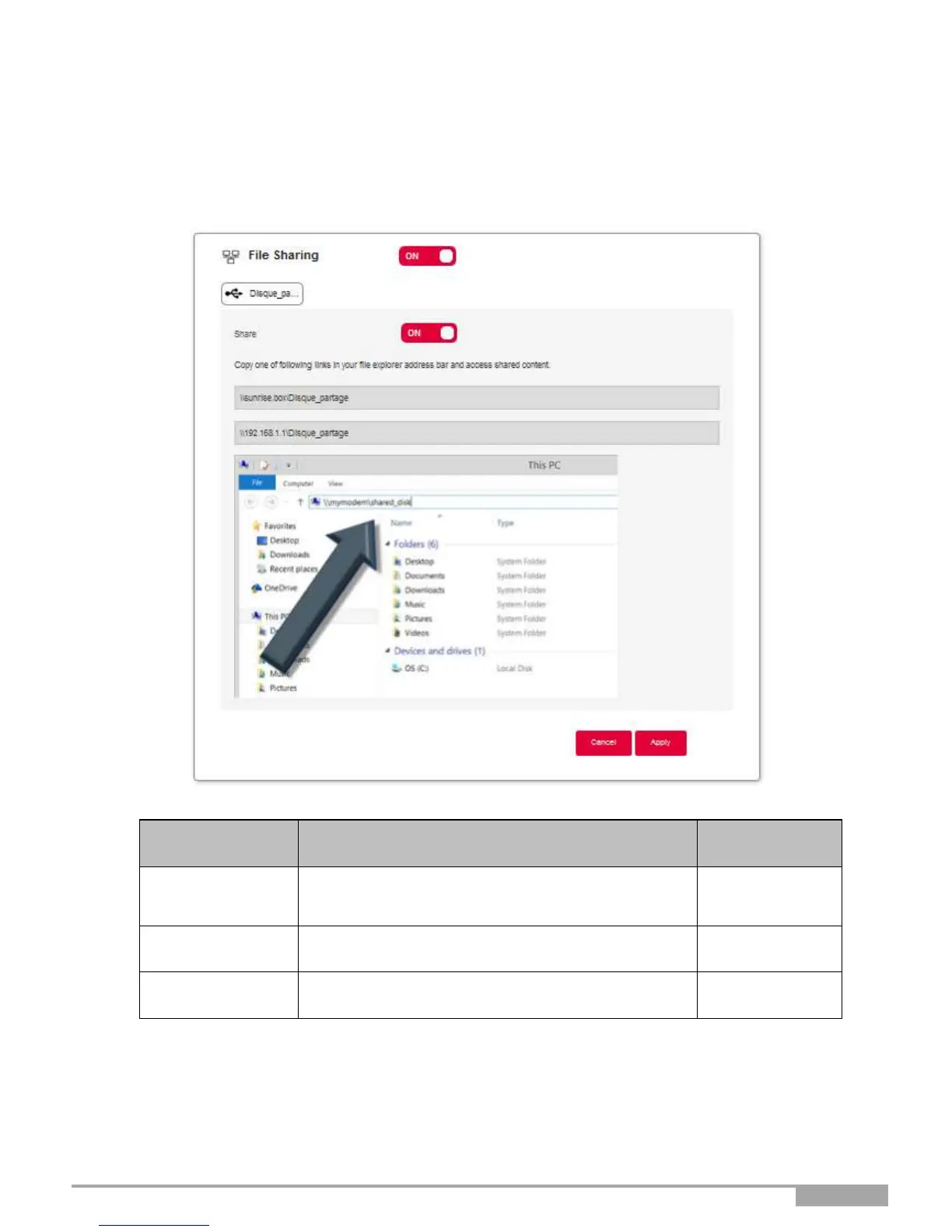
File sharing settings
This services allows you to share the content of USB memory devices (key, etc.) with all users connected
to the Sunrise Internet Box. To do this, the user must copy the link indicated on the screen into the
browser address bar.
Field
Action
Default
value
File sharing
The ON/OFF button allows you to activate or
deactivate the File Sharing service on your
gateway.
USB Disk
Display/hide more information about the shared
content.
Share
The ON/OFF button allows you to activate or
deactivate access to the current USB memory.

Table of Contents

Other manuals for Sunrise Internet Box

Related product manuals