EasyManua.ls Logo

Sunrise Internet Box - Remote Access

Sunrise Internet Box
156 pages
Print Icon
To Next Page IconTo Next Page
To Previous Page IconTo Previous Page
Loading...
Sunrise Internet Box User Manual
Page 67
3.4.7 Remote Access
Objective: Use this function when you want to authorize remote devices to have access to the
remote services.
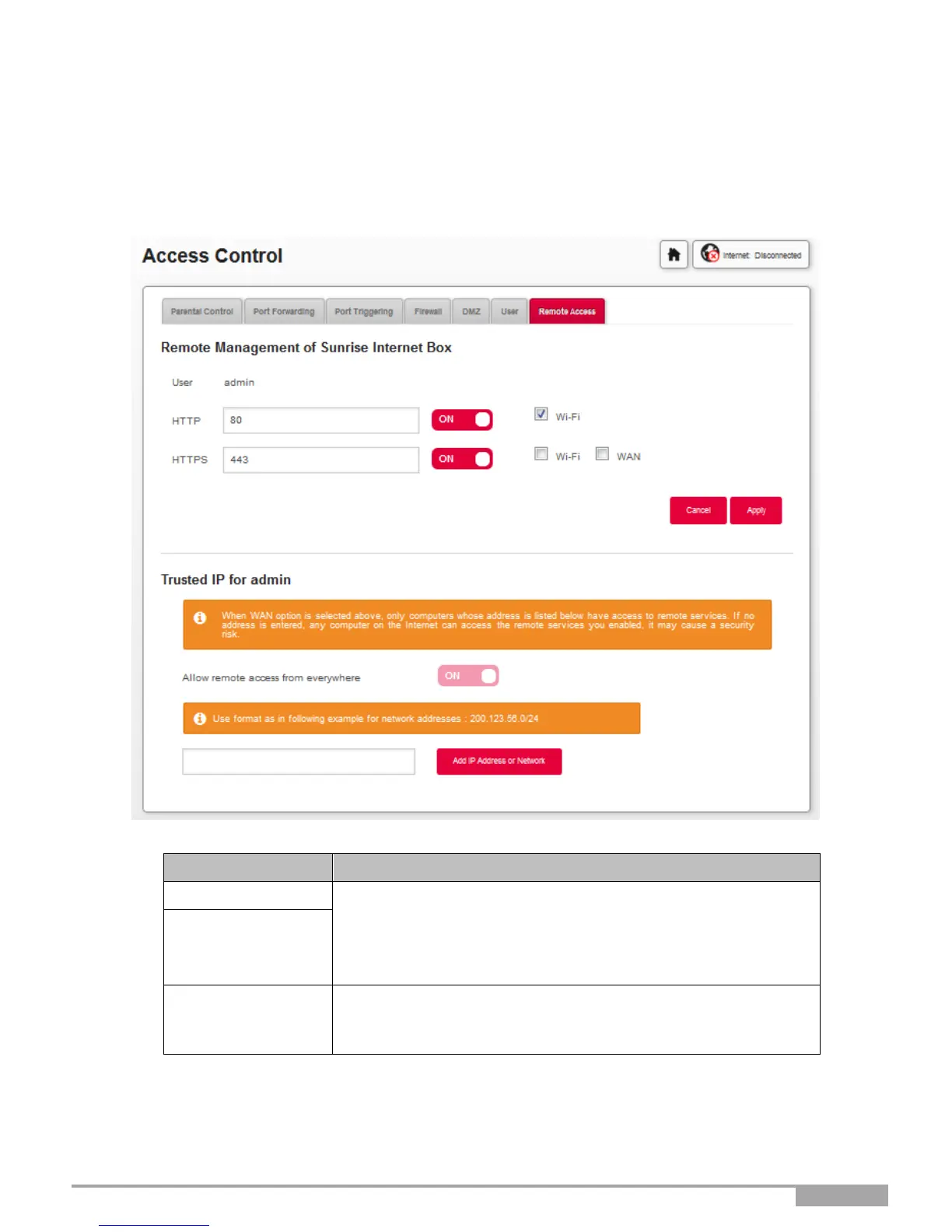
In the Access Control menu, select Remote Access. The following screen opens:
Field
Action
HTTP
Define the port number.
Press on the ON/OFF button to activate/deactivate the desired
protocol.
For each protocol, define the authorized connections (Wi-Fi or
WAN)
HTTPS
Add IP Address
or Network
a
Allows definition of the authorized devices.
You can configure an IP address or the network that contains
the authorized device.
a. Use this option when remote access is authorized via WAN.

Table of Contents

Other manuals for Sunrise Internet Box

Related product manuals