To configure the Trigger Port and Open Port, proceed as follows:
•
Enter the name of your own application.
•
Select the Trigger Protocol and the Open Protocol from the scroll down list
•
Fill in the Trigger From Port, Trigger To Port, Open From Port and Open To Port fields.
•
Click on the Add button.
The service is added to the list.
From the list, you can perform the following actions:
• Activate or deactivate the rule using the ON/OFF button,
• Modify the rule by clicking on the button.
• Delete the rule by clicking on the button.
A few rules for entering values:
•
When you want to select a single port, the start port (Trigger From Port or Open From Port) and
the end port (Trigger To Port or Open To Port) must be identical.
•
When you want to select a range of ports, the start port number must be lower than the end port
number.
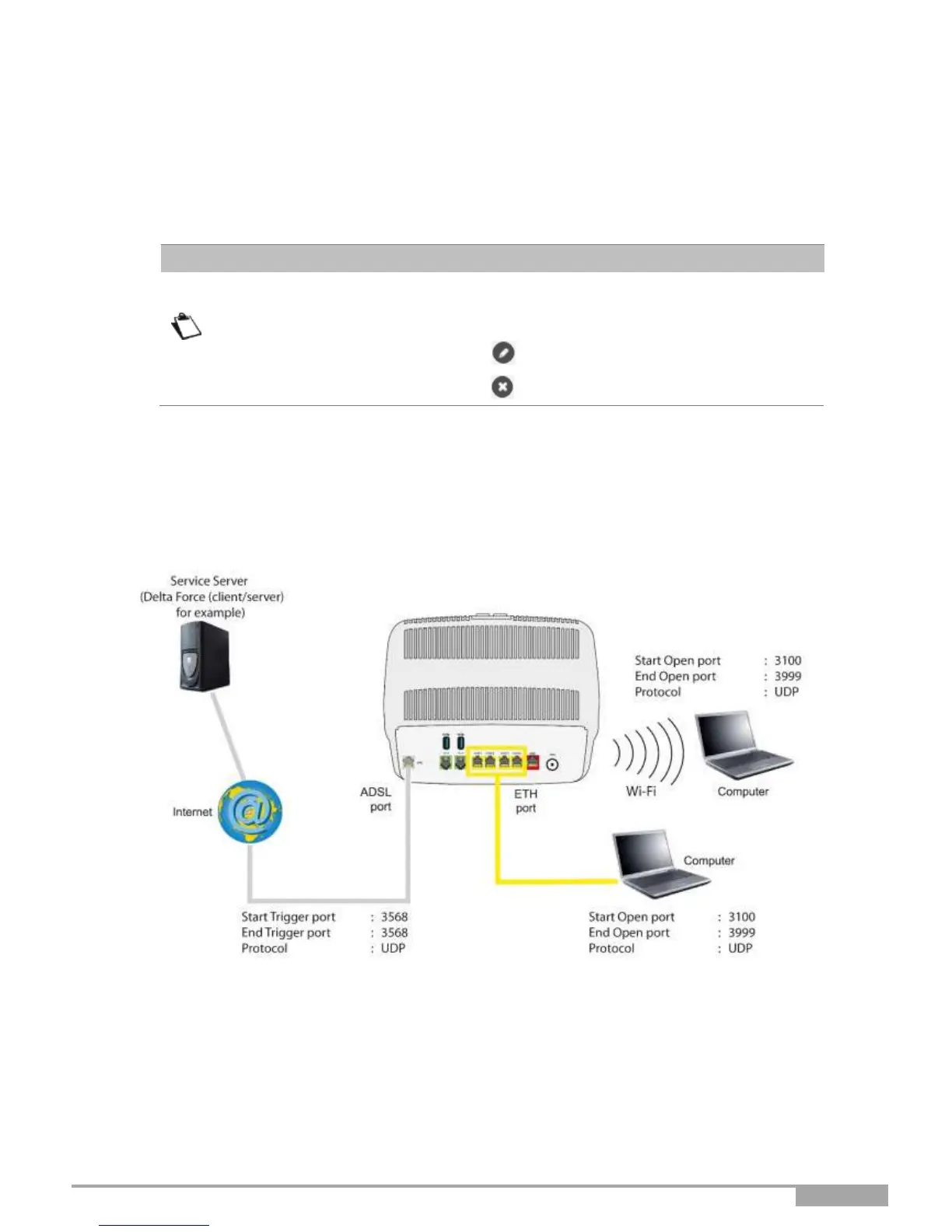
The following diagram contains an example:
Using the "Trigger" 3568 port (WAN side), the "Delta Force" service server triggers the opening of port
range 3100 to 3999 for your computer to access this service.



 To Next Page