WLAN Configuration 8-9
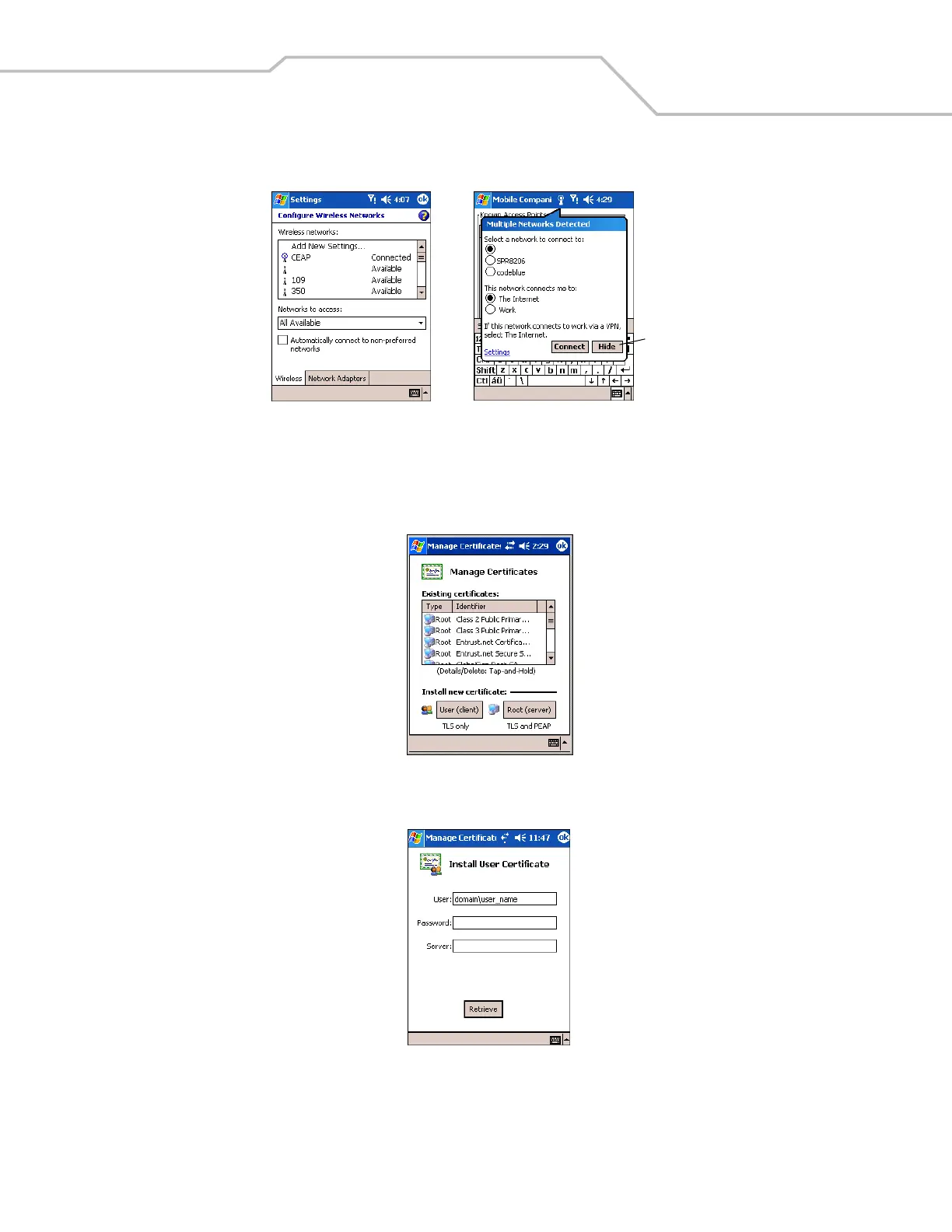
Figure 8-8. Microsoft Wireless Configuration Windows
Installing and Viewing Certificates
To install a user certificate (EAP-TLS only) and a server certificate for EAP-TLS and PEAP authentication:
1. On the EAP-TLS or PEAP Authentication window, tap Install/View Certificates.
Figure 8-9. Manage Certificates
2. Tap User (client) to request a User Certificate (EAP-TLS only).
Figure 8-10. EAP-TLS Install User Certificate
3. Enter the User:, Password:, and Server: information in their respective text boxes.
4. Tap Retrieve. A Progress dialog appears to indicate the status of the certificate retrieval.
5. Tap ok to exit.
Tap to hide window



 To Next Page