Options and accessories User Guide
Selecting character density and font
You can use the CPI (Character Per Inch) key in setup mode to select the
number of characters per inch to be printed. You can use the Font key to select
resident fonts.
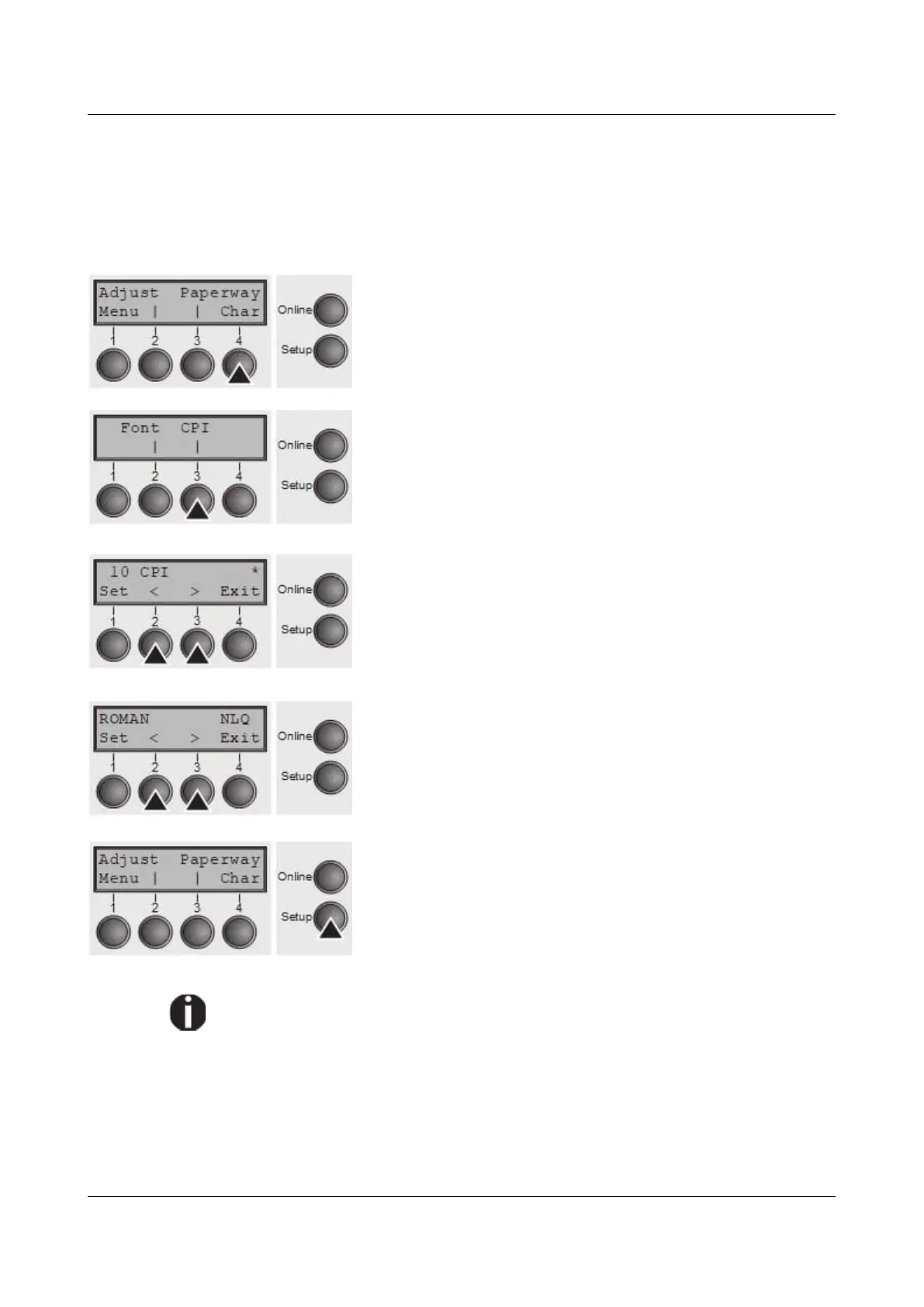
Press the Setup key, then the Char (4) key.
Press the CPI (4) or Font (1) key (in our example, press
CPI).
Use the < (2) or > (3) key to set the desired character
density. Confirm the selection by pressing the Set (1) key.
You can cancel the selection and leave the setting
unchanged by pressing the Exit (4) key.
If you pressed the Font (1) key, use the < (2) or > (3) key
to select the desired font. Confirm the selection by pressing
the Set (1) key.
You can cancel the selection and leave the setting
unchanged by pressing the Exit (4) key.
Press the Setup key. The printer returns to the initial
status.
It is also possible to press the Online key. The printer then
changes directly to online mode.
The selection made will not be retained after switching off the printer. For
more details on how to set the character density and fonts permanently,
please refer to the chapter Setting character density (CPI) and Selecting
font (Font).
42



 To Next Page