Options and accessories User Guide
Selecting emulation (Emulate)
Selects the emulation. When a printer understands the control set written for
another printer type, it is said to emulate the other printer.
MTPL is also active in IBM or Epson emulation mode.
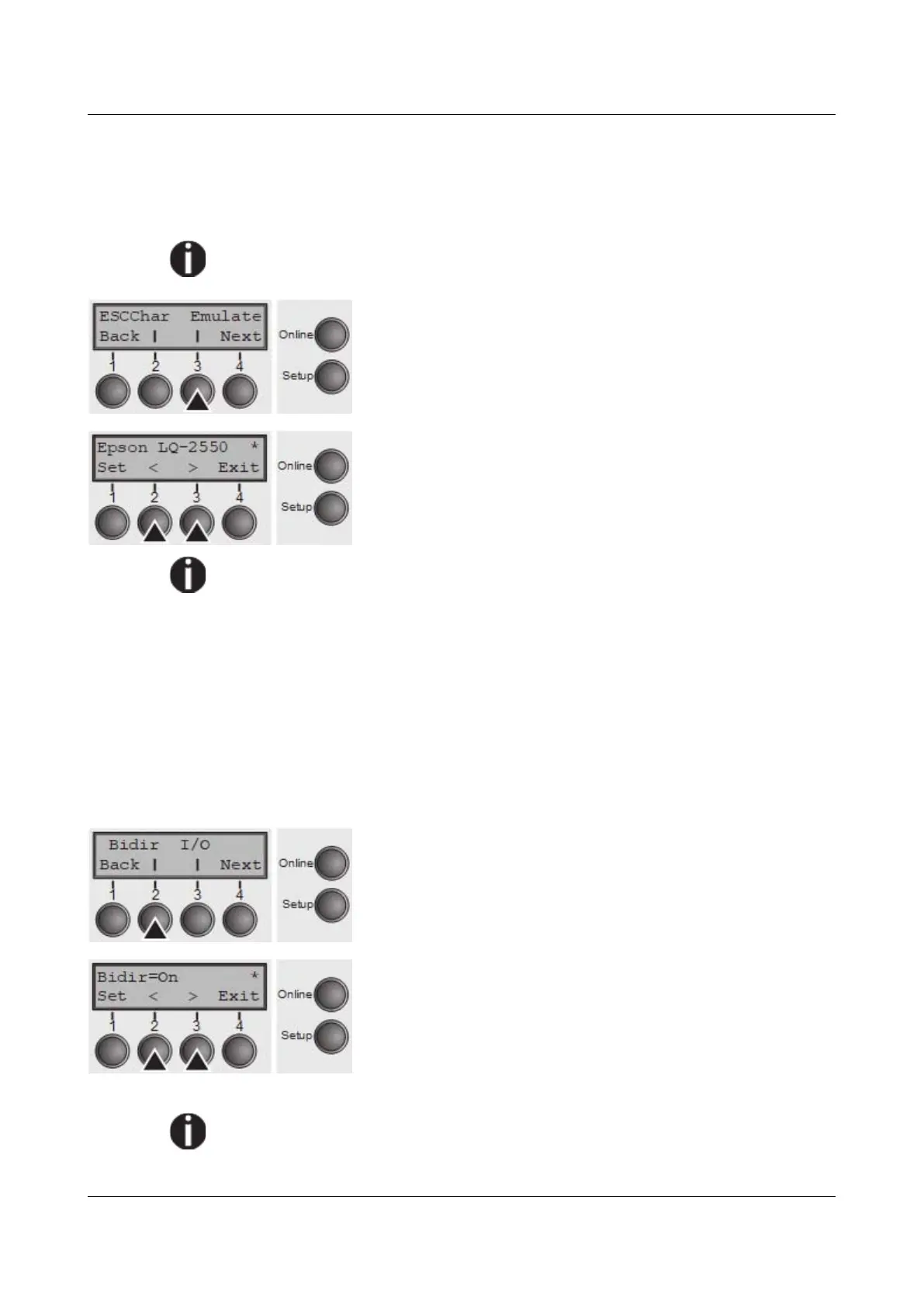
Press Emulate (3) key.
Use the < (2) or > (3) key to select the desired setting.
Setting Options: Epson LQ-2550, Epson LQ-2170, IBM
Propr. XL24, IBM ProXL24+AGM, MTPL, Genicom ANSI
Default Setting: Epson LQ-2550
You are using a sophisticated product. However you may find additional or
different emulations in this section depending on the loaded firmware.
If the printer is switched to online mode after changing the emulation, it performs
a reset.
Confirm the setting by pressing the Set key (1). Press the Next key (4) to access
the next group of parameters.
Bidirectional printing (Bidir)
Setting On: Printer prints in both directions (bidirectional). Setting Off: Printer
prints only in one direction (from left to right).
Press Bidir (2) key.
Use the < (2) or > (3) key to select the desired setting.
Setting Options: On/Off
Default Setting: On
Confirm the setting by pressing the Set key
The setting On will not be overwritten by ESC sequences.
62



 To Next Page