Options and accessories User Guide
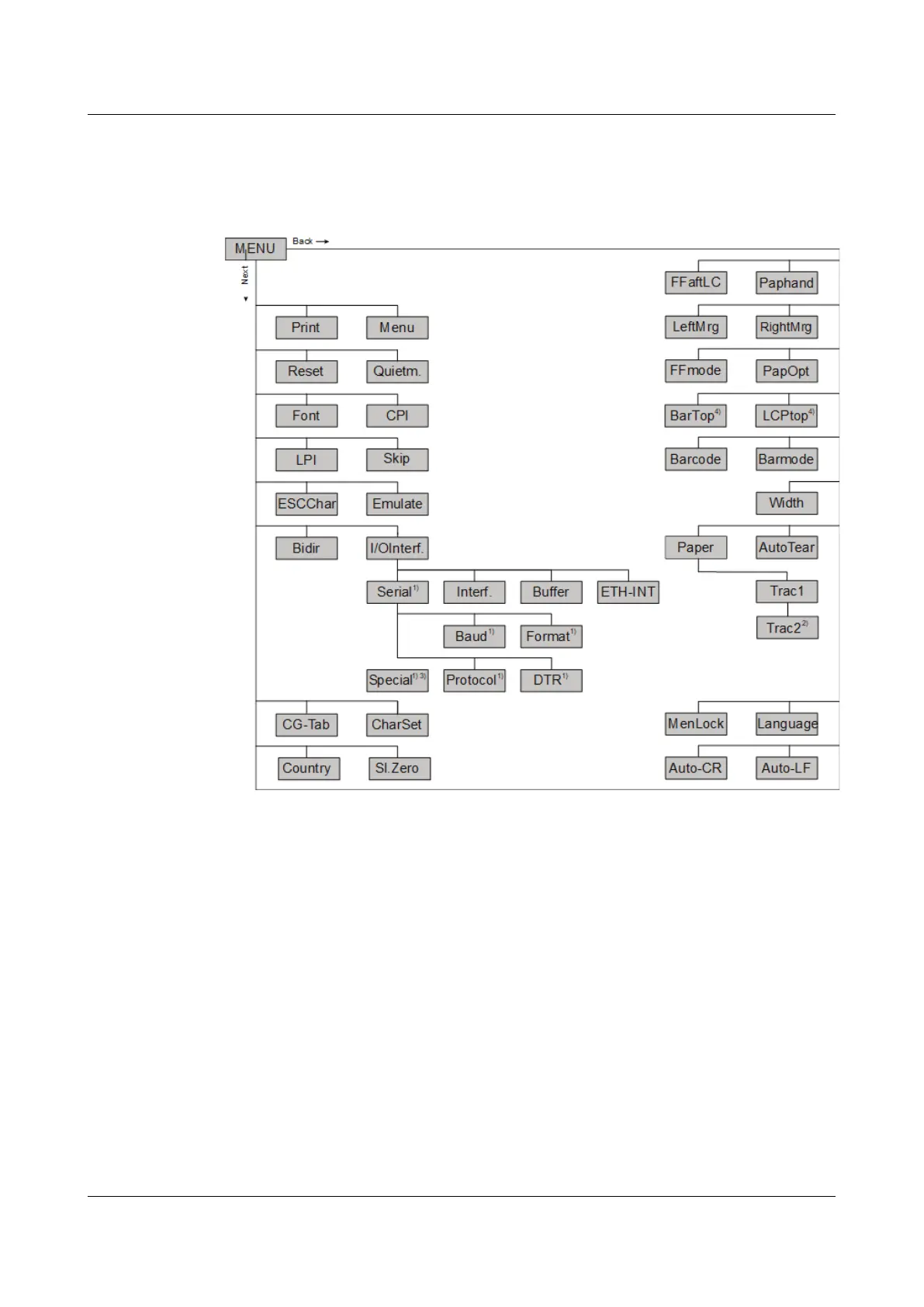
Menu structure
The menu structure of your printer may be slightly different from the example
shown here, depending on the printer software.
1) only with optional serial interface
2) only with optional tractor
3) only if ENQ/STX, ETX/ACK or ACK/NAK protocol is selected
4) only effective in Genicom ANSI emulation
50



 To Next Page