Options and accessories User Guide
Setting Subnet mask (Subnet)
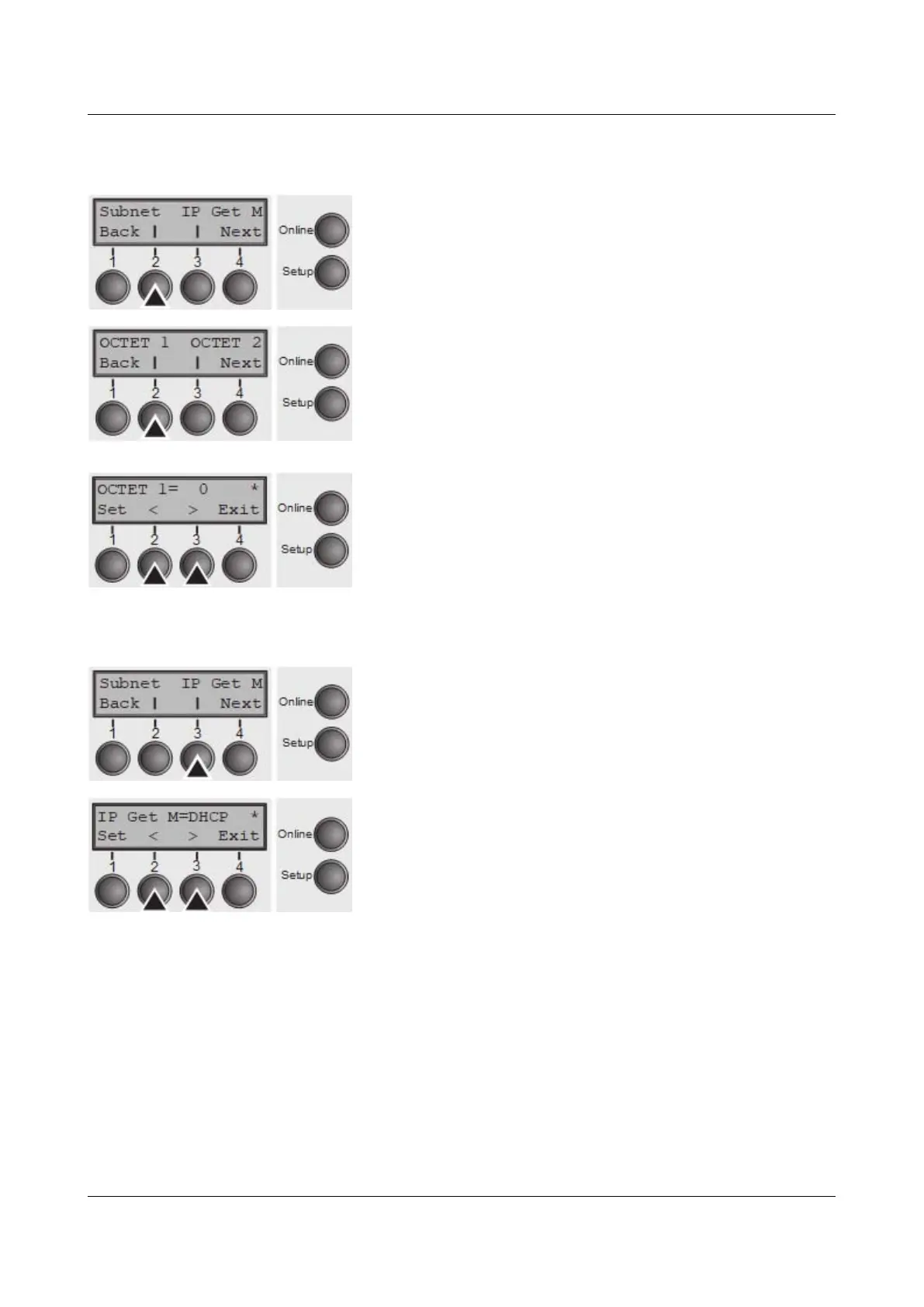
Input of the Subnet mask address of the printer.
Press Subnet (2) key.
This menu level offers the possibility to set the IP address,
which is divided into four digit groups (octet 1 to 4). You
can activate octet 3 and 4 by pressing the Next (2) key.
Press OCTET 1 (1) key.
Use the < (2) or > (3) key to select the desired digit.
Setting Options: 0 to 255
Default Setting: 0
Confirm the setting by pressing the Set key (1).
Set the remaining three digit groups in the same way.
IP address administration (IP Get M)
Selects the way of administrating the IP address.
Press IP Get M (3) key.
Use the < (2) or > (3) key to select the desired setting.
Setting Options: Static, DHCP, BOOTP
Default Setting: Static
Confirm the setting by pressing the Set key (1).
The setting Static is the precondition that the values entered in the
parameter IP Addr become valid, see Setting IP address (IPv4 Addr). For
further informations, refer to the Web Panel Manual on the Online-CD-ROM.
Press the Next key (4) to access the next group of parameters.
70



 To Next Page