6 - 4 Te-Stack Operating Manual, 391862, en, V2.3
6 - Operation
Tasks During a Run
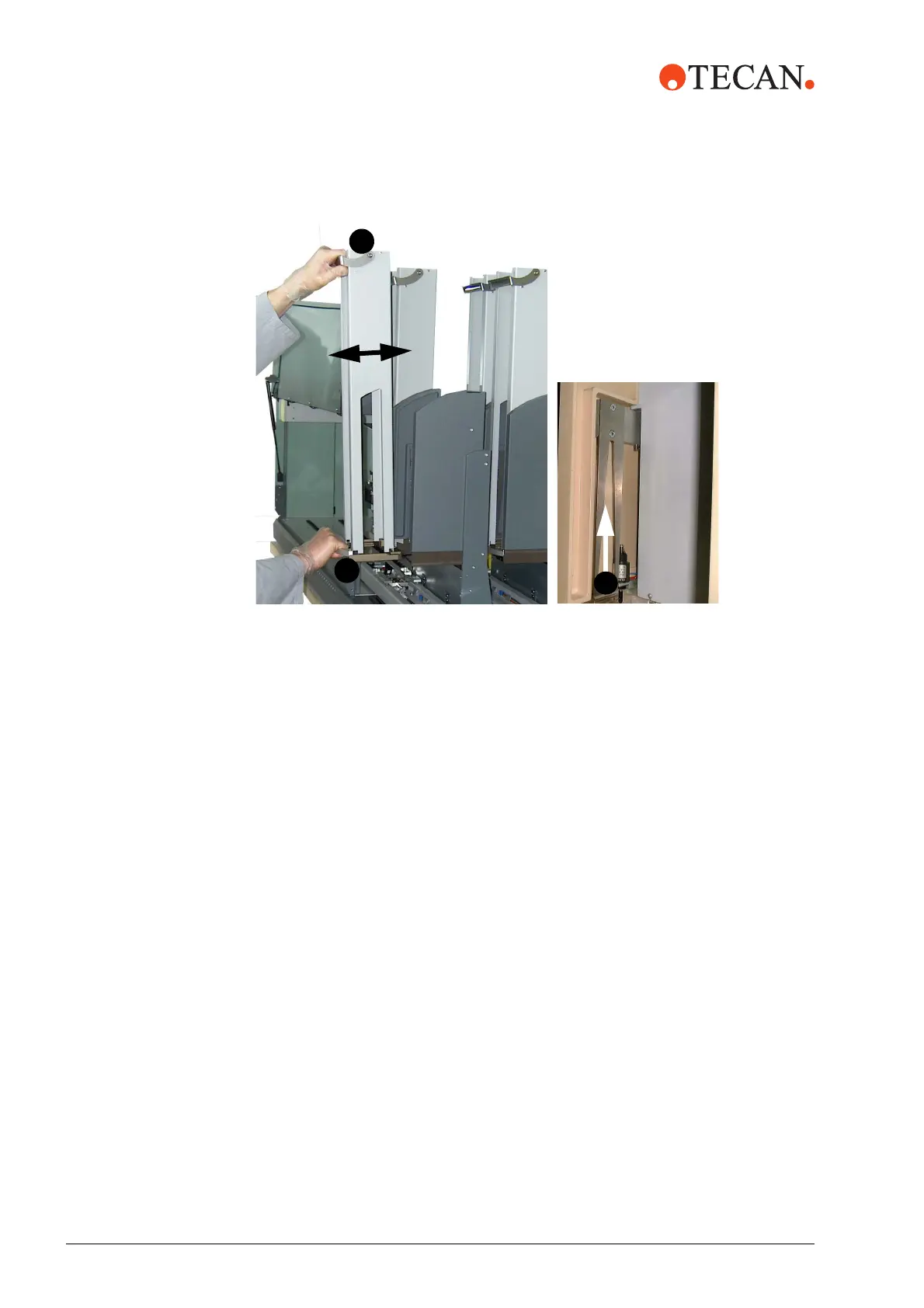
Replacing 1 Push the stacker column into the Te-Stack base unit using the two handles (A
in Fig. 6-1 “Replacing a stacker column”, 6-4)
2 If the system has been stopped, click the Continue button.
Manual
Movement
Manually, move the grippers to the park position:
1 Move the grippers upwards until they snap in (B in Fig. 6-1, 6-4).
Fig. 6-1 Replacing a stacker column



 To Next Page