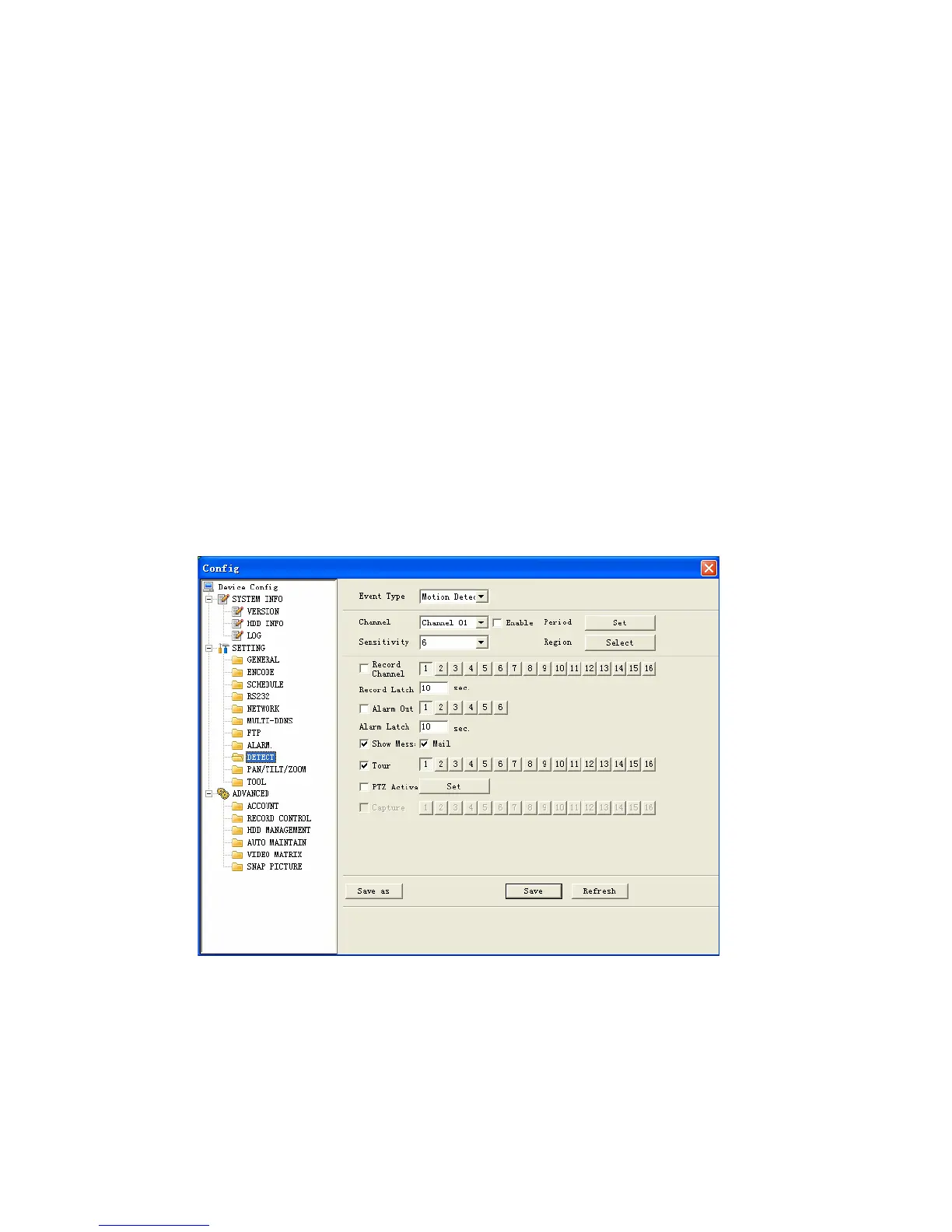
Period: Here is for you to set record period. Click set button, you can see an
interface is shown as in Figure 7-39. In Figure 7-39, click time set button, you
can see an interface is shown as in Figure 7-40. Here you can set time period.
Sensitivity: There are six levels. The sixth level has the highest sensitivity.
Region: If you select motion detection type, you can click this button to set
motion detection zone. The interface is shown as in Figure 7-41. There are 192
zones (16*12). Right click mouse you can go to full-screen display mode. Do
remember clicking OK button in Figure 7-41 to save your motion detection zone
setup.
Alarm output: Here you can select activated external peripheral device when
alarm occurs.
Show message. System can alert you on the local screen if you enabled this
function.
Mail: system can send out email to alert you when alarm occurs.
Tour: Here you can enable tour function when alarm occurs in corresponding
channel. System supports multiple-window tour. Please go to chapter 5.3.9
Display for tour interval setup.
PTZ activation: Click set button, you can see an interface is shown as in Figure
7-42. System can go to corresponding preset when alarm occurs.
Figure 7-38
114



 To Next Page