Figure 7-42
Pan/Tilt/Zoom
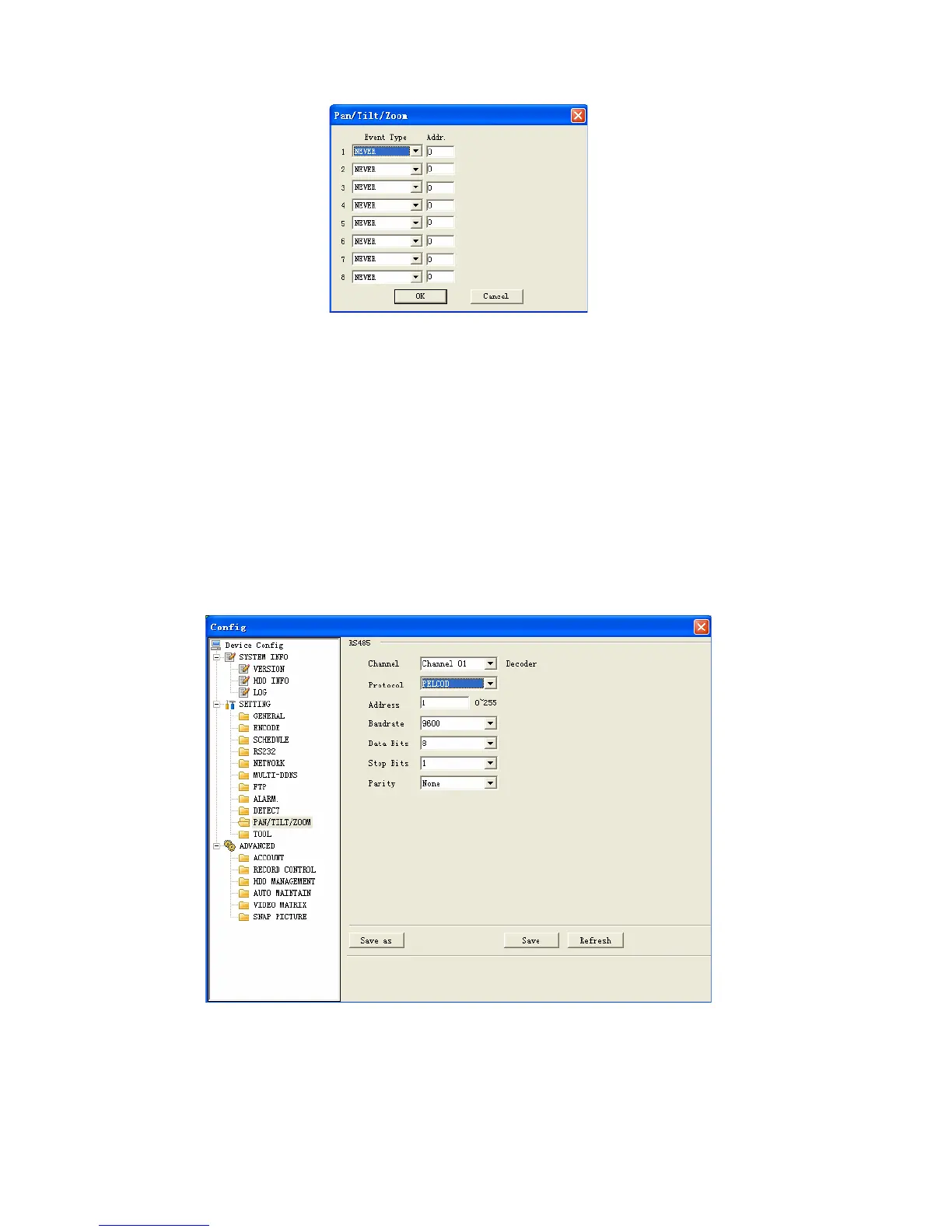
Pan/Tilt/Zoom interface is shown as in Figure 7-43.
Please note you have properly set dome address and all connections are right.
Decoder: Select the dome connected channel.
Protocol: select the corresponding dome protocol.(such as Pelco)
Address: Set corresponding dome address. Default value is 1. Please note your
setup here shall comply with your dome address; otherwise you can not control
the speed dome.
Baud rate: Select the dome baud rate. Default setup is 9600.
Data bit: Default setup is 8.
Stop bit: Default setup is 1.
Parity: Default setup is none.
Figure 7-43
Tool
Here you can export or import configuration information. See Figure 7-44.
116



 To Next Page