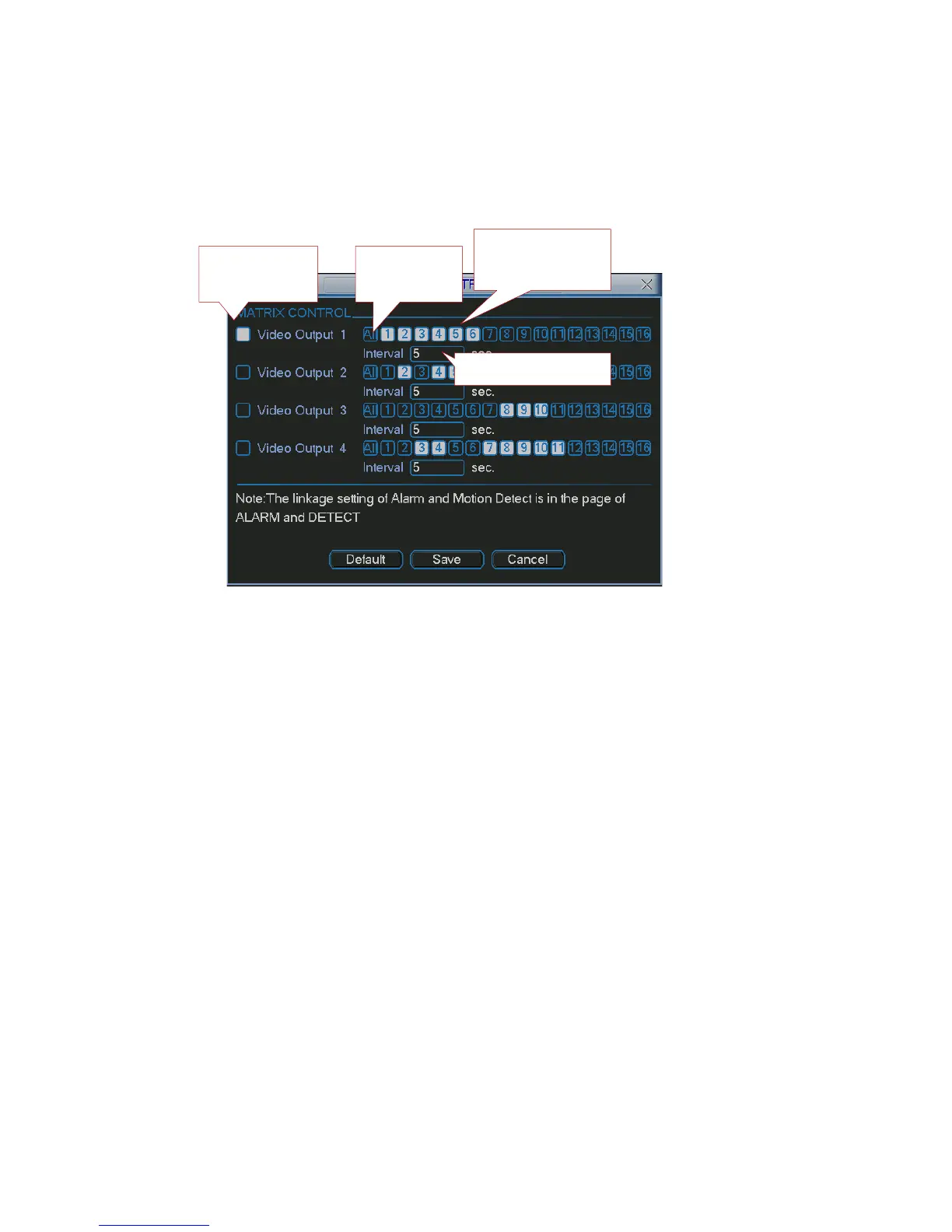
You can set
for each channel. The function consists of three types. The priority is:
eduled Tour)
nd input tour interval, and then set
alarm>motio
n detection>schedule.
5.5.8.6.1 Scheduled Video Output (Sch
Please enable corresponding video output item a
the tour output channel. System maximally supports 16 channels. Now system can
implement tour output as you just set.
Figure 5-41
5.5.8.6.2 Alarm Activation Matrix
ace to set the alarm activate matrix function ((Main
unction has been enabled and you have selected
en enabled and you have selected
Afte cord channel item, you can enable video
.
When there are several alarm inputs at the same time, the situation maybe a little bit
w:
nel1/2/3/4/5/6
/8
Please go to alarm setup interf
Menu->Setting->Alarm)). See Figure 5-42. You can follow the steps listed below:
Select local alarm
The record channel f
corresponding record channel.
The video matrix function has be
corresponding video matrix channel.
r selecting activation channel in the re
matrix function and then select vide output channel. Once the alarm occurs, system
continues scheduled matrix tour after alarm tour completes. If there is no scheduled
tour available, the matrix will stop at the last activation channel after alarm completes
complex. Here is an example.
System setup is shown as belo
Alarm input 1 can activate chan
Alarm input 2 can activate channel 2/3/4/5/6/7
Highlighted
here
Select
l(s)here
SelectALL
channe
orcancel
Inputintervalhere
80



 To Next Page