C
LEAR
P
ATH
U
SER
M
ANUAL
R
EV
.
1.97
84
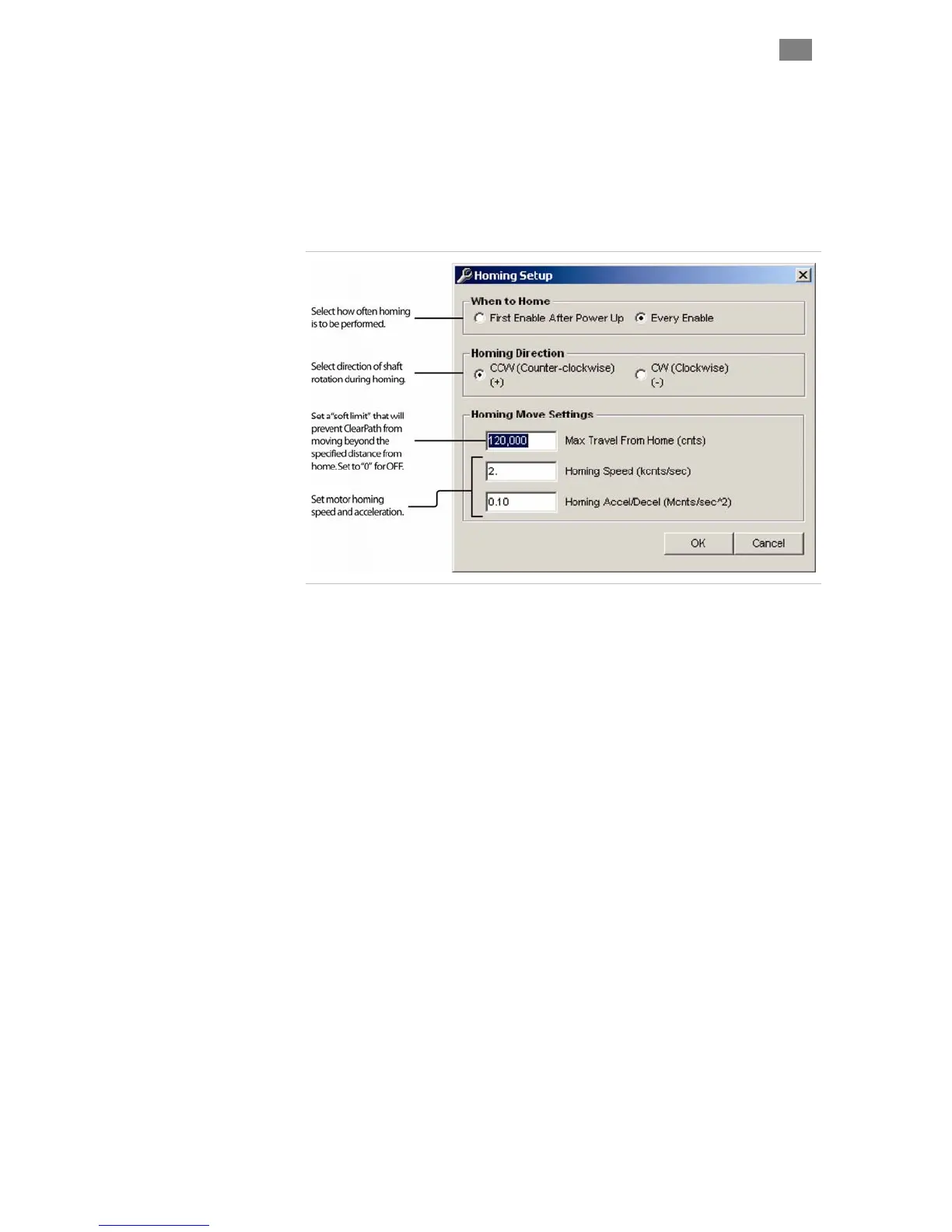
parameters. See figure below for description of
homing parameters.
1. Install a hard stop that guarantees the moving element of the
axis makes solid, repeatable contact with the stationary
element when driven into it.
2. Enable homing in MSP.
3. Click the Setup button to open the homing dialog.
4. Enter homing
Homing setup dialog
5. Test and modify your homing setup for consistent, repeatable
performance.
T
EKNIC
,
I
NC
.
F
AX
(585)784-7460
V
OICE
(585)784-7454



 To Next Page