SeaBat Sonar UI - User Manual Appendix Raw Data Recording (RDR)
95
7.2.3 RDR on a Network Attached Storage device
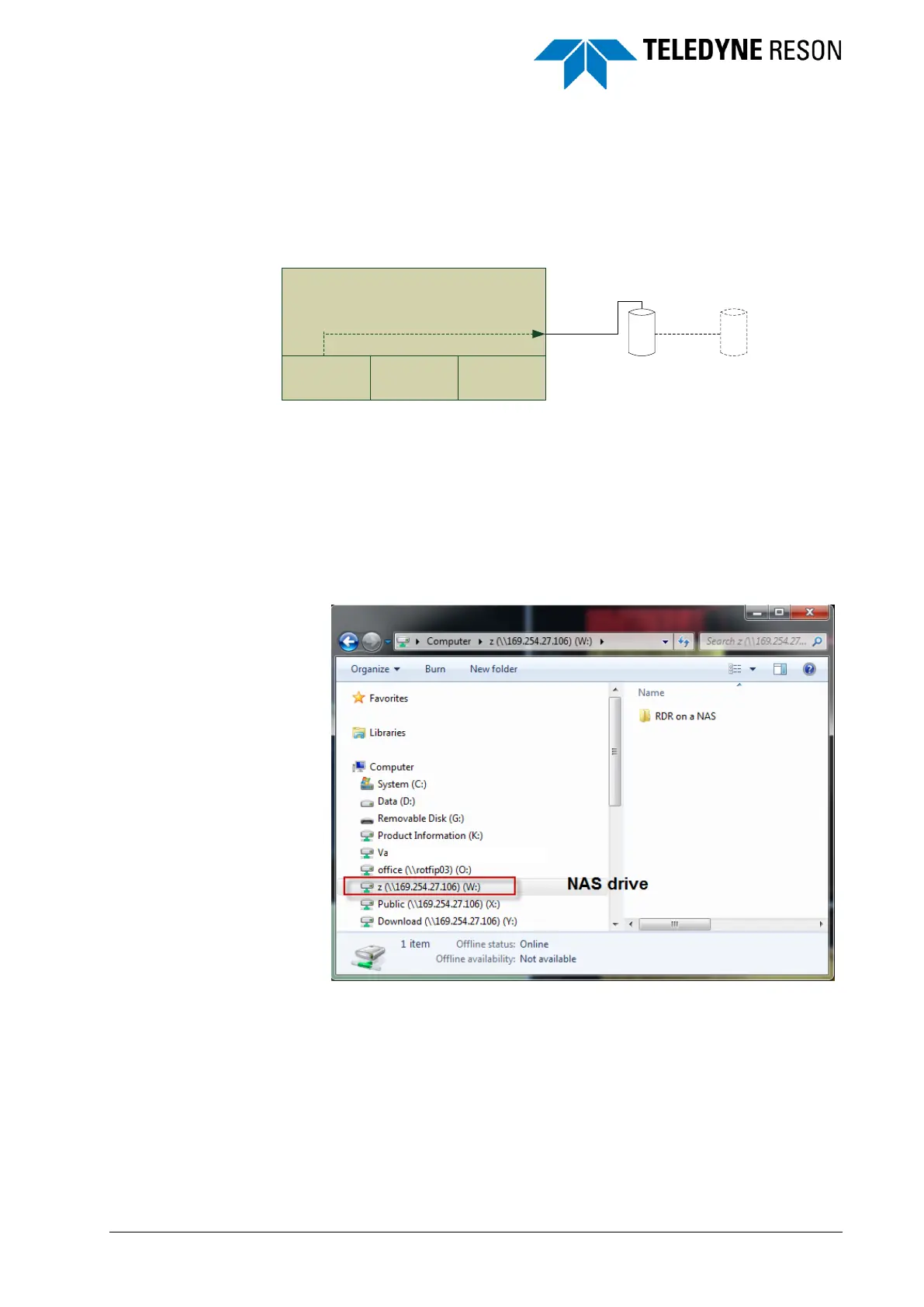
In this scheme the 7K processor is connected to a network attached
storage (NAS) device or optional to a device connected to this NAS.
Figure 7-3 RDR to Network attached Storage (NAS)
A Network Attached Storage device could be simply seen as a computer.
Two steps needs to be performed for correct configuration of RDR:
1. Setup the Network access storage device. Refer to the
manufacture supplied documentation for installation and
configuration instructions.
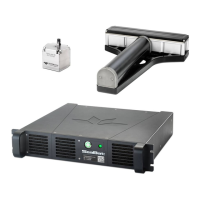
In common created folders on the NAS are already shared and
accessible.
Figure 7-4 Windows Explorer with NAS drive listed.
2. Select the records to be logged and the shared folder in the SUI’s
recording pane. See section ‘SUI record and file path selection’
on page 107 for more details.
7KC
RDR
SUI
Accq
software
Network Attached
Storage (NAS)
7K Processor
Optional storage
device connected to
NAS



 To Next Page