SeaBat Sonar UI - User Manual Operation
45
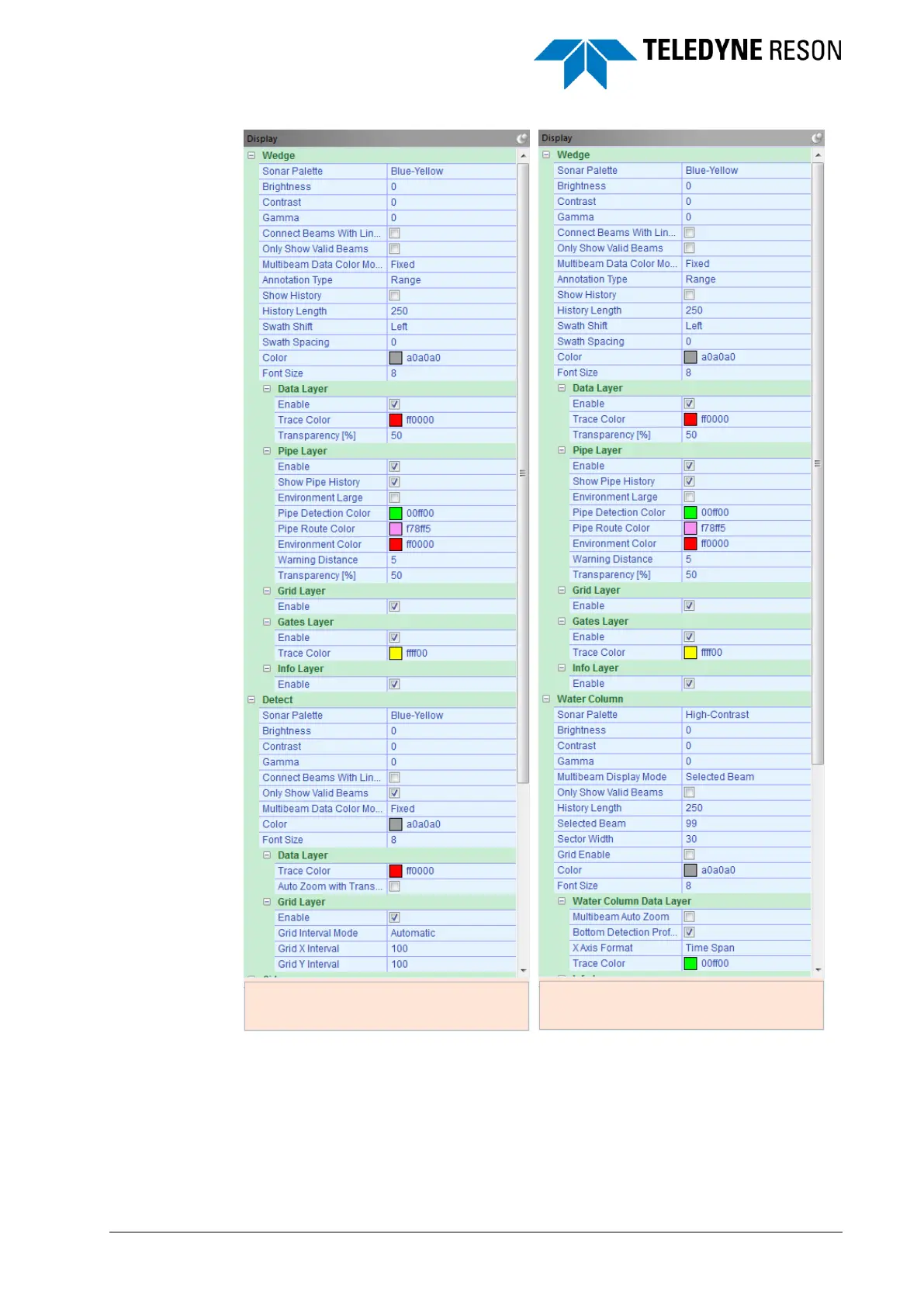
Figure 4-49 Display pane with Detect and Water Column settings
The Display pane contains settings for each screen. For the Wedge,
Water Column and Detect screen most of the settings are also available
in the context menus (see also Screens on page 64).
The Wedge, Water Column and Detect screen have in addition to the
general settings several “layer” settings with various features which can



 To Next Page