80
Service SeaBat Sonar UI - User Manual
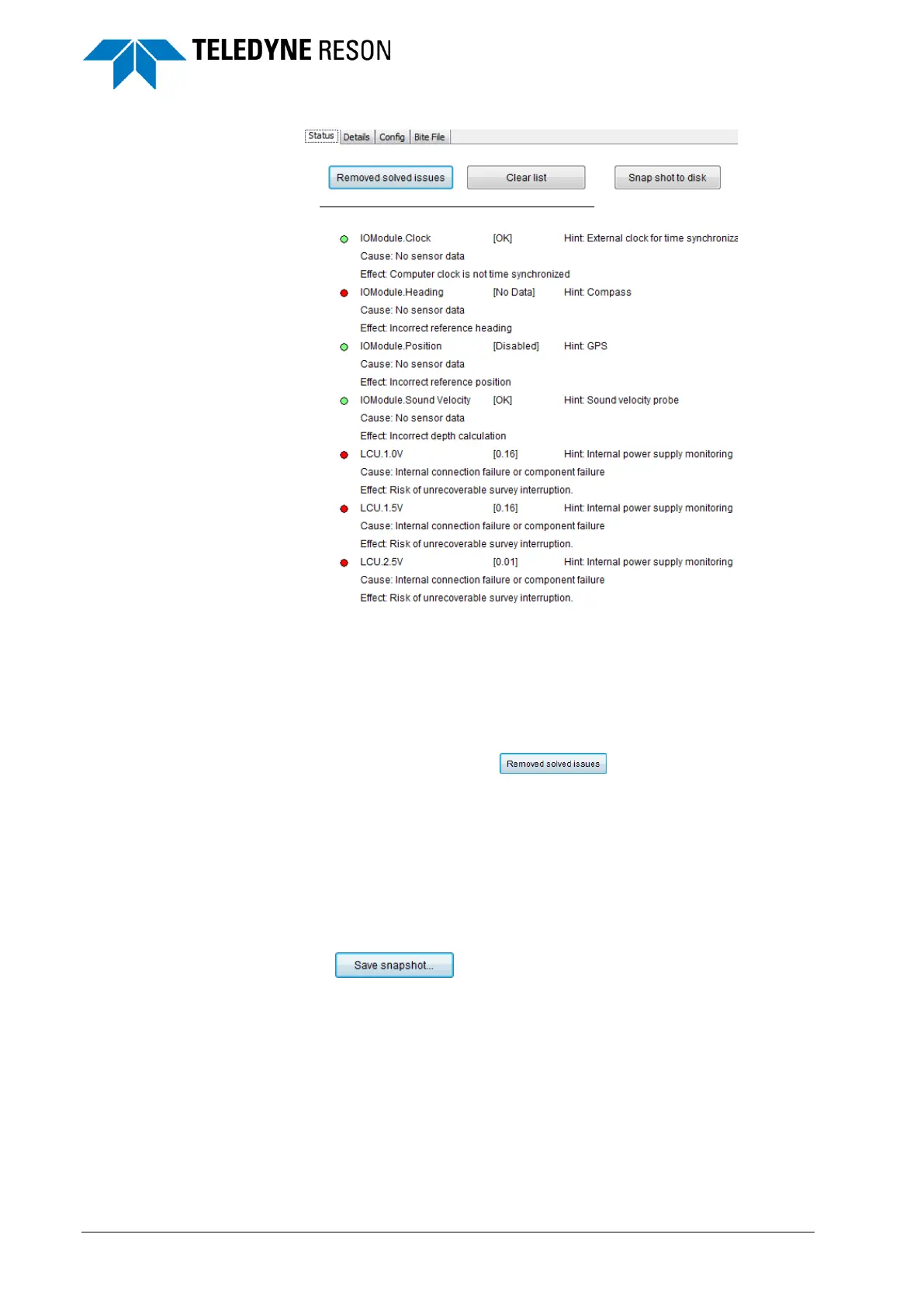
Figure 5-4 Example of error messages in the Status page
Status tab messages are color coded.
Red LED: error
Yellow LED: warning
Green LED: error/warning solved.
The solved error/warning message remains in the list until
removed by clicking .
The error or warning message will also be displayed in the related BITE
information on the Details tab (see 5.3.2 below).
In addition to the error/warning itself, the message contains information to
assist the operator solve the problem:
The possible cause of the error/warning.
The effect of the problem on the system.
A hint for the operator to understand the problem.
Use to save all information of all tabs to a HTML file.
The name of the file will contain the timestamp so successive files won’t
overwrite each other.



 To Next Page