SeaBat Sonar UI - User Manual Operation
65
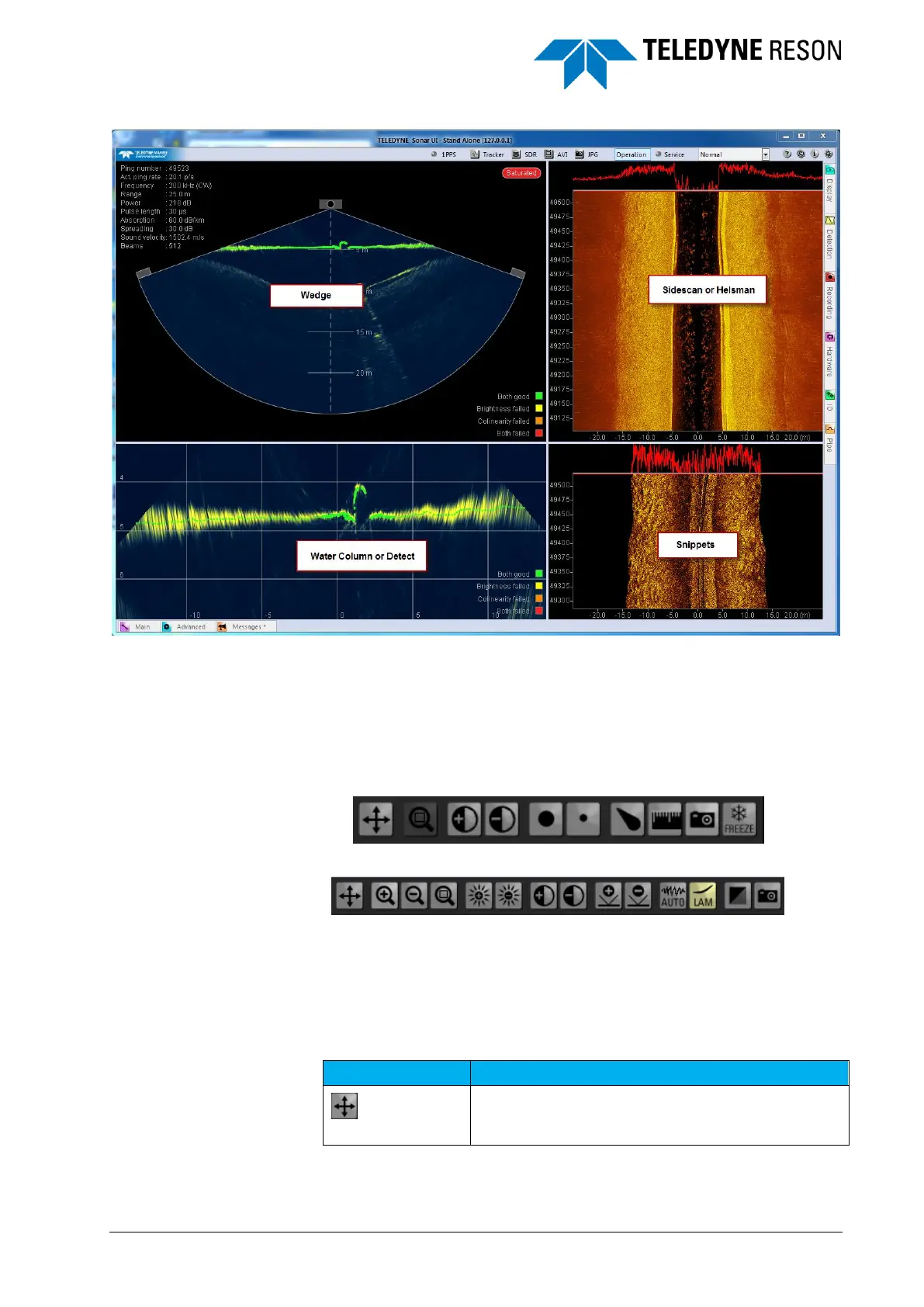
Figure 4-81 Screens.
4.11.1 Screen Toolbar
All four screens have a toolbar that becomes visible when the cursor is
moved over the top left part of each screen. When a screen is too narrow
for the toolbar, move over the left side of the screen and the toolbar will
be displayed at the left side.
Figure 4-82 Toolbar for Wedge screen
Figure 4-83 Toolbar for Snippets screen
With the toolbar quickly screen related parameters can be set by the
operator as also done in the Display pane.
Table 1 summarizes the toolbar buttons for the Wedge, Detect and Water
column screen.
Table 1: Toolbar buttons: Wedge, Detect, Water column screens
Full screen. Switches the view to a full screen size.



 To Next Page