SeaBat Sonar UI - User Manual Operation
29
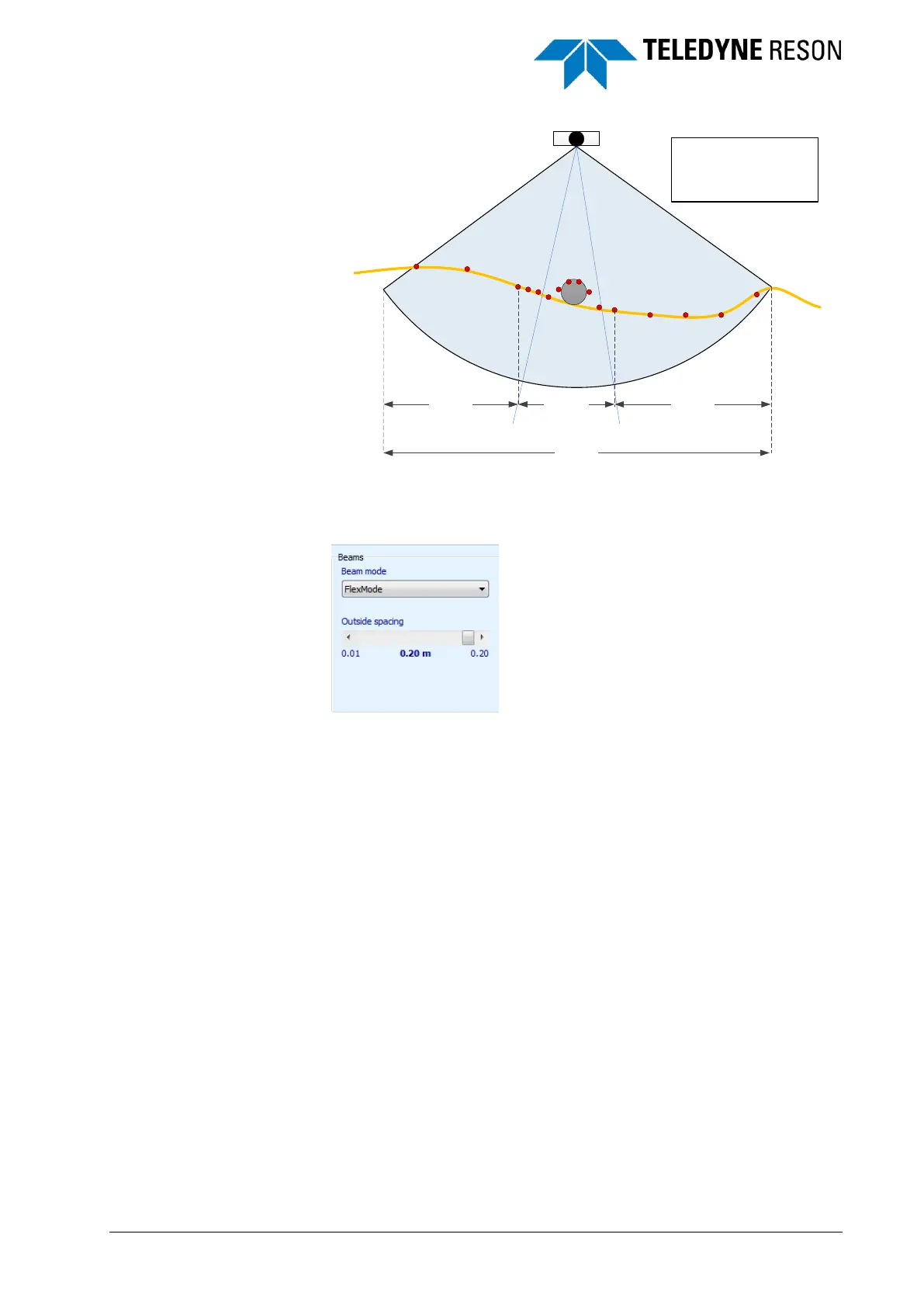
Figure 4-16 Illustration of the flexmode
The low density spacing distance between the beams is defined by the
operator by setting the outside spacing with the slide bar (see below)
Figure 4-17 Setting the Outside spacing
The high density spacing is set by the slides in the wedge. This slides
become visible in the wedge when the Flexmode is selected. Drag the
slides and the high density spacing changes.
30%
Total swath
High density
sector
Low density
sector
Low density
sector
Default settings
Total swath: 90°
High density sector: 45° centered
Altitude: 5m
DTM density: 0.1m



 To Next Page