12
General Information SeaBat Sonar UI - User Manual
3.3 Sonar UI Toolbar
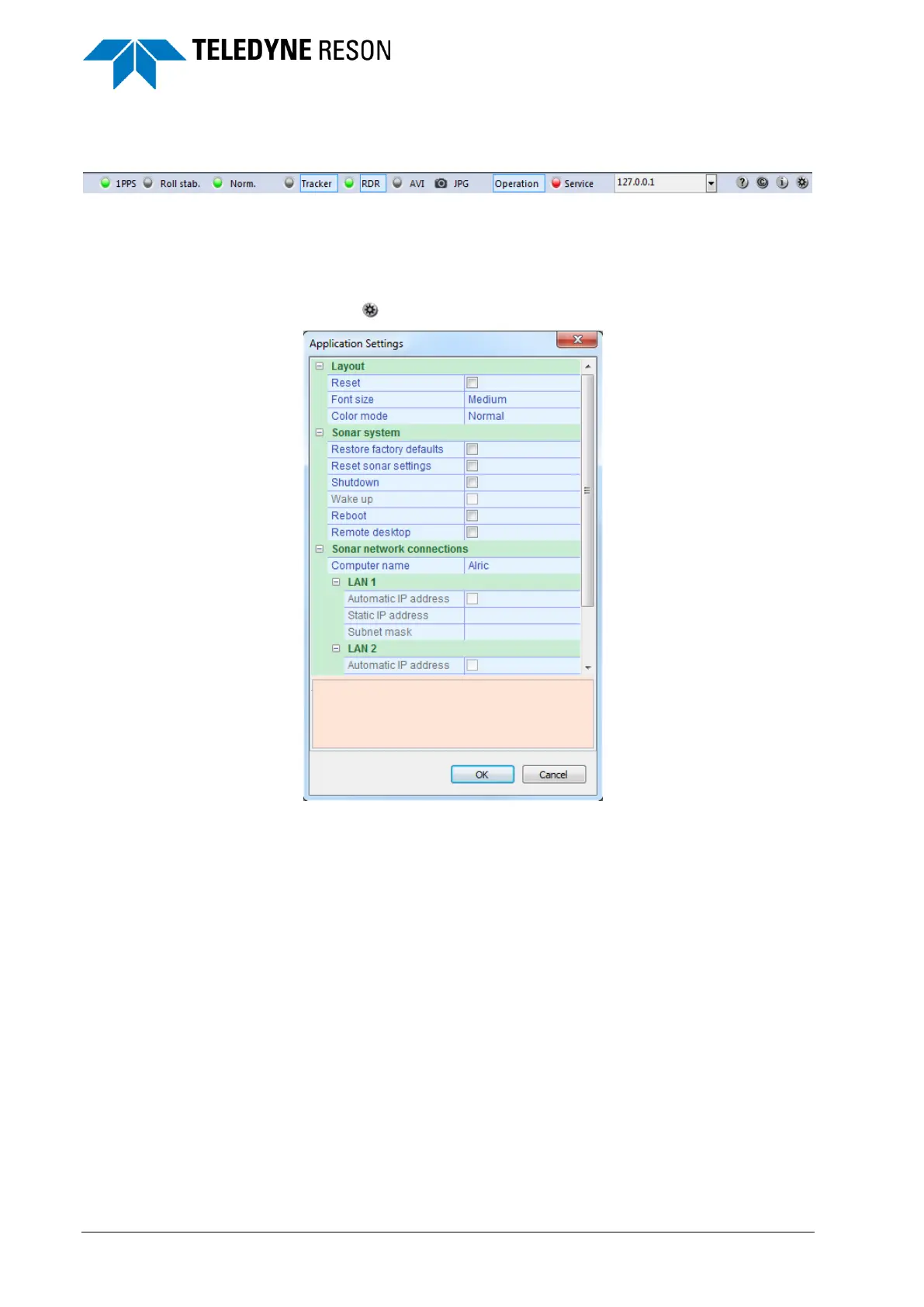
Figure 3-11 Toolbar of the Sonar UI
The Sonar UI has on top a toolbar with several options.
3.3.1 Application Settings Dialog
Click on to open the application settings dialog.
Figure 3-12 Application settings dialog
3.3.1.1 Lay-out
Reset:
When the layout is disturbed, select the check box to reset the layout and
font size of the Sonar UI.
Font size:
It is possible to set the font size to Small, Medium, and Big.
This only applies to the font in the panes.
Color mode:
With the color mode the light conditions for the screen(s) are modified for
better viewing conditions on an individual basis. The four different color
modes are:
Normal
Standard light conditions.



 To Next Page