6
General Information SeaBat Sonar UI - User Manual
3.2.1.1 Opening and hiding Panes
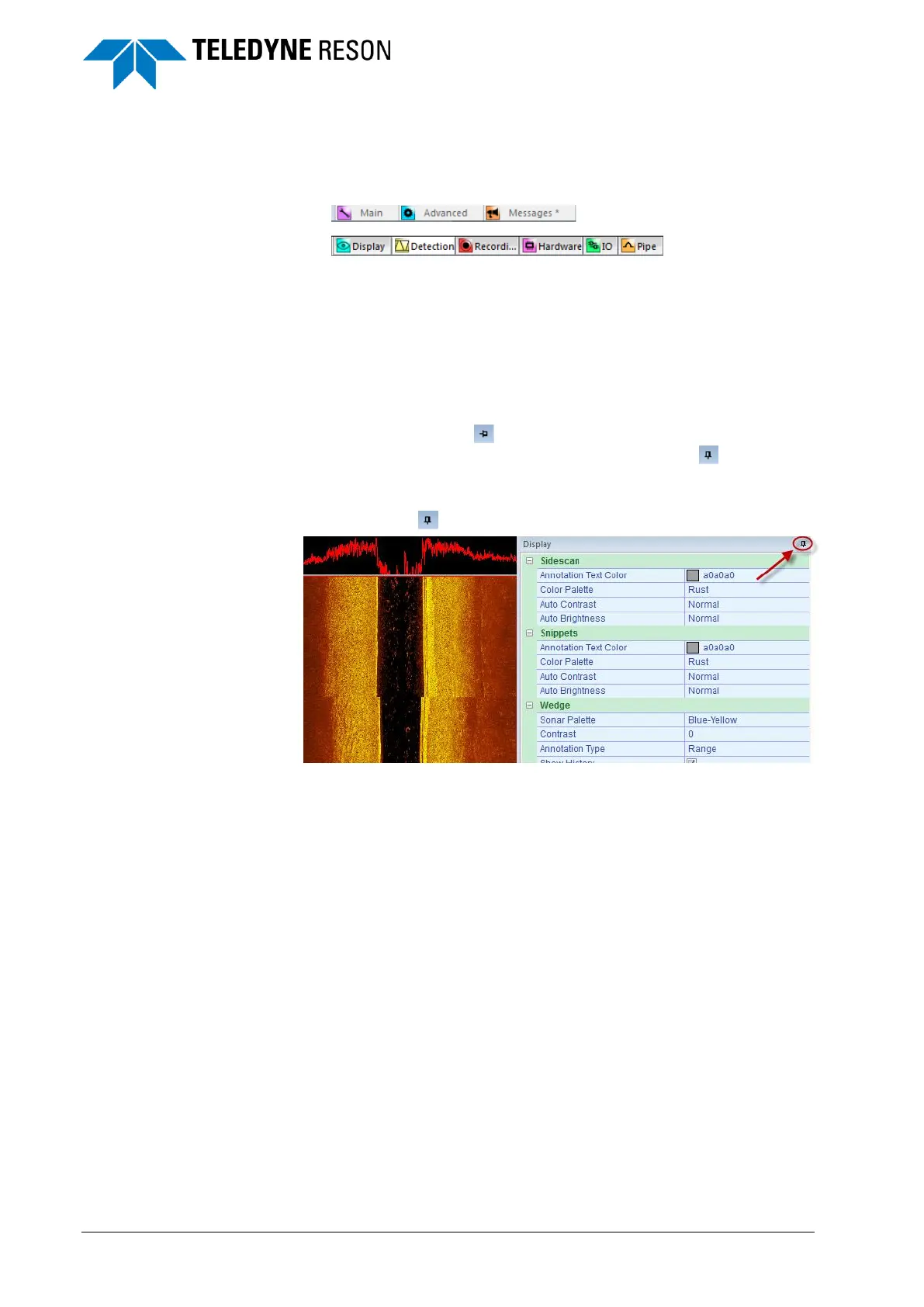
1. Move the cursor over a tab on the right side or at the bottom of the
view.
Figure 3-1 Tabs
2. Click the tab to open a pane.
3. Click the tab again, or move the cursor outside the pane and click to
hide the pane again.
3.2.1.2 Docking
It is also possible to use
the context menu of the
pane to switch between
Auto Hide and Docking
modes (see page 11).
1. Click on the pin at the upper right corner of the pane to keep
the pane from auto-hiding. The pin will change to , the pane is
now in Docking mode (pinned) and will stay open even when
clicking outside the pane.
2. Click on to undock the pane.
Figure 3-2 Display pane in Docking mode



 To Next Page