1-25
System Overview
Battery Power
The CDI OneView System comes with a 14.4 V rechargeable lithium-ion battery for
backup power.
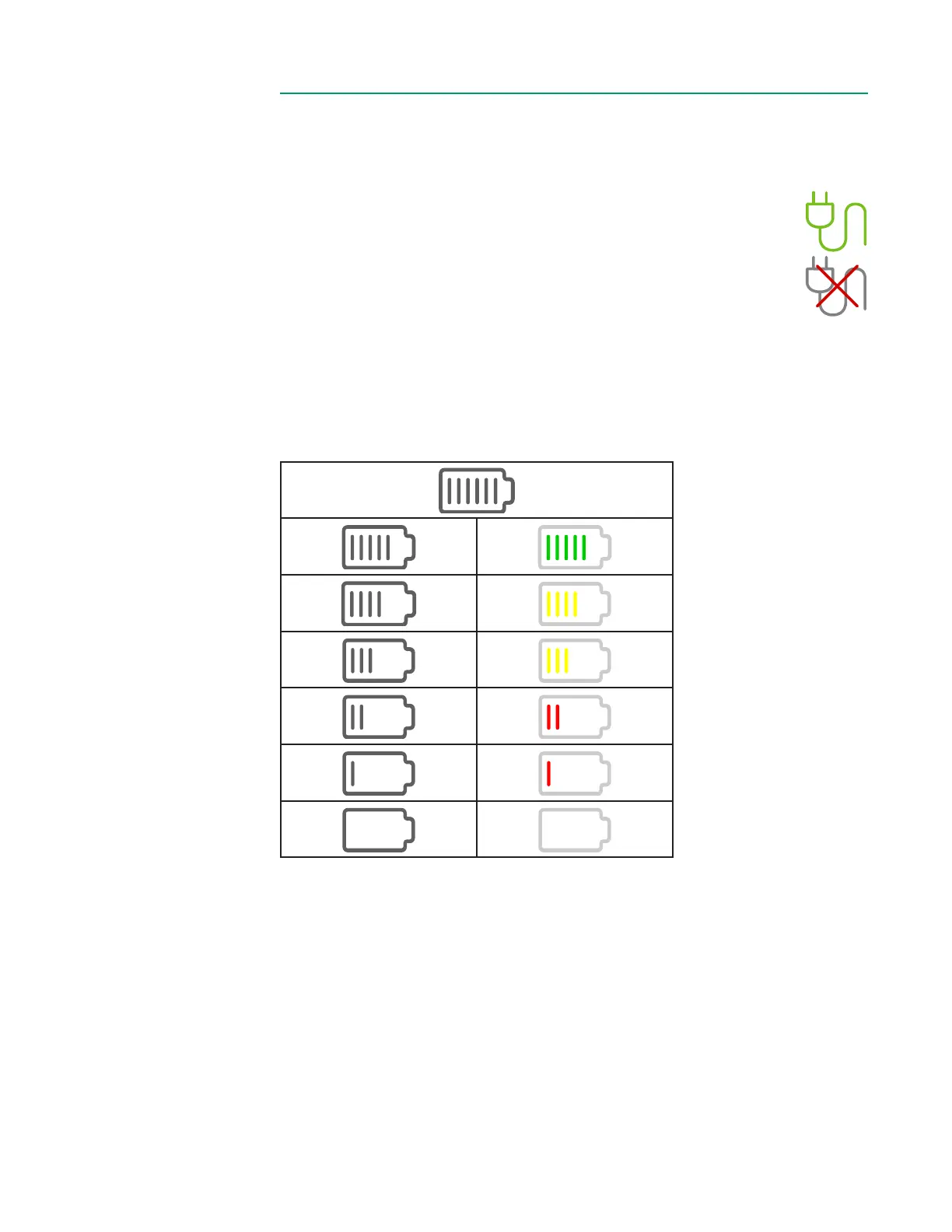
The toolbar shows battery charge status and how many minutes are
remaining. When the system is plugged into AC power, the plug indicator
turns green and the battery status is shown as grey. When the system is
running on battery power, the plug indicator shows a red X and the battery
icon has green, yellow or red indicator lines to show approximately how
much battery time is remaining.
The battery time remaining is affected by the type and number of modules currently
connected to the system. A fully charged battery will provide at least 25 minutes of
continuous system operation with the maximum number of connected modules.
To recharge the Core’s battery to its maximum, it must be plugged into an AC outlet
for at least four hours. The system does not need to be turned on for the battery to
charge. See below for the battery charge indicator states:
Full Charge + Plugged in
25 minutes
20 minutes
15 minutes
10 minutes
5 minutes
System Shutdown
On AC Power On Battery Power
Note: The system cannot be powered on and gas calibrations cannot be performed
while the system is on battery power.
Note: Battery life is affected by its age and total number of charging cycles. The system
will notify the user if the battery capacity is reduced to where it may no longer support
the minimum 25 minutes of backup capability. Call Terumo Cardiovascular Technical
Service if you are notied that the battery needs to be replaced.
Note: There is additionally a real-time clock backup battery in the Core that maintains
the system time and date. It is a lithium cell designed to last the service life of the
product and is not intended to be replaced during its expected service life. As such it
is a non-serviceable item.



 To Next Page