5-16
Running a Case
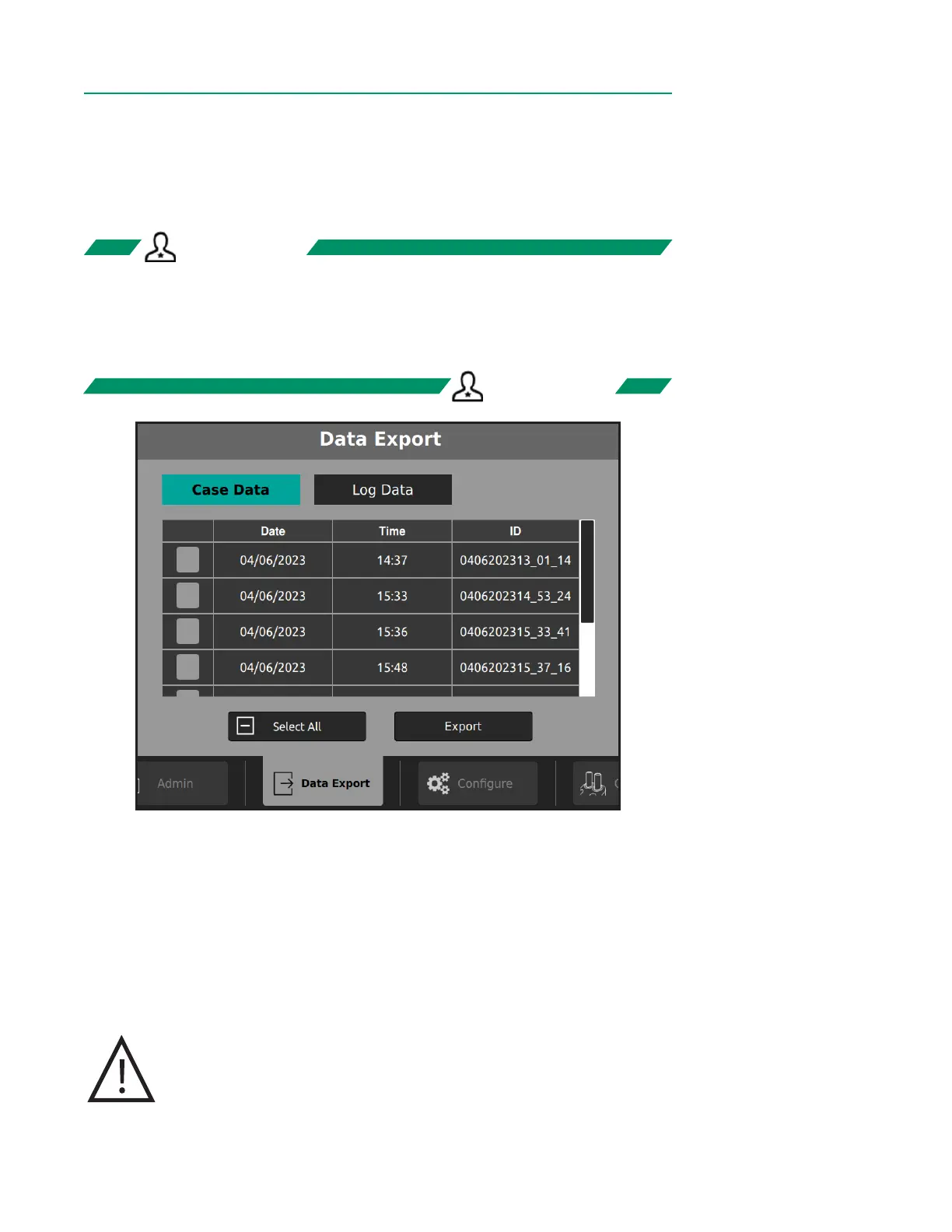
Data Export
The CDI OneView System can export both case data and log data to an external USB
drive connected to the bottom of the Display.
• Case data includes all recorded data from a case, including events and screenshots.
• Log data includes technical alarms, physiological alarms, security events and errors.
Note: Loss of power, including battery depletion, does not affect alarm logs.
Note: When alarm logs are at maximum capacity, the oldest entry is overwritten.
1. A USB drive must be connected to the Display to proceed.
2. On the Data Export Tab, tap the Case Data or Log Data button.
3. Tap the checkboxes on the leftmost column to select items. To select all items,
tap the Select All button at the bottom.
4. Tap Export.
Upon successful export, a checkmark will appear above the export button.
Caution
Do not connect an external USB drive to the system while still in
Measurement Mode due to possible disruptions to the system if
the drive is corrupt.
ADMIN ONLYADMIN ONLY
ADMIN ONLYADMIN ONLY



 To Next Page