2-14
Initial Assembly and Admin Setup
System Settings
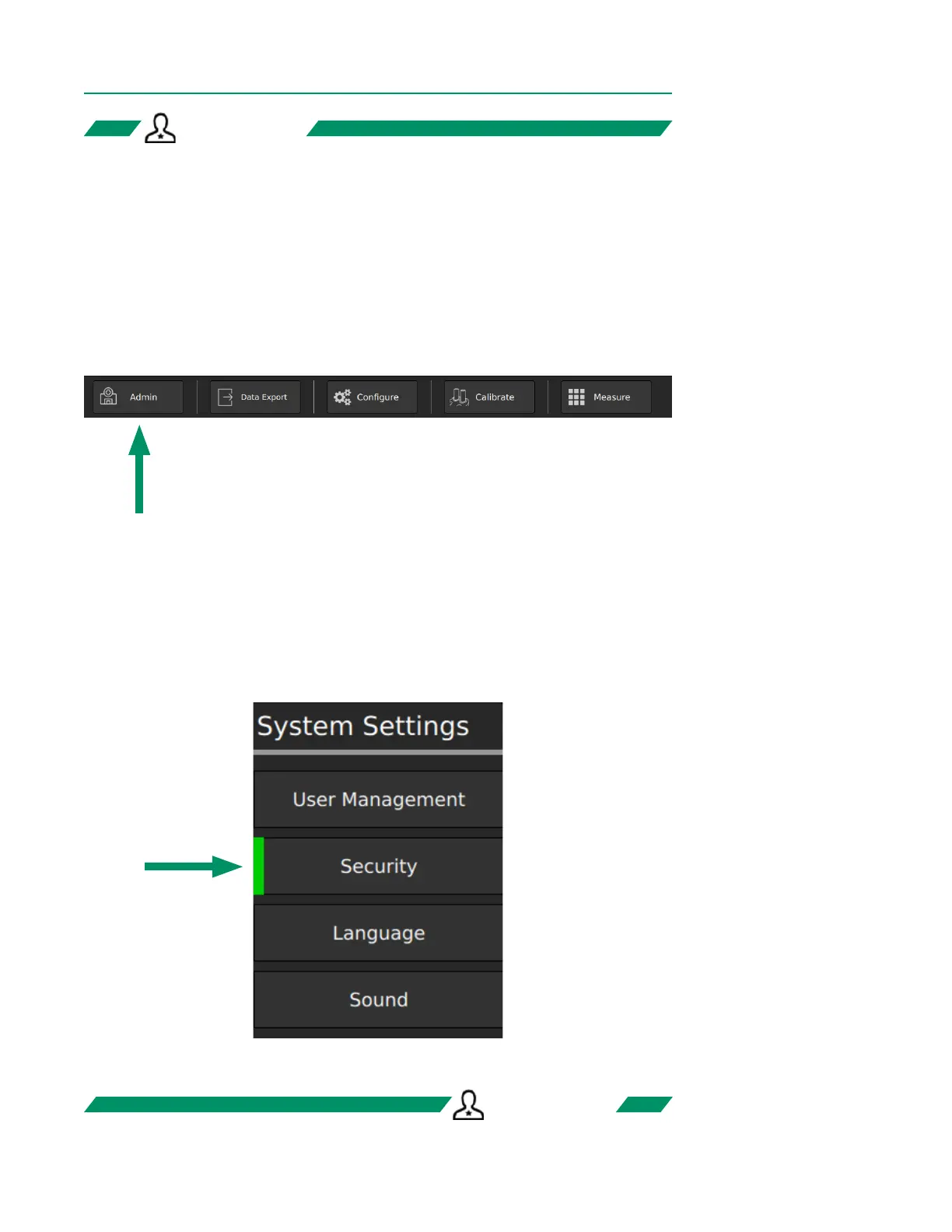
System Settings allow the admin to congure the following:
• User Management
• Security
• Language
• Sound
Tap the Admin button in the bottom left corner of the screen to access System Settings.
System Settings TabsSystem Settings Tabs
After tapping the Admin button, the following tab selector appears on the upper left
of the screen. Tap any menu item to go to that tab.
ADMIN ONLYADMIN ONLY
Currently displayed tab
ADMIN ONLYADMIN ONLY



 To Next Page