3-9
Case Profile Configuration
Data OptionsData Options
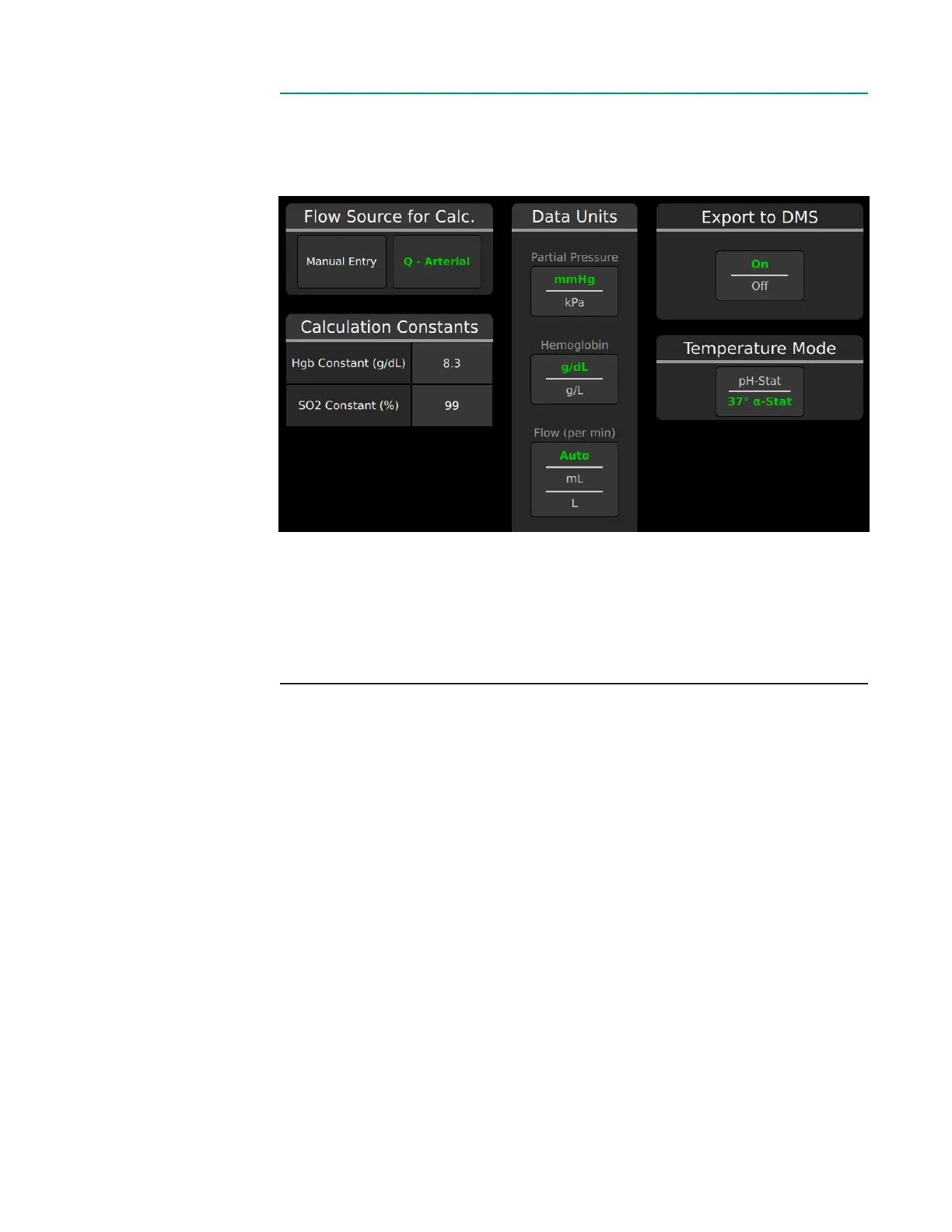
The Data Options Tab gives various choices of how data is displayed and whether
certain functionality is enabled.
This screen has three different types of interactions:
• Button Selection. Tap for desired selection.
• Toggles. Displays the current selection highlighted in green.
• Number pads. Tap to input numeric value.
Flow Source for Calculation must be selected before the case prole can be
saved. The setup in Sensor Connections will determine the choice of ow sources.
Calculation Constants
• Hgb: This value is used for the calculation of BE, VO
2
and DO
2
. Default value
is 8.3 g/dL.
• SO
2
: This constant is used for the calculation of oxygen consumption and delivery
if no arterial BPM is used. The default value is 99%.
Data Units toggles partial pressure, hemoglobin and ow during measurement.
Export to DMS toggles streaming to DMS devices on or off during measurement.
This option is only available if a DMS device is currently connected to the Core via
a DMS Interface Module.
Temperature Mode toggles between pH-stat and α-stat default setting for the
case prole.



 To Next Page