5-1
Running a Case
This section provides instructions on how to observe and record patient data while in
the Measurement Mode of the CDI OneView System.
Initiate Measurement Mode
While in Measurement Mode, the CDI OneView System continuously measures blood
parameters.
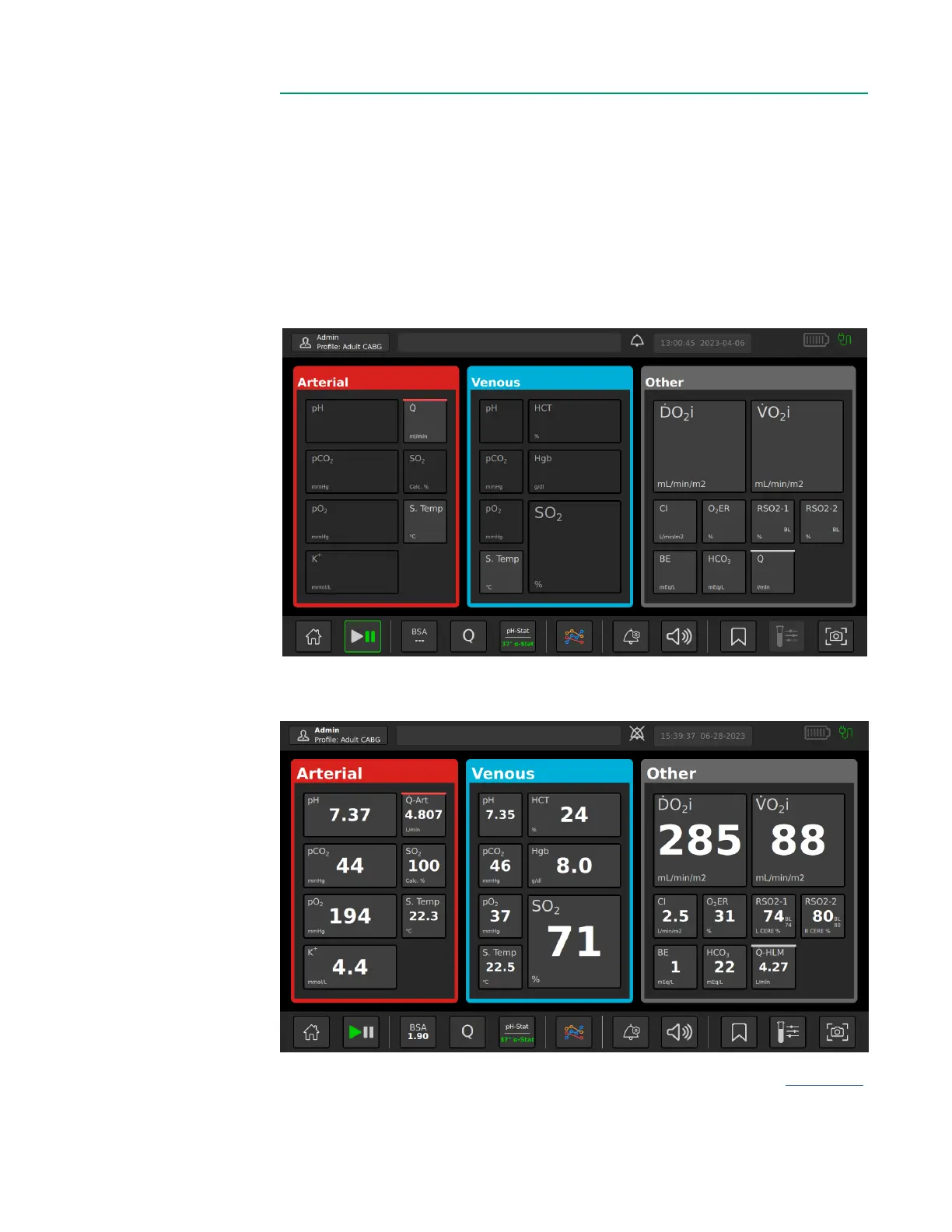
Measurement Mode will always start in Pause Mode, whether by tapping Measure on
the Home Screen or following a successful calibration. Pause Mode is shown below
with the Play/Pause button outlined in green:
To start measuring, tap the Play/Pause button. Values will be displayed in the parameter
tiles once measurement is initiated, as shown below:
Note:
Dashes appear for values that are out of the display range (listed in Appendix B)
and for negative flow ranges from CDI Flow Sensors.



 To Next Page