5-14
Running a Case
Concluding a Case
To end the case, tap the Home button on the Taskbar:
To export case data, see Chapter 5, “Data Export.”
Note: It is recommended to switch off the system when not in use.
Switching Off the SystemSwitching Off the System
To switch off the system, hold down the power button on the Display for two seconds.
Return the System to PreoperationReturn the System to Preoperation StateState
When the system is paused or switched off, the user can return it to its preoperation
state by following these steps:
1. Detach the BPM(s) from the BPM bracket.
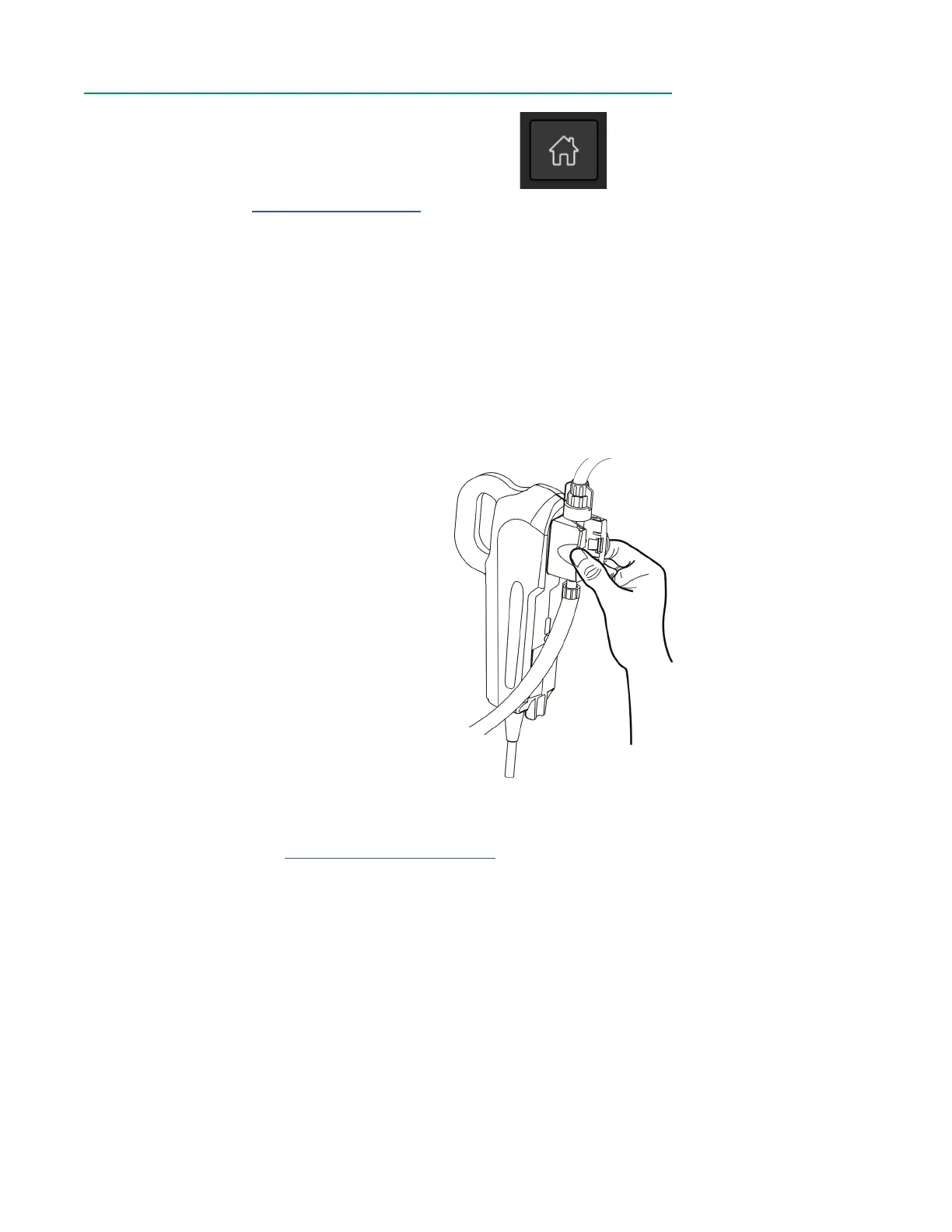
2. Remove the CDI Shunt Sensor from the
BPM by pinching the sensor wings and
lifting the sensor off the BPM.
3. Dock the BPM(s) on the inner left or right
holders on the back of the Display. While
holding the sensor side towards the
Display, align the grooves on both sides of
the probe with the top of the holder, then
slide downwards until the probe is ush
against the bottom of the holder.
4. Detach the H/S(s) from the CDI H/S
Cuvette(s) and dock it on either the outer
left or right mount on the back of the
Display. While holding the sensor side
facing towards the Display, gently press it
into the mount until it clicks into place.
5. Open Flow Sensor latch to remove tubing.
6. Wipe down the CDI OneView Display, Core and cables with an appropriate
cleaning agent. See Chapter 7, “Routine Cleaning” for cleaning instructions
and precautions.
7. If desired, a cable can be removed by gripping it by the connector barrel and
pulling to release the latch.



 To Next Page