5-4
Running a Case
Measurement Mode Taskbar
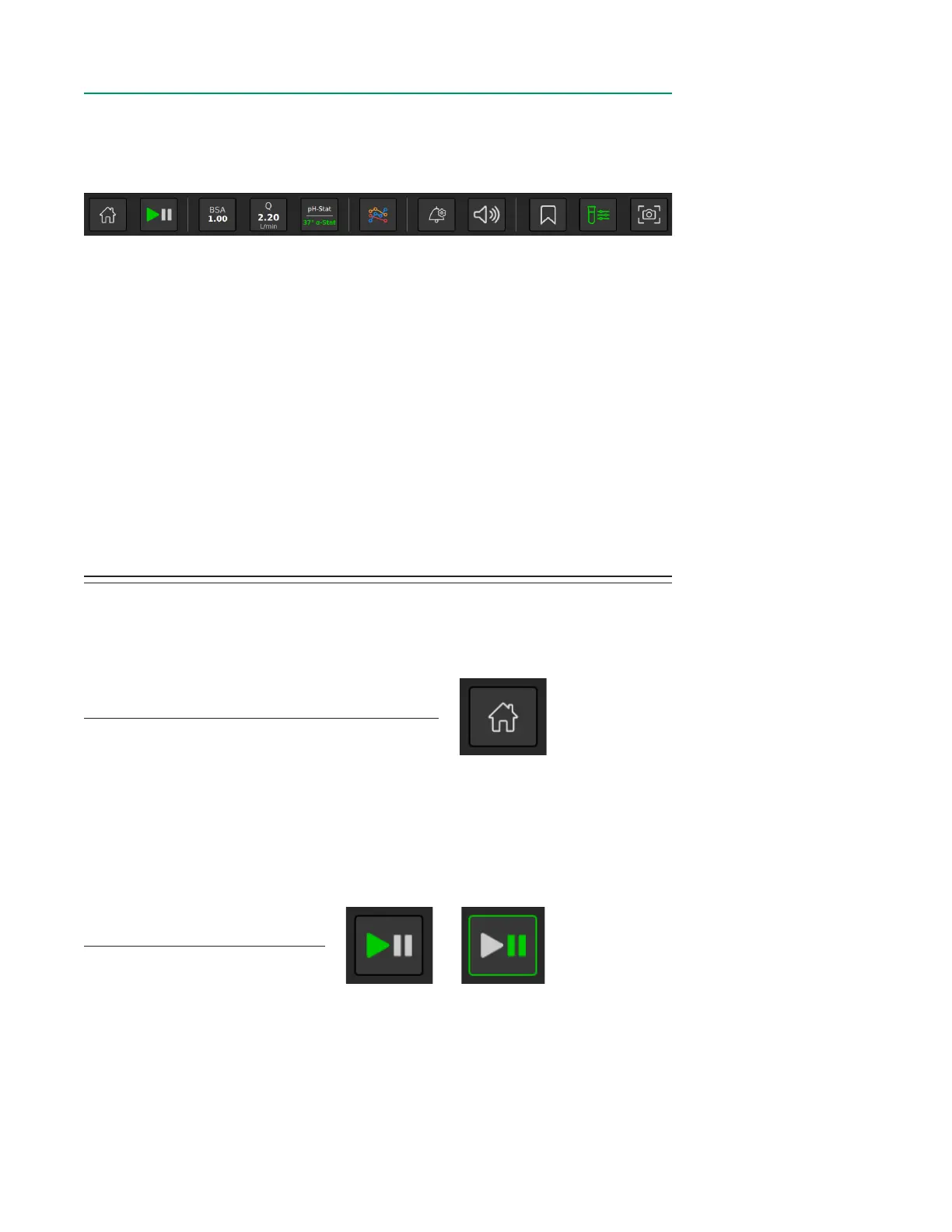
The Measurement Mode Taskbar provides a variety of functions. The following section
will look at each function of the taskbar in greater detail.
1. Home
2. Measurement/Pause Toggle
3. BSA
4. Flow Source for Calculation
5. Temperature Mode Toggle
6. Multi-Graph
7. Alarm Settings
8. Volume
9. Events
10. Store/Recall
11. Screenshot
HomeHome
Tap the Home button to return to the Home Screen.
Note: To end a case, tap the Home button. A window will appear giving the option to
end the case.
Play/PausePlay/Pause
Tap the Play/Pause button to initiate Measurement Mode or to go into Pause Mode.
Note: Data is not captured while in Pause Mode, but Pause Mode does not end a case.
A case can only be ended by tapping the Home button.
1 2 3 4 5 6 7 8 9 10 11
Play Pause



 To Next Page