3-10
Case Profile Configuration
Alerts/AlarmsAlerts/Alarms
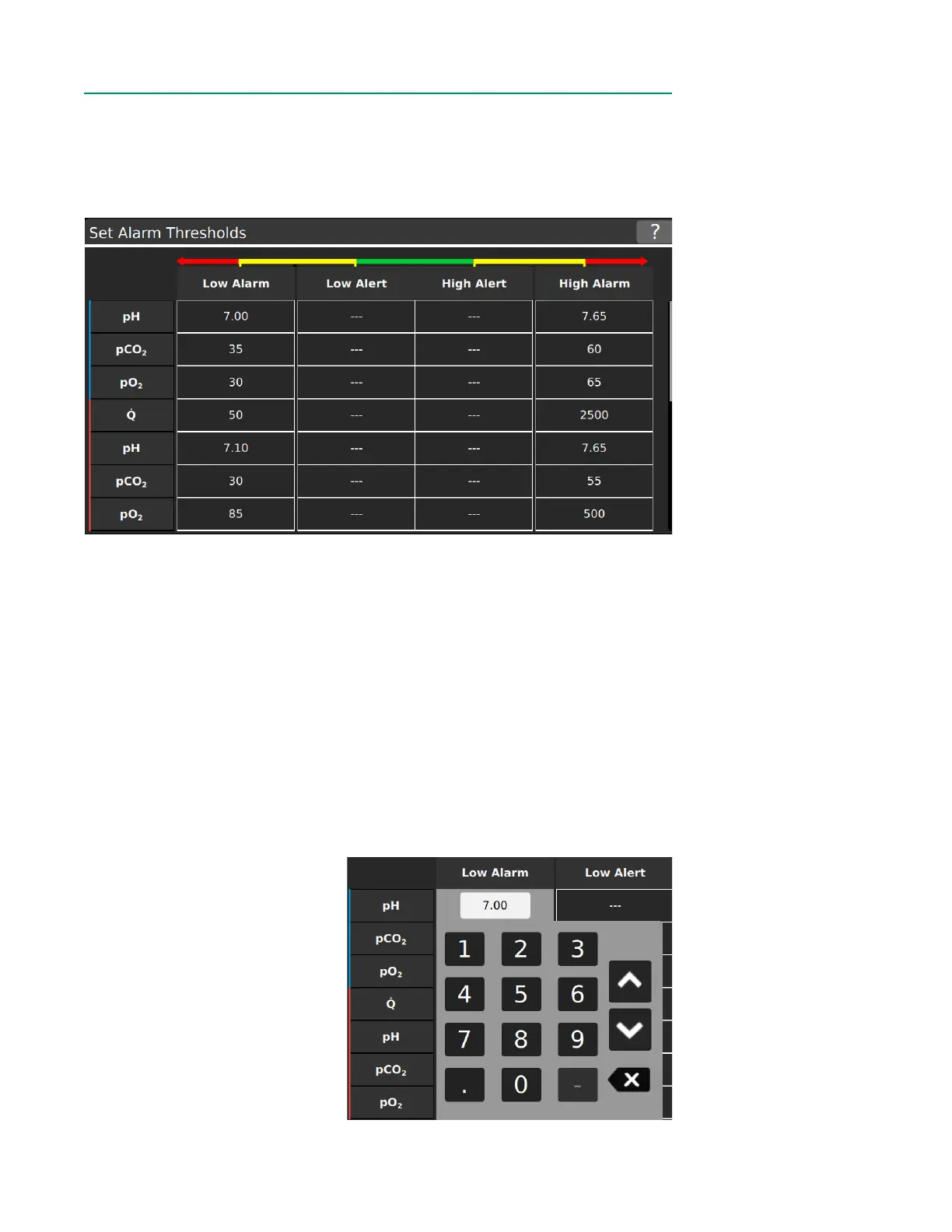
The Alerts/Alarms Tab sets thresholds for the physiological parameters measured
or calculated by the CDI OneView System. The parameters available depends on the
modules congured in Sensor Connections. Set high and low alerts as well as alarm
thresholds to notify the user when parameters fall outside of clinically relevant limits.
Alarms
The alarms are triggered when any parameters are outside the set alarm limits. When
alarms are active, the following occurs:
• A sound is emitted (unless muted).
• A ashing yellow border appears around the tile
• An arrow will indicate if the alarm is high or low.
Note: There is no inherent delay in the determination of any alarm condition.
Alerts (Optional)
Alerts are optional notications that must be within alarm value ranges. When alerts
are active the following occurs:
• The tile will display a static white border.
• An arrow will indicate if the alert is high or low.
Modifying Alerts/Alarms
1. Tap a cell to edit that value.
2. Enter a value with the
number pad or use arrows to
increase/decrease the value.
3. Tap anywhere outside the
number pad to accept the
value.
4. Once all changes are made,
tap Save before navigating
away.



 To Next Page