2-13
Initial Assembly and Admin Setup
First Time Administrator SetupFirst Time Administrator Setup
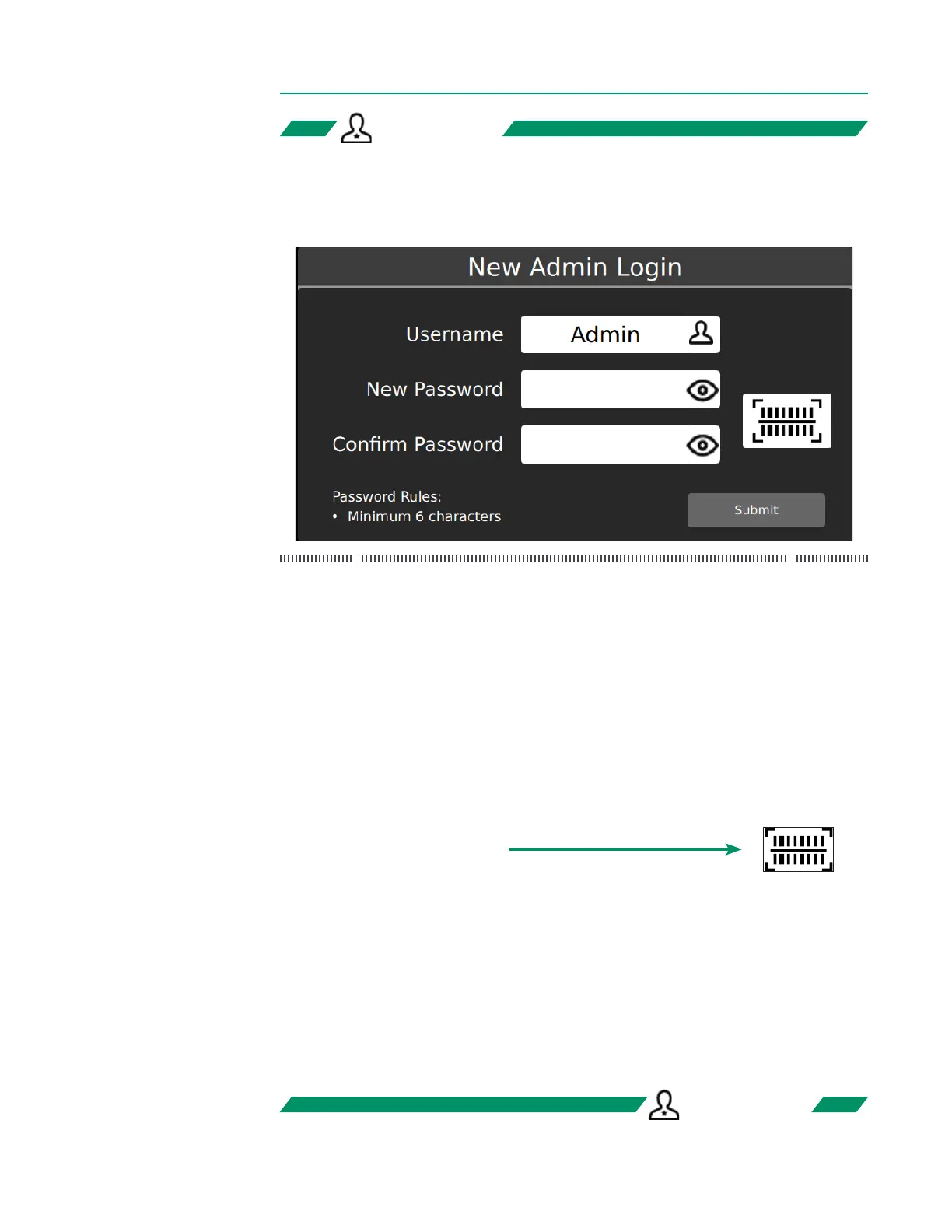
All new CDI OneView Systems require an admin account for rst-time setup.
To create a new admin login:
1. Type in a username and password.
2. Retype the same password for conrmation.
3. Tap Submit. If the passwords match, the User Login window will appear.
4. Retype the username and password.
5. Tap Submit to log in.
Note: Usernames cannot include special characters.
A barcode scan can be used instead of typing a password:
1. Type in a username.
2. Tap the barcode button:
3. Scan the barcode by placing it below the Display.
4. Tap the barcode button again for password conrmation.
5. Scan the barcode again by placing it below the Display.
6. If the password barcode matches, the User Login window will appear.
7. Retype the username.
8. Tap the barcode button and rescan by placing the barcode below the Display.
9. Tap Submit to log in.
ADMIN ONLYADMIN ONLY
ADMIN ONLYADMIN ONLY



 To Next Page