2-15
Initial Assembly and Admin Setup
User Management (Optional)User Management (Optional)
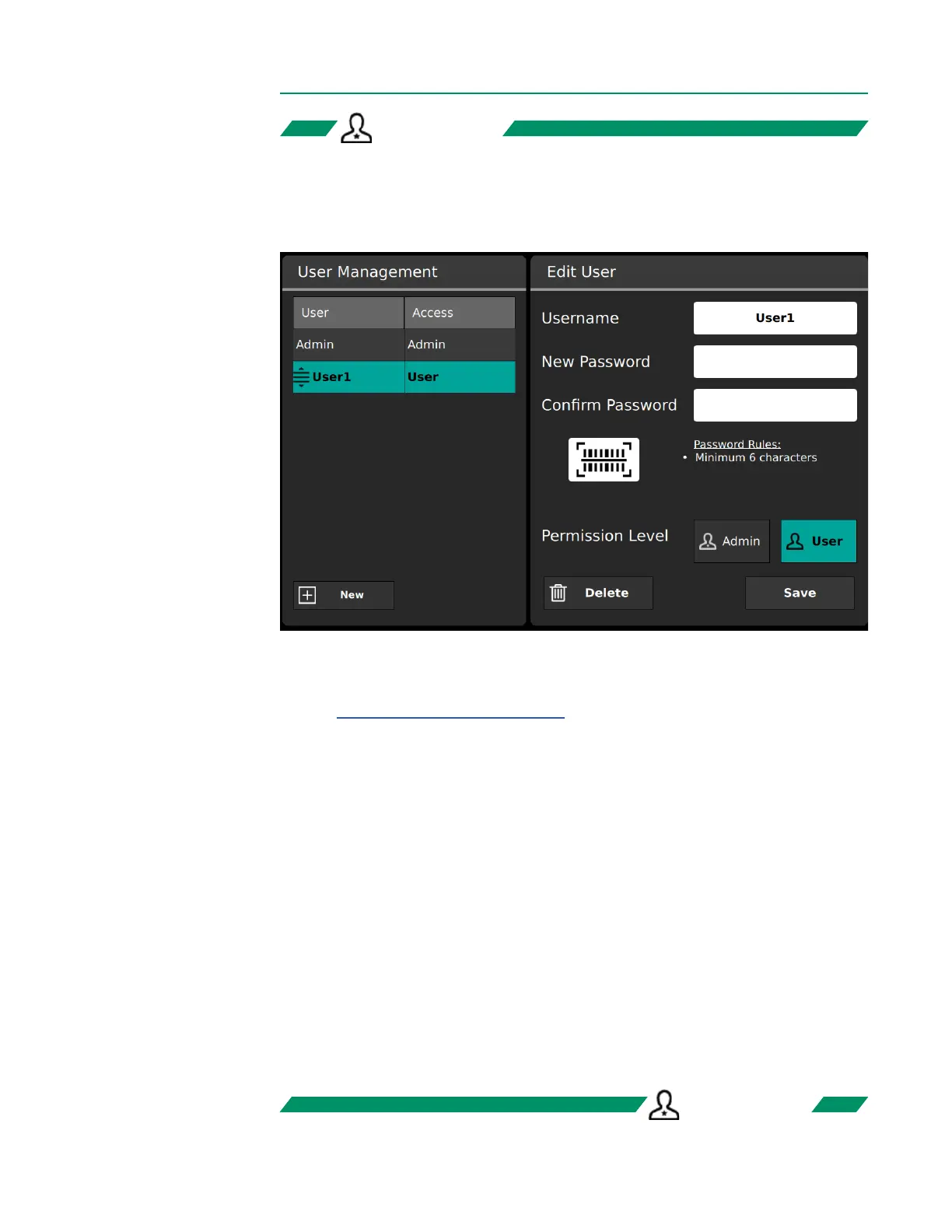
The User Management Tab allows admins to create new users, edit passwords for
existing users, and assign users a permission level of admin or normal user.
• To create a new user, tap New. Enter the username and password, then reenter the
password to conrm it. (A barcode can also be used instead of typing a password:
see Chapter 2, “Administrator Setup”). Set the permission level of the user, then
tap Save.
• To edit an existing user, select the user from the User Management list. Make any
desired changes to the username, password or permission level, then tap Save.
• Permission Level toggles a user between admin and normal user permissions.
Admin permission grants full access to all controls and settings of the system.
• To delete a user, select the desired user from User Management and tap Delete.
• To reorder the list of users, press and hold a username to move it up or down.
• The complexity rules displayed under Password Rules is determined by the current
Password Complexity conguration in the Security Tab.
Note: User access control must be toggled on in the Security Tab to enable logging
in to user accounts.
Note: Usernames cannot include special characters.
ADMIN ONLYADMIN ONLY
ADMIN ONLYADMIN ONLY



 To Next Page