2-2
Initial Assembly and Admin Setup
6. Ensure the bracket is securely attached before proceeding.
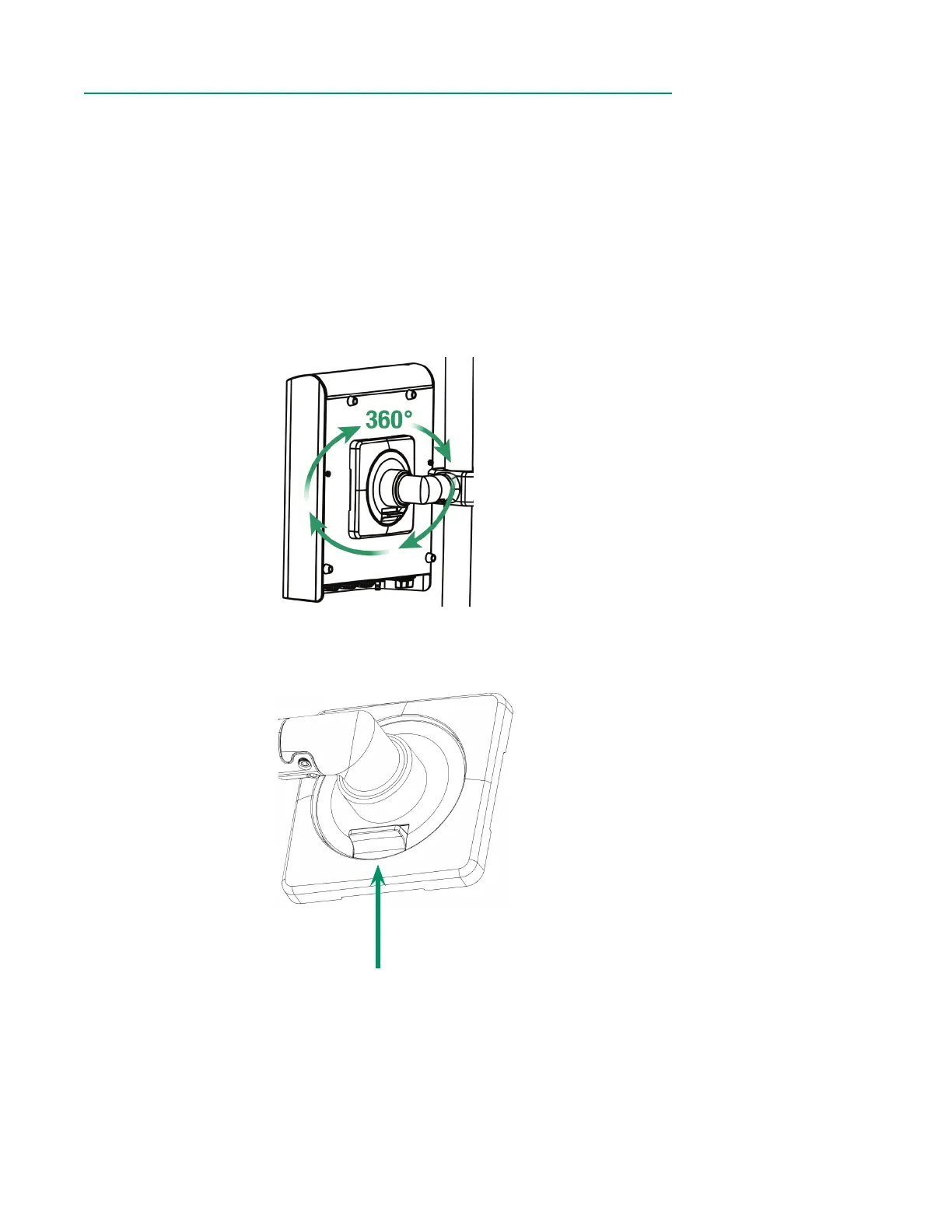
7. Tilt the Core to align the notches on the mounting disk with the mounting
plate, then press the Core until it is rmly in place.
8. Ensure the Core is securely attached to the bracket before proceeding.
9. Inspect the three-prong power cable to ensure it in undamaged.
10. Connect the female end of the power cable to the Core, then plug the male
end into a grounded power outlet.
• The Core can rotate freely on the bracket.
• To disengage the Core from the bracket, hold the Core securely in one hand, then
squeeze the quick disconnect lever on the bottom side of the bracket.



 To Next Page