2-10
Initial Assembly and Admin Setup
Module StorageModule Storage
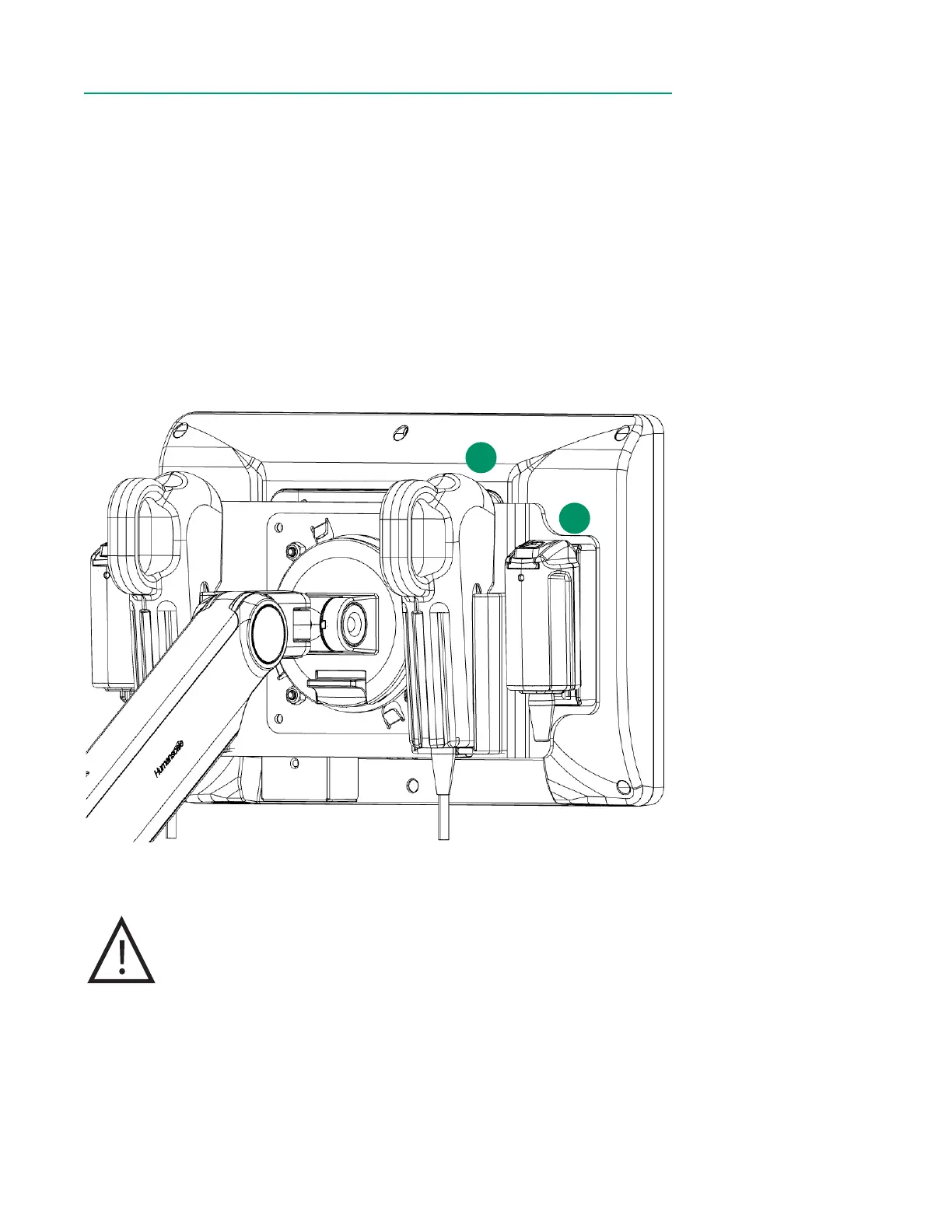
When the system is not in use, always leave the BPM(s) and H/S(s) in their designated
holders on the back of the display. Storing the modules in this way protects their optical
surfaces.
1. The BPM Probes are stored on the inner left and right holders on the back
of the Display. While holding the sensor side towards the Display, align the
grooves on both sides of the probe with the top of the holder, then slide
downwards until the probe is ush against the bottom of the holder.
2. The H/S Probes are docked on the outer left and right mounts on the back of
the Display. While holding the sensor side facing towards the Display, insert
the bottom tab into the receptacle and gently press the probe into the mount
until it clicks into place.
Caution
To avoid damage to the BPM and H/S, do not use excessive force
while adjusting the display. Avoid contacting the BPM holder with
the display bracket.
There are protruding edges on the H/S mounts.
1
2



 To Next Page