The perpendicularity mode of the MICRO-HITE or MICRO-HITE+M are only accessible using a
IG13 or any other TESA USB 1D probe.
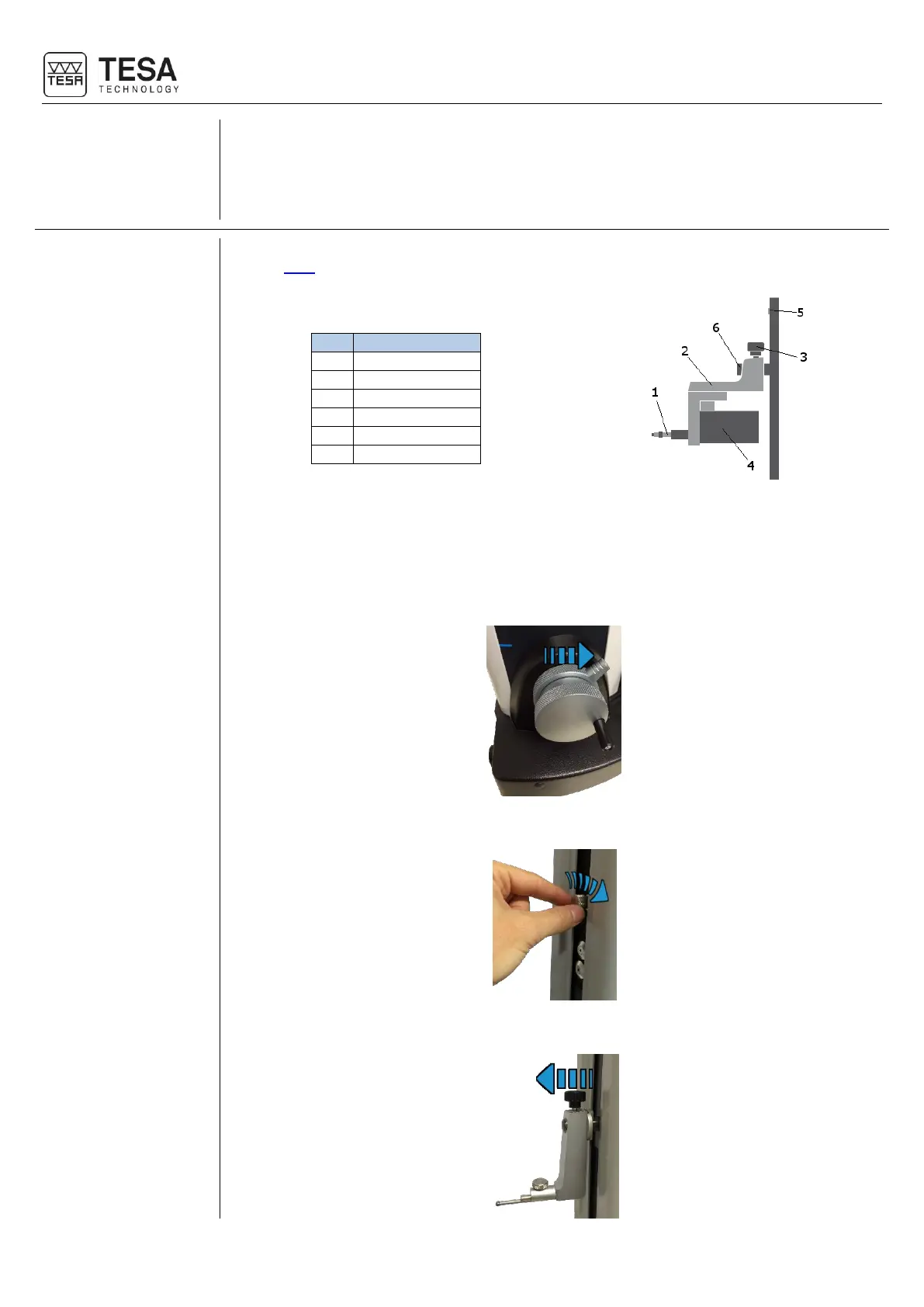
The IG13 probe is an optional accessory that enables measurement of all geometric errors
defined here. This probe is composed of different elements:
The IG13 must always be used with its fixing system (2), which has to be mounted on the
mounting shaft (6). The cable of the probe has to be connected to the plug (5).
1. Before starting to remove the probe and its support on a MICRO-HITE, it is highly
recommended to use the locking ring in order to avoid that the measuring carriage will be
displaced upwards by the internal counterweight of the instrument.
2. Block the measuring carriage.
3. Remove the probe and its support from the mounting pin.











 To Next Page