Instruction manual for MH & MH+M
54
Examples of nominal value calculations:
Automatically calculated nominal value
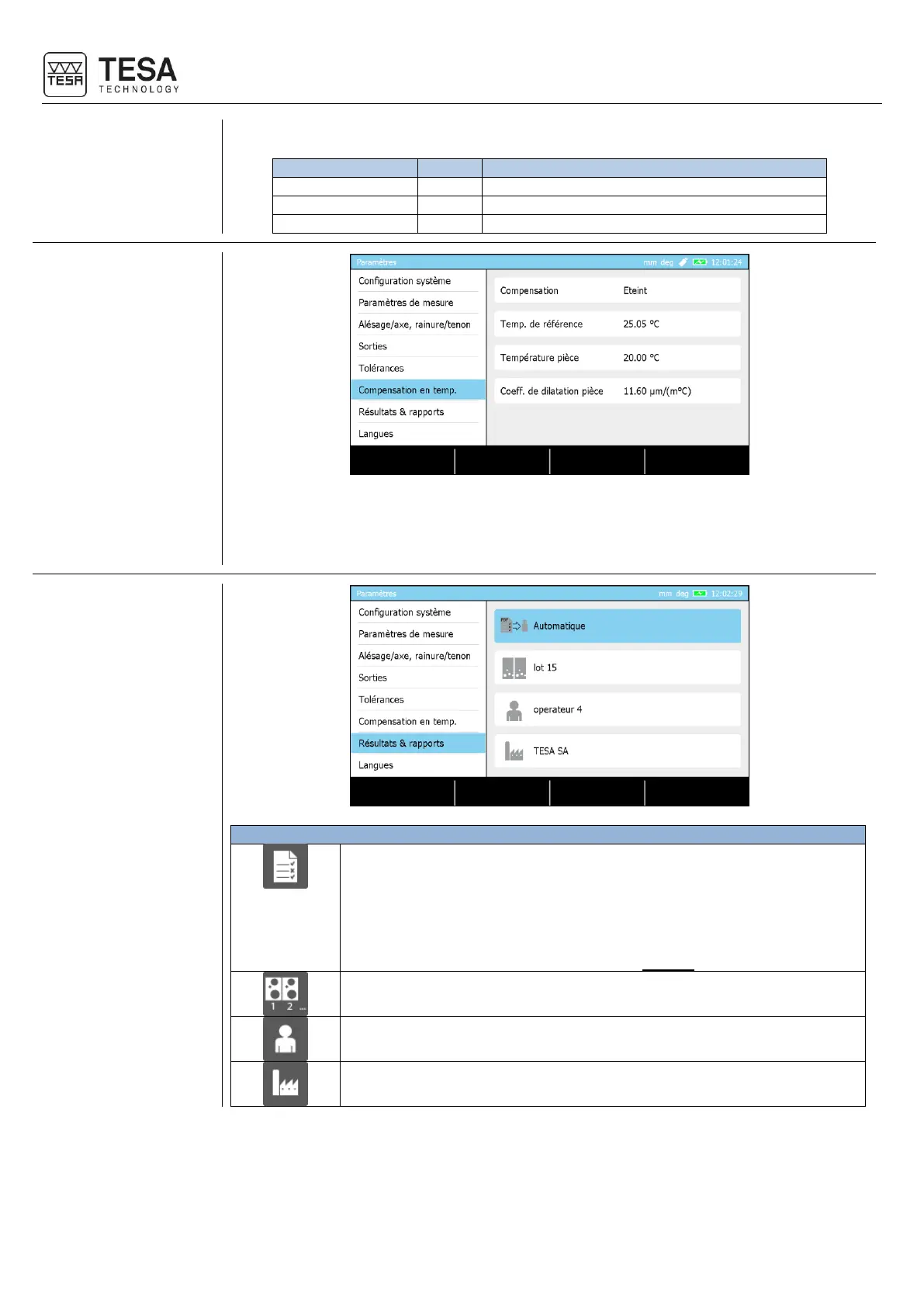
The gauge integrates a temperature compensation system that can be enabled or disabled
when desired. When active, a calculation takes into account the reference temperature
representing the environmental temperature in order to modify the measured values taking
also into consideration the thermal expansion coefficient selected.
Activate or deactivate the creation of reports in *.pdf format on the USB
stick. The creation can be:
• Automatic at the end of the execution of a measurement programme
• Manual by choosing the corresponding context-based action
For further information, please refer to this chapter.
Batch name to be displayed in the header of the *.pdf measurement
report
Operator name to be displayed in the header of the *.pdf measurement
report
Company name to be displayed in the header of the *.pdf measurement
report











 To Next Page