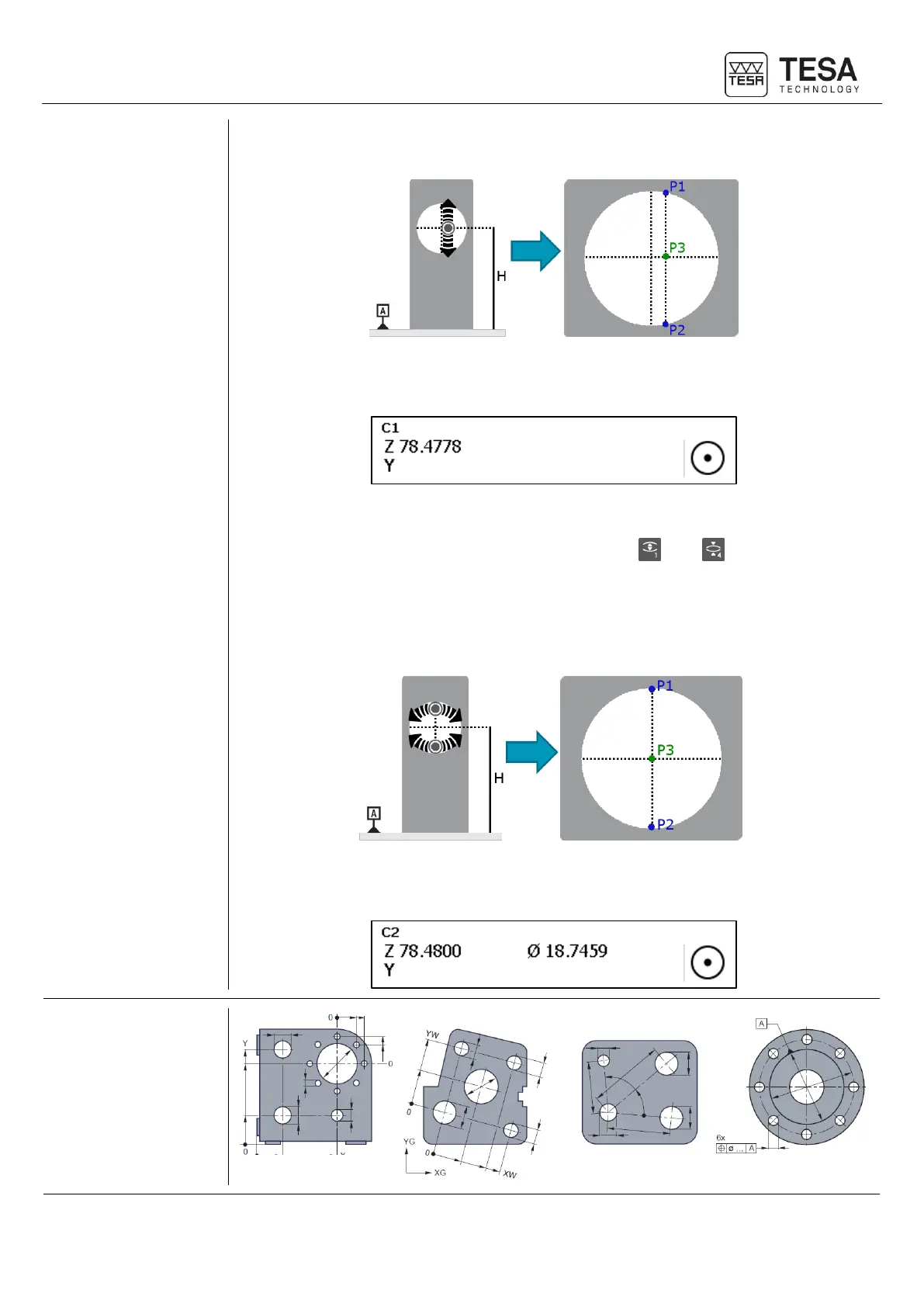
software will determine the H coordinate using le P3 point but the distance between P1 and
P2 does not correspond to the diameter of the bore.
The software will then display only the measured coordinate in the corresponding block (Z in
our case).
Looking for the culmination point
On MICRO-HITE+M, this way of doing corresponds to and button of the panel
keyboard.
On the contrary, using one of the methods for checking the culmination point, P1 and P2 are
really the maximum and minimum locations of the bore. This is the reason why, as results, H
will be given as P3 coordinate as well as the bore diameter, distance between P1 and P2.
In this case, the software displayed not only the measured coordinate but also the element
diameter.











 To Next Page