Instruction manual for MH & MH+M
128
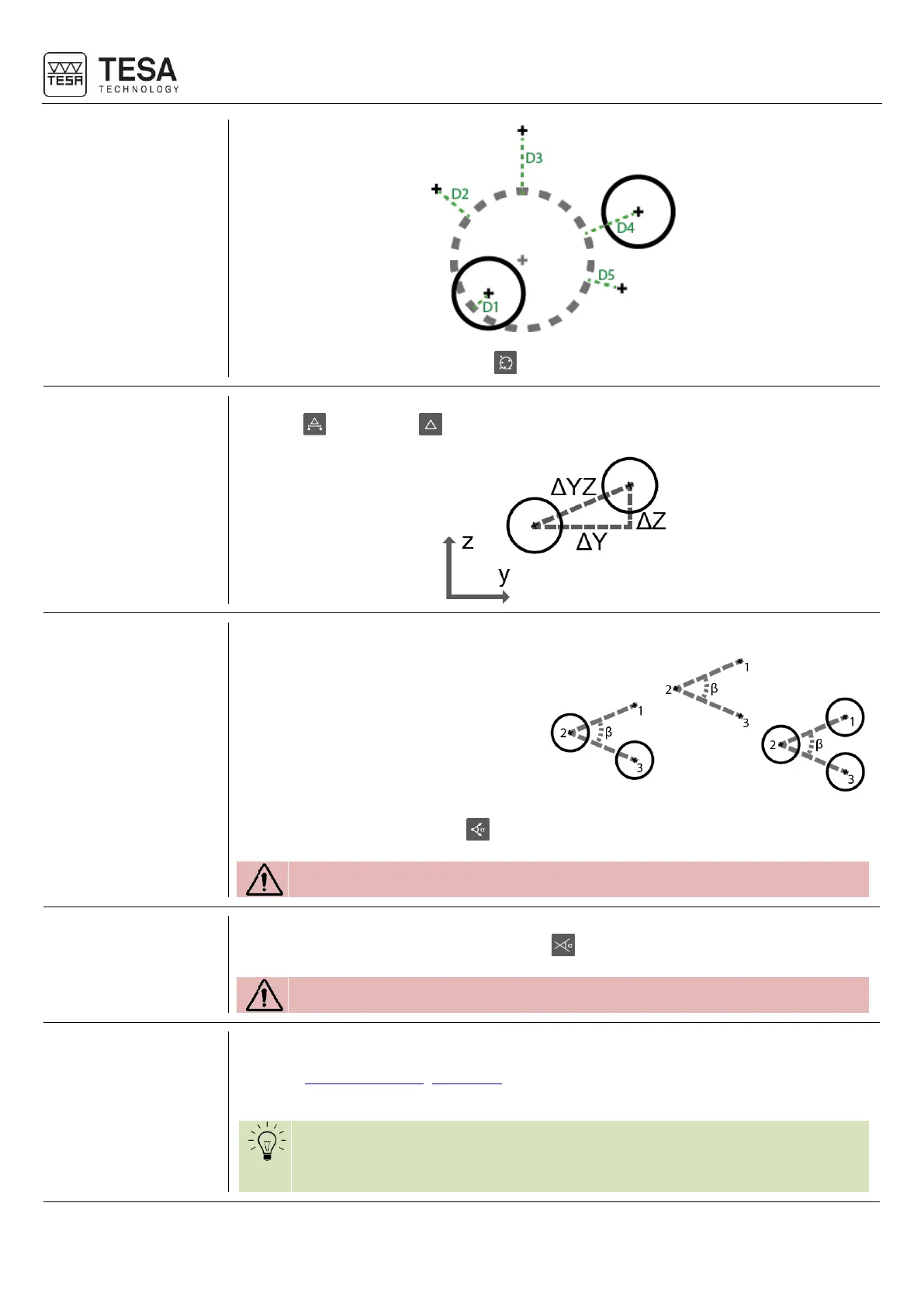
A bestfit circle can be calculated with action.
19.18 Distance
between 2
points
It is possible to get the distance between two points, two circles (or a mix between them)
using the action or the keyboard button.
In order to calculate this angle it is mandatory to have selected:
• Three points
• Three circles
• A combination of three blocks with
points and circles
The angle can be calculated with action.
The selection sequence has an impact on the result.
19.20 Angle between
two lines
In order to calculate the angle between two lines it is mandatory to select two blocks
representing lines and confirm the action with .
The selection sequence has an impact on the result.
19.21 Angle with axes
of the current
datum
Sometimes it is important to be able to obtain the angle that a line forms with one of the
axes of the current datum. Therefore you can just create the desired line (see these
chapters: line by two points, bestfit line) in the measurement history. The created block will
always automatically contain the angle that the line forms with the Z axis.
If you want to get the angle that the line forms with the Y axis when running
a program, you just have to exit the 2D mode and create a customised
function block containing: 90 ° angle with Z-axis.











 To Next Page