Instruction manual for MH & MH+M
41
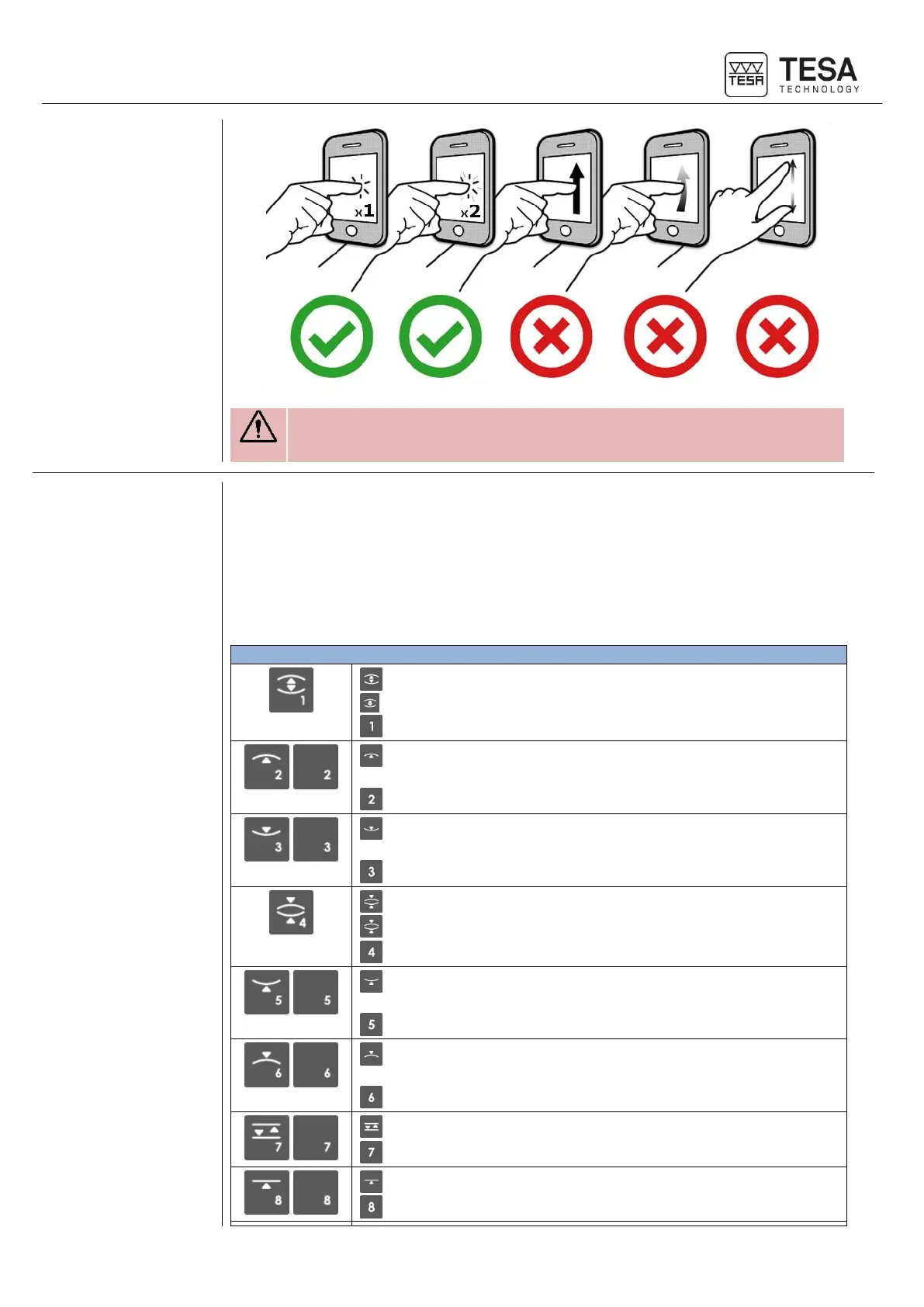
The control panel is touchscreen only technology. Swiping the screen is
not possible.
There are two different types of actions possible using the keys of this zone:
• Numerical keyboard
• Measurement function
The numerical keyboard can be used at any moment, when the user has to enter a value
manually. The user has the possibility to enter it via the control panel keyboard or on the
touchscreen.
Start automatic bore measurement (MH+M)
Define bore measurement process (MH)
Insert value 1
Start automatic measurement of maximum internal culmination
point (MH+M)
Insert value 2
Start automatic measurement of minimum internal culmination
point (MH+M)
Insert value 3
Start automatic axis measurement (MH+M)
Define axis measurement process (MH)
Insert value 4
Start automatic measurement of minimum external culmination
point (MH+M)
Insert value 5
Start automatic measurement of maximum external culmination
point (MH+M)
Insert value 6
Start automatic groove measurement (MH+M)
Insert value 7
Start automatic measurement of upper point (MH+M)
Insert value 8











 To Next Page