EasyManua.ls Logo

TESA MICRO-HITE - Where Is the Current Datum; Change the Coordinate System

TESA MICRO-HITE
163 pages
Print Icon
To Next Page IconTo Next Page
To Previous Page IconTo Previous Page
Loading...
Instruction manual for MH & MH+M
125
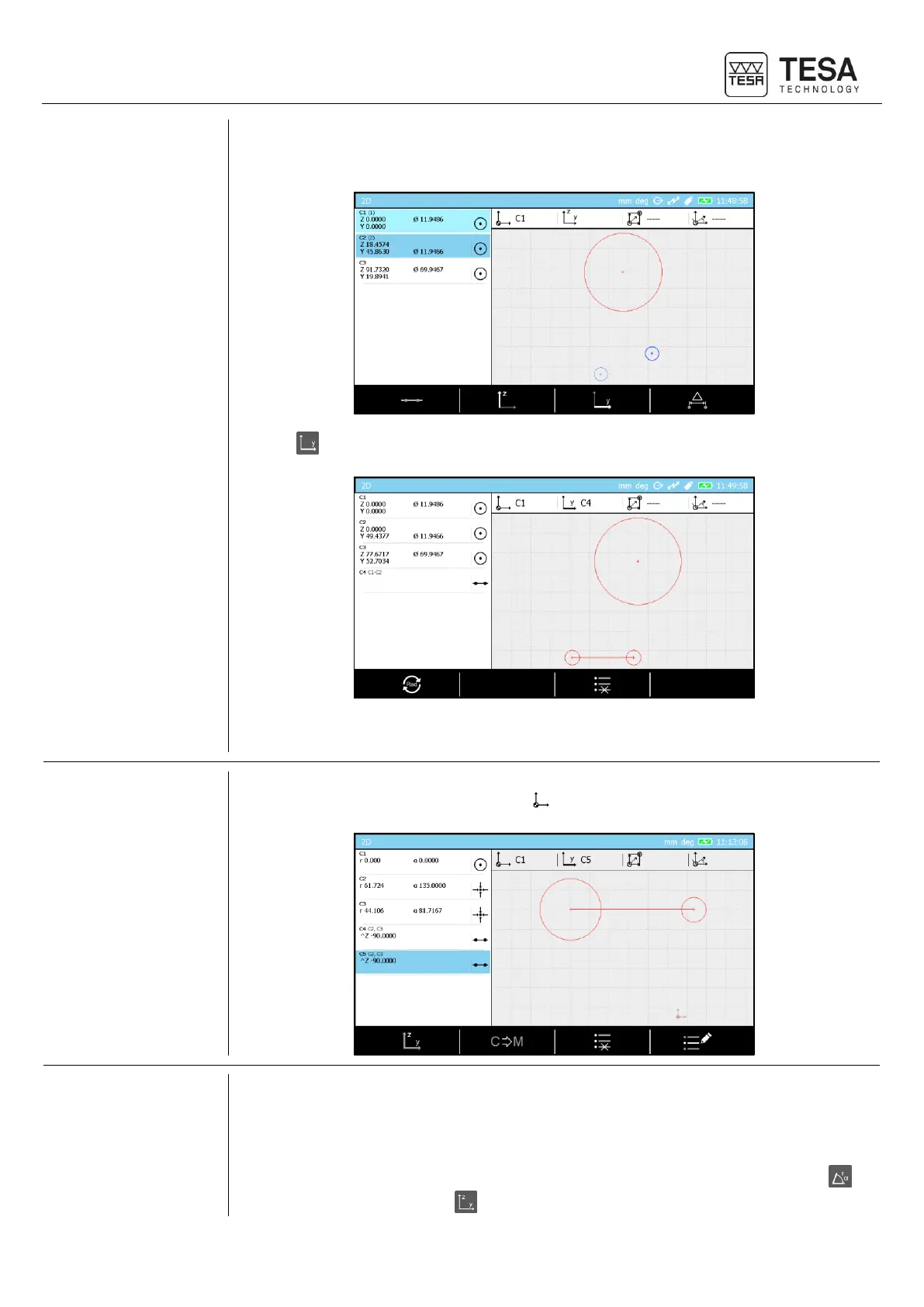
We consider now that we want to define the line going through C1 and C2 as Y axis reference.
3. Select C1 and C2 blocks.
4. Press .
A C4 line is automatically created in the list and set as Y axis reference (visible as well in the
current datum status bar).
19.8 Where is the
current datum?
If you cannot remember where the current datum is, you can simply look at the graph on the
right side of the screen and find where the icon is.
19.9 Change the
coordinate
system
The 2D mode analysis page allows using two coordinate system types:
Polar
Cartesian
You can easily switch from one to the other using the following context-based actions: to
switch to polar coordinates and for the Cartesian coordinates.

Table of Contents

Related product manuals